M (E3.1) 1/2023 page 95/136
16.3 Event list
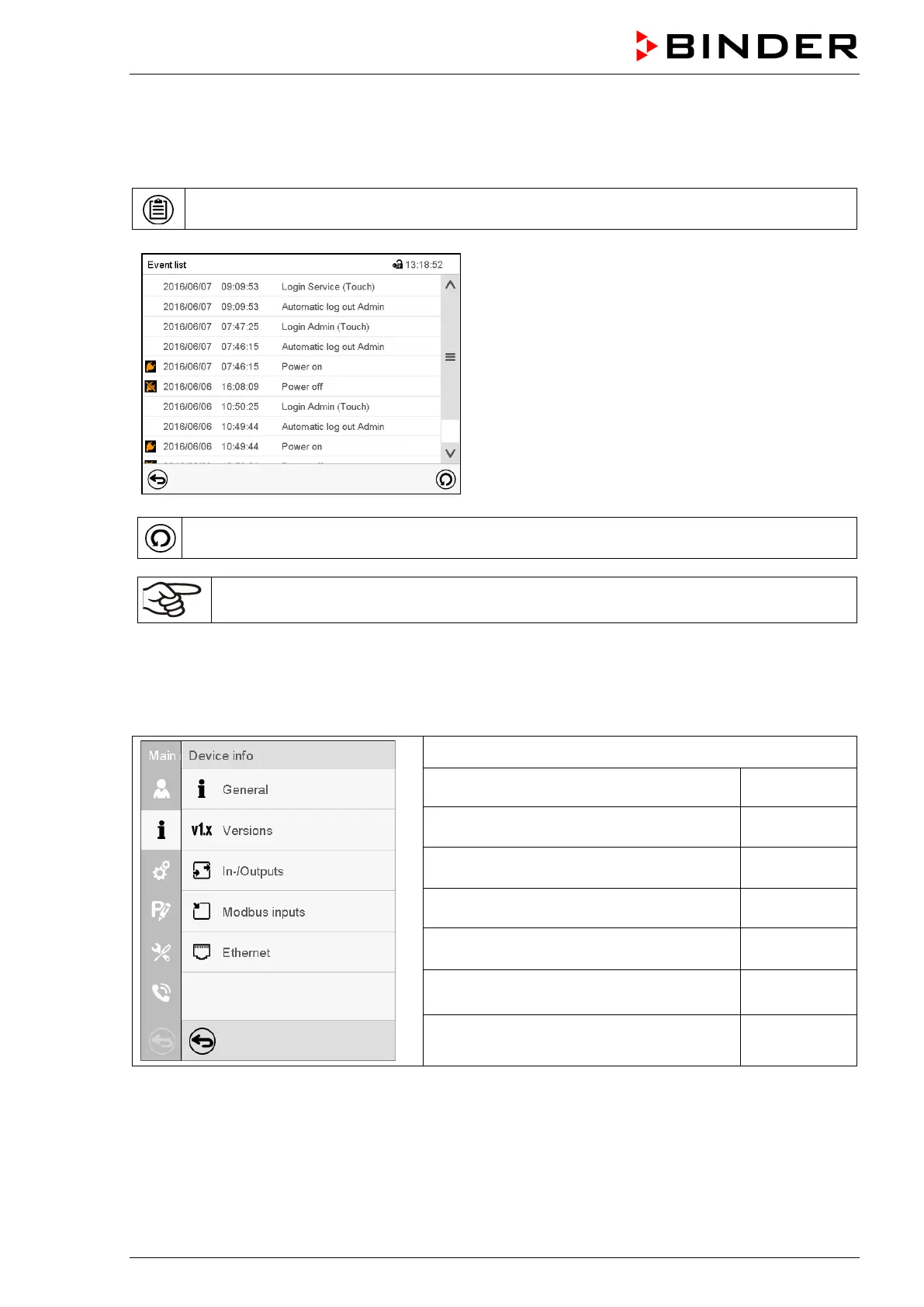
The “Event list” displays status information and errors of the current day. It enables to view the last 100
events or defective conditions of the chamber.
Press the Event list icon to access the event list from Normal display.
Event list
Press the Update icon to update the event list.
Attention: Following a modification of the language setting (chap. 15.1) or the storage inter-
val of the chart recorder (chap. 17.2) the Event list is cleared.
16.4 Technical chamber information
Path: Main menu > Device info
Chamber name and setup
Versions of CPU, I/O module and safety
controller
Information on digital and analog inputs
and outputs and phase angle outputs
Service
Information on modbus analog and digital
inputs
Information on Ethernet connection, MAC
address display
chap. 15.5.1
Back to main menu



 To Next Page