M (E3.1) 1/2023 page 68/136
12.3 Resetting an alarm, list of active alarms
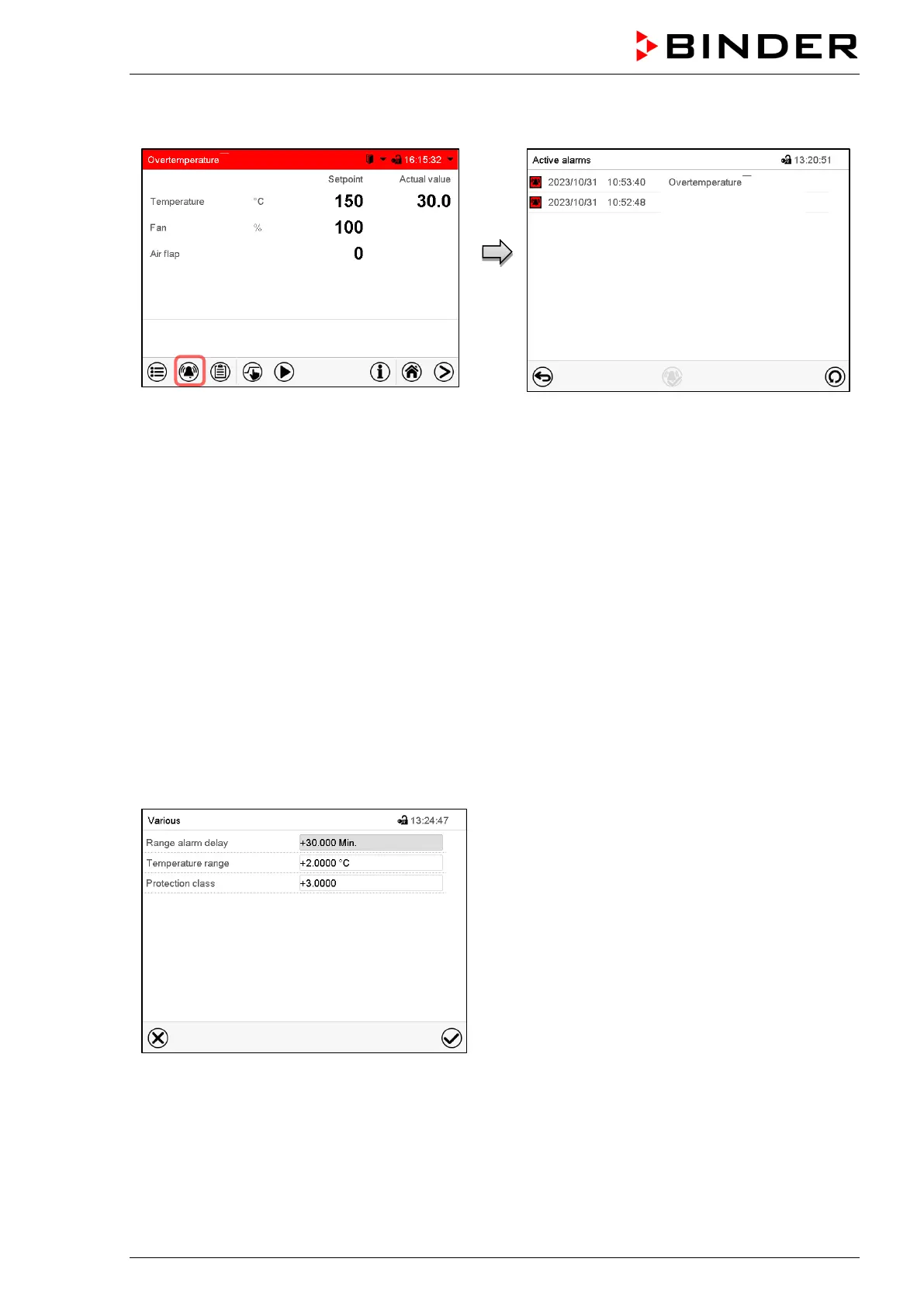
Normal display in state of alarm (example).
Press the Alarm icon
List of active alarms.
Press the Reset alarm icon.
Pressing the Reset alarm icon mutes the buzzer for all active alarms. The icon then disappears.
• Acknowledging while the alarm condition persists: Only the buzzer turns off. The visual alarm indication
remains on the controller display. The alarm remains in the list of active alarms.
When the alarm condition has ended, the visual alarm indication is automatically cleared. The alarm is
then no longer in the list of active alarms.
• Acknowledging after the alarm condition has ended: The buzzer and the visual alarm indication are reset
together. The alarm is then no longer in the list of active alarms.
• The zero-voltage relay alarm output resets together with the alarm.
12.4 Tolerance range settings
In this menu you can set the deviation between the actual value and setpoint which that shall cause a
tolerance range alarm.
This function only activates after the set-point has been reached once.
Path: Main menu > Settings > Various
Submenu “Various”.
• Select the field “Range alarm delay” and enter the time in minutes, after which the range alarm shall be
triggered. Setting range: 15 min to 120 min. Confirm entry with Confirm icon.
• Select the field “Temperature range” and enter the desired value for the temperature range. Setting
range: 2 °C to 20 °C. Confirm entry with Confirm icon.



 To Next Page