M (E3.1) 1/2023 page 38/136
8. Set-point entry in “Fixed value” operating mode
In Fixed value operating mode, you can enter a temperature set-point, the fan speed, adjust the air flap
position and the switching-state of special controller functions via operation lines.
All settings made in Fixed value operating mode remain valid until the next manual change. They are saved
also when turning off the chamber or in case of toggling to Idle Mode or Program Mode.
Setting ranges Control ranges
Temperature
0.0 °C / 32 °F
up to 300 ºC / 572 °F
M 56, M 115: 22 ºC above ambient temperature up to
300 ºC / 572 °F
M 260, M 720: 15 ºC above ambient temperature up to
300 ºC / 572 °F
Fan speed 40% up to 100 %
Air flap 0 (closed) up to 4 (open) in steps of 15°
Reduce the fan speed only if required, because the spatial distribution of temperature will
also be reduced.
Technical data refers to 100% fan speed.
With set-point type “Limit”, adapt the safety controller (chap. 13.2) always when you changed
the temperature set-point. Set the safety controller set-point by approx. 5 °C above the con-
troller temperature set-point.
Recommended setting: Set-point type “Offset” with safety controller set-point 5 °C.
8.1 Set-point entry for temperature and fan speed through the “Setpoints” menu
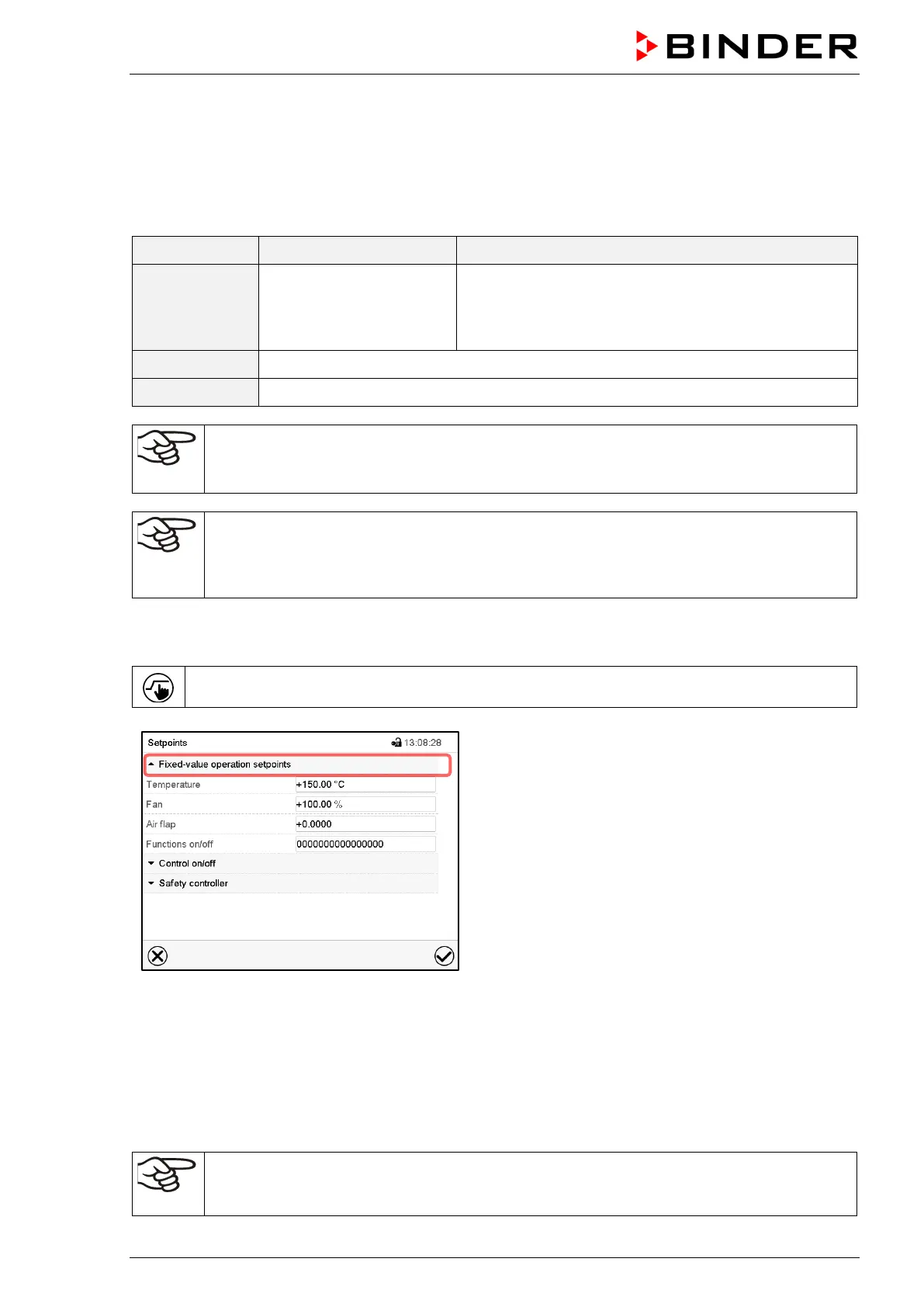
Press the Setpoint setting icon to access the “Setpoint” setting menu from Normal display.
“Setpoints” menu.
(standard view without the object temperature control
option)
Select “Fixed value operation setpoints” to access the
individual parameters.
• Select the field “Temperature” and enter the desired temperature setpoint.
Setting range: 0 °C / 32 °F up to 300 ºC / 572 °F . Confirm entry with Confirm icon.
• Select the field “Fan” and enter the desired fan speed setpoint.
Setting range: 40% up to 100% fan speed. Confirm entry with Confirm icon.
• Adjusting the air flap position, see chap. 8.2.
• For setting the object temperature control option, see chap. 18.3.
When entering a value outside the setting range, the message: “Value outside of limits! (Min:
xxx, Max: xxx)” appears (xxx is a wildcard for the limits of the respective parameter). Press
the Confirm icon and repeat the entry with a correct value.



 To Next Page