M (E3.1) 1/2023 page 41/136
8.4 Special controller functions via operation lines
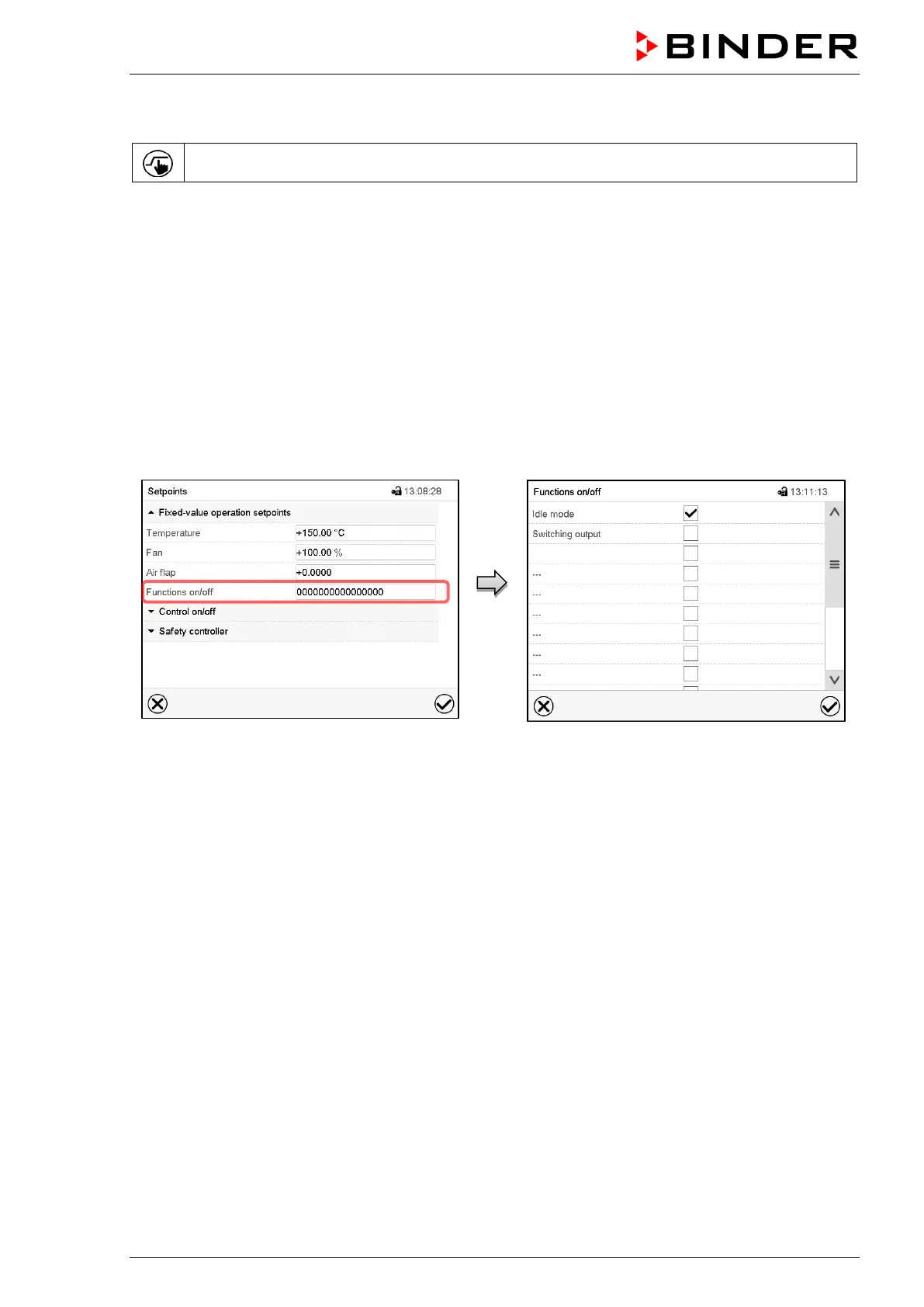
Press the Setpoint setting icon to access the “Setpoint” setting menu from Normal display.
You can define the switching state of up to 16 operation lines (control contacts). They are used to activate
/ deactivate special controller functions.
• Operation line “Idle mode” activates / deactivates the operating mode “Idle mode” (chap. 5.4). This mode
serves to deactivate all chamber functions except the controller. With operating mode “Idle mode”, the
heating and fan are deactivated.
• Operation line “Switching output” is used to switch on/off the zero-voltage switching contact
• Operation line “Object control” is used to switch on/off the object temperature control (option). This op-
eration line is visible only at units with the object temperature control option.
The other operation lines are without function.
Use the “Setpoints” menu to configure the operation lines.
“Setpoints” menu.
Select the field “Functions on/off”.
“Functions on/off” entry menu.
Mark / unmark the checkbox to activate / deac-
tivate the desired function and press the Con-
firm icon.
Activated operation line: switching status “1” (On)
Deactivated operation line: switching status “0” (Off)
The operation lines count from right to left.
Example:
Activated operation line “Idle mode” = 000000000000000
1
Deactivated operation line “Idle mode” = 000000000000000
0



 To Next Page