M (E3.1) 1/2023 page 79/136
14.2 Log in
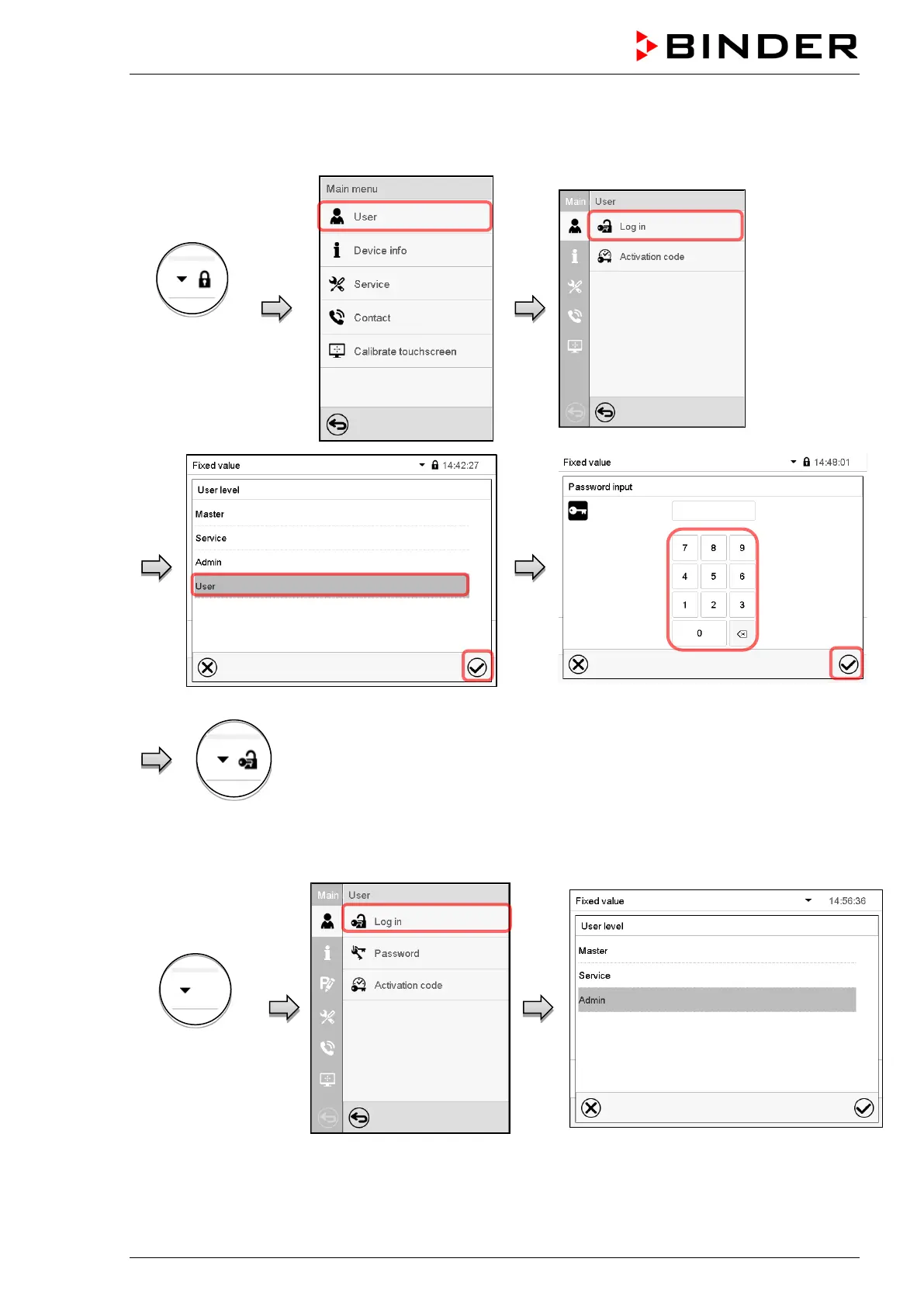
Path: Main menu > User > Log in
Controller with-
out a user
logged-in
Selection of user type (example) All selection possibilities are password protected
Controller with logged-in user
After completing the settings, press the Confirm icon to take over the entries and exit the menu, or press
the Close icon to exit the menu without taking over the entries.
Controller with
deactivated
password



 To Next Page