M (E3.1) 1/2023 page 74/136
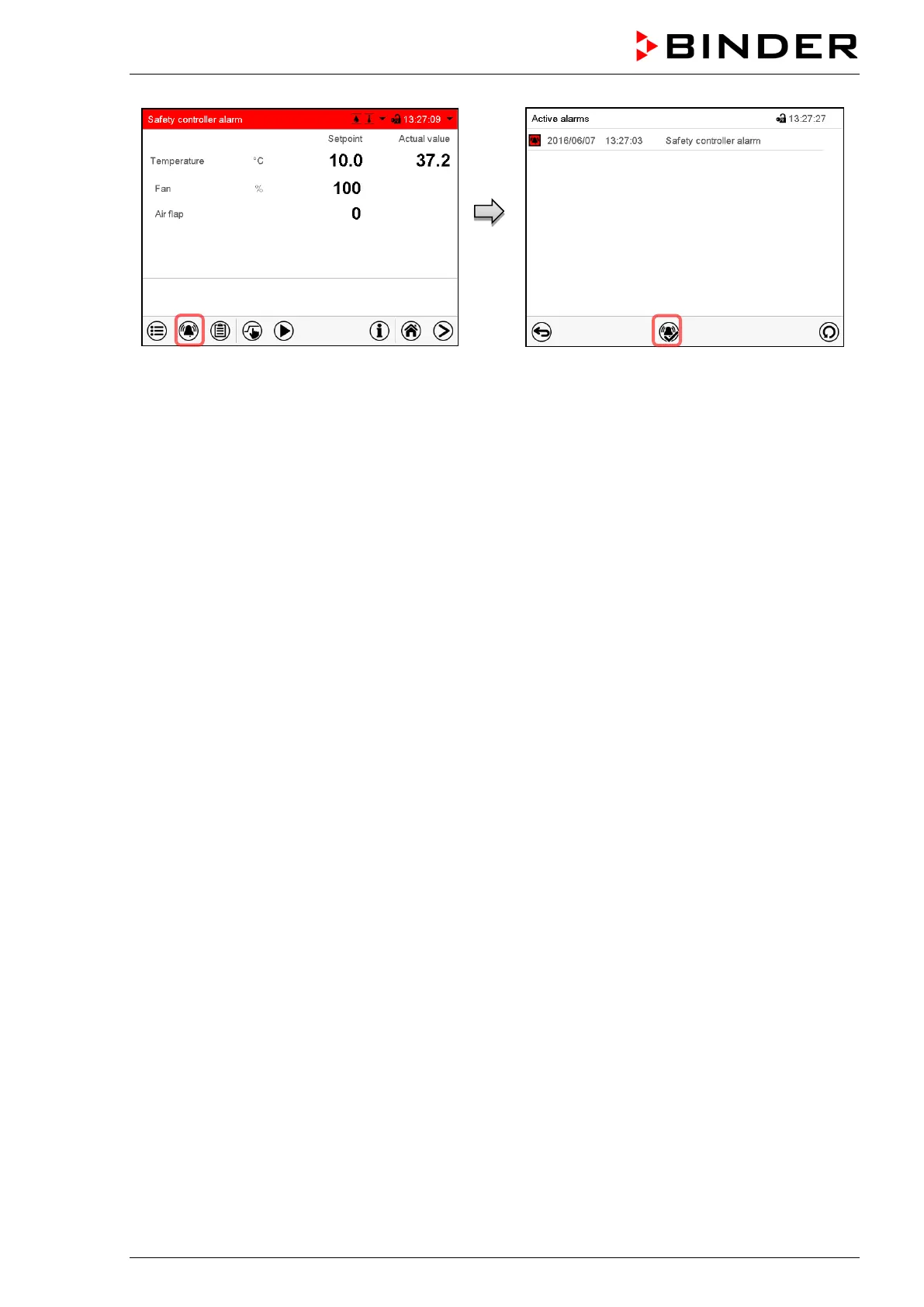
Normal display with safety controller alarm.
Press the Alarm icon
List of active alarms.
Press the Reset alarm icon.
In the list of active alarms a text message indicates the alarm cause. If the audible arm is activated, the
buzzer sounds. Press the Alarm icon icon to mute the buzzer.
The alarm message “Safety controller alarm” and the red alarm message in the header are displayed on
the controller until you press the Alarm icon icon on the controller and the inner chamber temperature has
cooled down below the safety controller value.
• If the inner chamber temperature has already cooled down below the safety controller value when press-
ing the Reset alarm icon, the alarm message “Safety controller alarm” and the red alarm message are
reset together with the buzzer.
• If the state of alarm is still active when pressing the Reset alarm icon, i.e. the inner chamber temperature
is still above the safety controller value, first only the buzzer is reset. The alarm message “Safety con-
troller” and the “Collective alarm” icon will disappear as soon as the inner chamber temperature falls
below the safety controller value.
Note: When the safety controller had been activated you should disconnect the chamber from the power
supply and have an expert examine and rectify the cause of the fault.
13.2.5 Function check
Check the safety controller at appropriate intervals for its functionality. It is recommended that the author-
ized operating personnel should perform such a check, e.g., before starting a longer work procedure.



 To Next Page