M (E3.1) 1/2023 page 73/136
13.2.3 Setting the safety controller
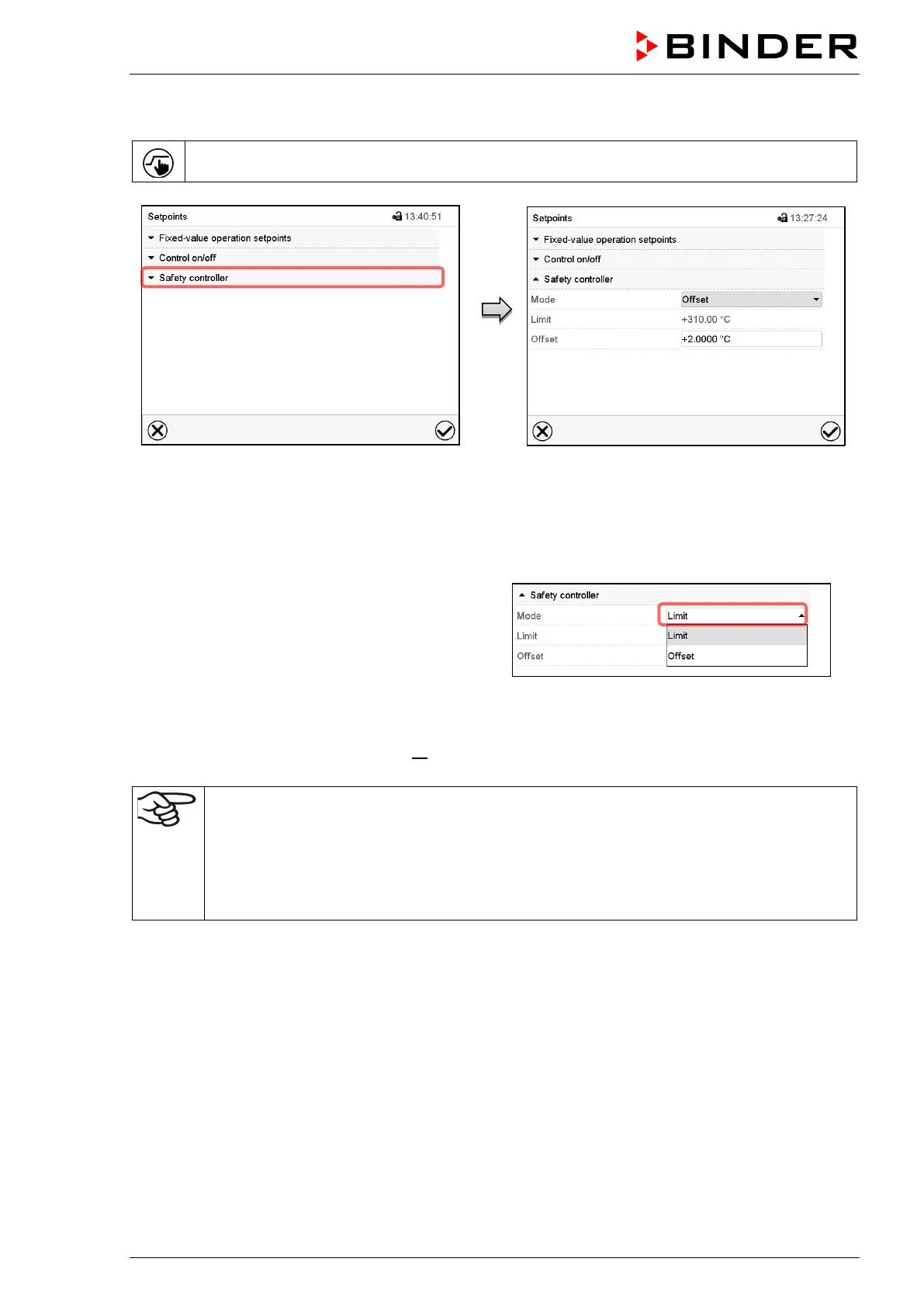
Press the Setpoint setting icon to access the “Setpoint” setting menu from Normal display.
“Setpoints” menu.
Select the field “Safety controller” to access
the settings.
You can now set the safety controller mode
and enter the safety controller value.
Setting the safety controller mode
•
In the field “Mode” select the desired setting
“Limit” or “Offset”.
Setting the safety controller value
• Select the corresponding field “Limit” or “Offset” according to the selected mode and enter the desired
safety controller setpoint. Confirm entry with Confirm icon.
Regularly check the safety controller setting for set-point type “Limit” or “Offset”
• in Fixed value operating mode according to the entered set-point temperature value
•
in program mode according to the highest temperature value of the selected temperature
program
Set the safety controller set-point by approx. 2 °C to 5 °C above the desired temperature set-
point.
After completing the settings, press the Confirm icon to take over the entries and exit the menu, or press
the Close icon to exit the menu without taking over the entries.
13.2.4 Message and measures in the state of alarm
The state of alarm is indicated visually and, if the buzzer is enabled (chap. 12.5) there is an additional
audible alert (chap. 12.2). The heating turns off. As soon as the inner chamber temperature has cooled
down below the safety controller value, the heating can be released (class 2) or the heating is released
(class 3.1), and temperature control continues.



 To Next Page