M (E3.1) 1/2023 page 47/136
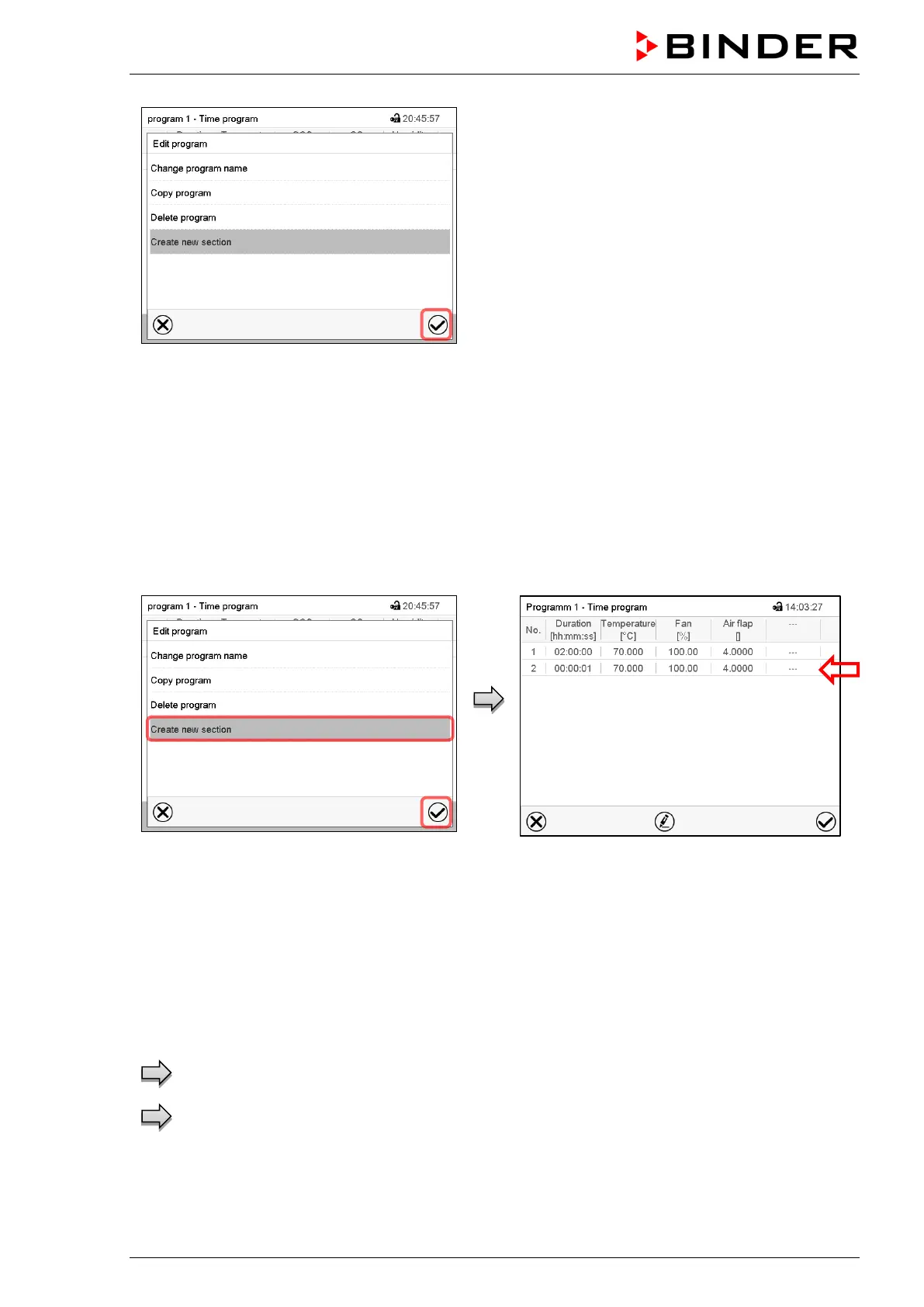
Program editor: “Edit program” menu
Select the desired function and press the Confirm
icon.
The program editor offers following options:
• Change the program name
• Copy program
• Replace program: Replacing a new or an existing program with the copied program. This menu point is
visible only after a program has been copied.
• Delete program
• Create new section
To add a new section, select “Create new
section” and press the Confirm icon.
The program view opens.
Program view.
A new section is always added at the very bot-
tom (example: section 2).
10.5.1 Deleting a time program
Path: Main menu > Programs > Time program
In the “Time program” menu select the program to be deleted. The program view opens.
In the program view press the Edit icon to open the progr am editor
In the program editor select “Delete program” and press the Confirm icon.
The program is deleted. The controller returns to the program view.



 To Next Page