M (E3.1) 1/2023 page 111/136
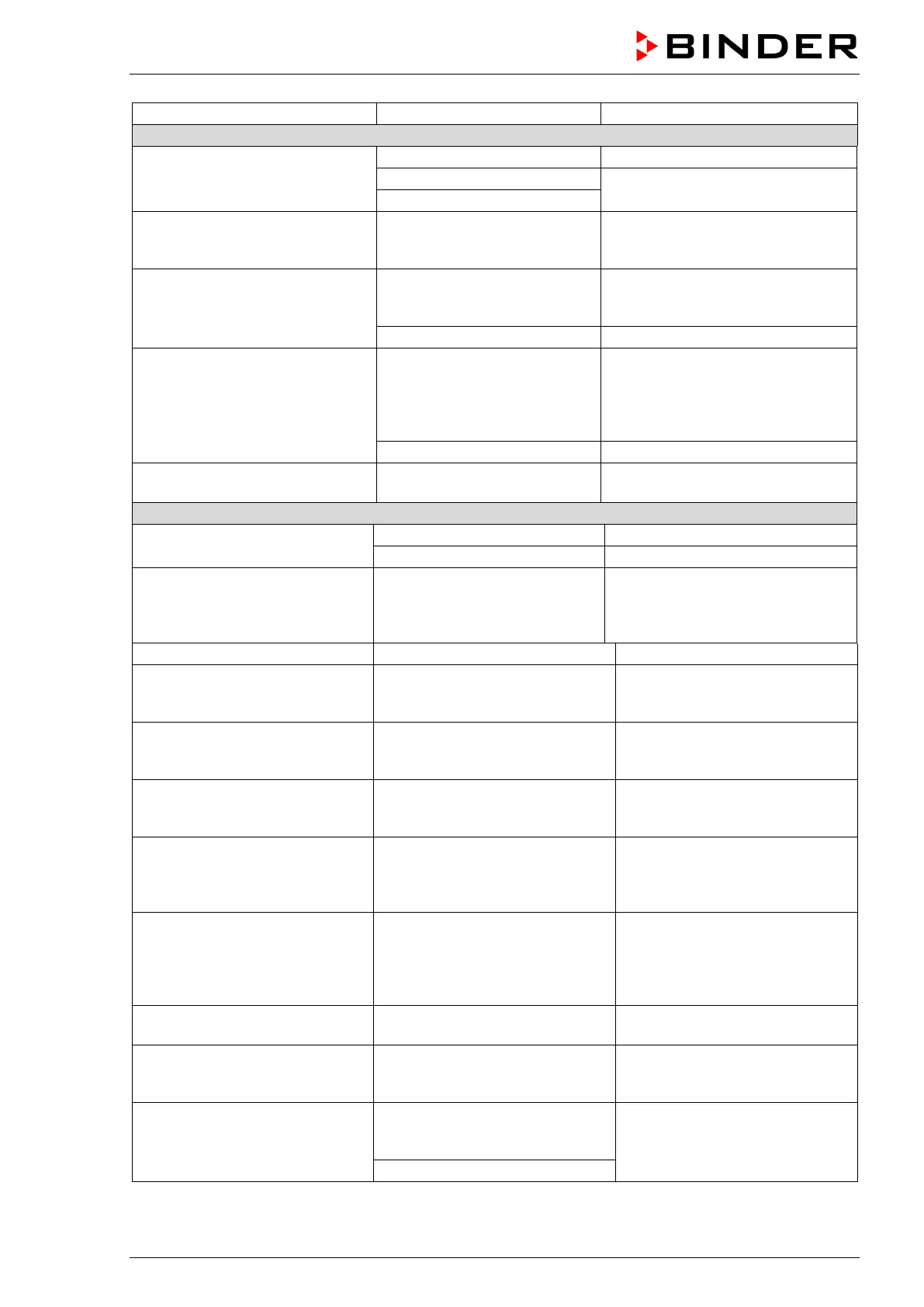
Chamber doesn’t heat up. No
heating icon in the display. Con-
troller display working.
Re-program the timer or turn it off.
Defective semiconductor relay.
Contact BINDER service.
Chamber doesn’t heat up. Alarm
message “Overtemperature” is
Overtemperature protective
device class 1 (thermal switch)
Proceed as described in chap.
13.1. If appropriate, contact
Chamber doesn’t heat up. Alarm
message “Safety contr. class 3.1”
is displayed.
Safety controller class 3.1 has
responded.
Check the settings of the tempera-
ture set-point and of the safety de-
vice class 3.1 (chap. 13.2).
Safety controller defective.
Chamber doesn’t heat up. Alarm
message “Safety contr. class 2” is
displayed.
Safety device class 2 has
turned off the chamber.
Let cool down the chamber. Check
the settings of the temperature set-
point and of the safety device class
2 (chap.
13.2). If appropriate, select
Safety controller defective.
Deviations from the indicated
heating-up times.
Chamber fully loaded.
Load the chamber less or consider
longer heating-up times.
No chamber function
(dark display).
Main power switch turned off.
Turn on the main power switch.
Menu functions not available.
Menu functions not available
with current authorization level.
Log in with the required higher au-
thorization or contact BINDER ser-
vice to obtain an activation code
Chart recorder function: meas-
ured-value memory cleared; in-
New setting of storage rate or
scaling (minimum and/or maxi-
Change the storage rate or scal-
ing ONLY if the previously regis-
tered data are no longer required.
Controller does not equilibrate to
setpoints entered in Fixed value
Controller is not in Fixed value
operation mode.
Change to Fixed value operation
mode.
Controller does not equilibrate to
program set-points.
Controller is not in program oper-
ation mode, or program delay
Start the program again. If appro-
priate, wait for the program delay
Program duration longer than
programmed.
Tolerances have been pro-
grammed.
For rapid transition phases, do
NOT program tolerance limits in
order to permit maximum heating
Program keeps the last program
setpoint constant while in setting
“ramp”.
Program line with setting “ramp”
is incomplete.
When programming with setting
“ramp”, define the end value of
the desired cycle by adding an
additional section with a section
time of at least one second.
Ramp temperature transitions
are only realized as steps.
Setting “step” has been selected. Select setting “ramp”.
Acknowledging the alarm does
not cancel the alarm state.
Cause of alarm persists.
Remove cause of alarm. If the
alarm state continues, contact
Alarm message:
- - - - or <-<-< or >->->
Sensor rupture between sensor
and controller or Pt 100 sensor
Contact BINDER service.



 To Next Page