Powering Your Camera
Now that you’ve attached a lens, you will need to supply power to your camera.
You can power your Blackmagic Micro Studio Camera 4K G2 using the supplied AC power
adapter or from an optional LP-E6 battery.
Connecting a Power Adapter
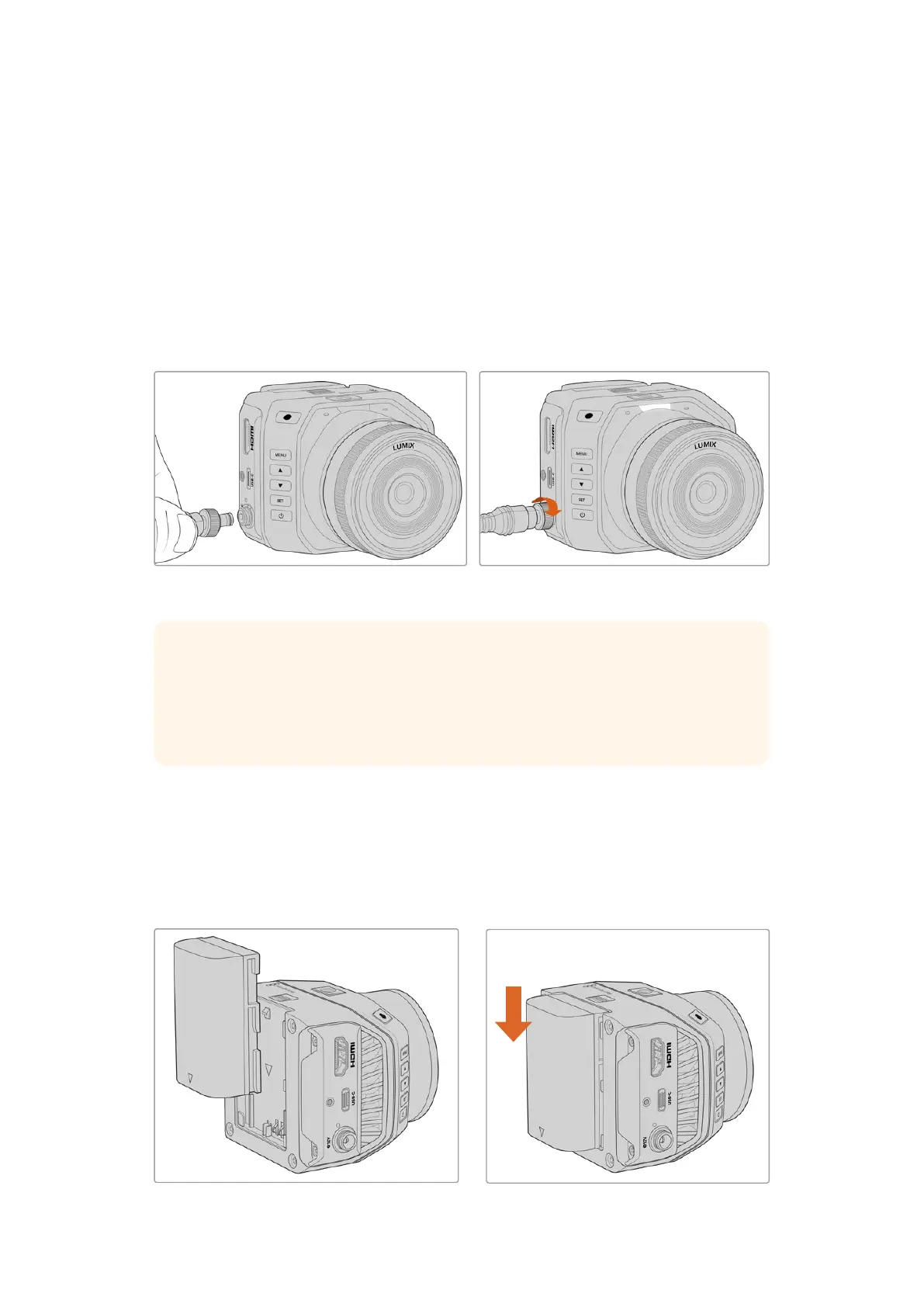
Plug the supplied power adapter into the power input on your camera’s side panel. Tightening
the locking ring secures the power cable to prevent accidental disconnection.
The supplied AC power adapter can be used to simultaneously power your Micro Studio
Camera 4K G2 and charge an optional rechargeable battery when attached to your camera.
Connect power to your camera’s power
input using the supplied cable
Secure the connector by tightening
the connector screw
TIP Micro Studio Camera 4K G2 powers up automatically when power is supplied via
the AC adapter. This means that if you have the camera installed in a remote location
or mounted in a position that is difficult to access, you don’t have to manually turn
the camera on because as long as it is connected to an external power supply, it will
always stay powered on.
Attaching a Battery
Your Micro Studio Camera 4K G2 uses an optional LP-E6 or LP-E6N battery. Batteries can
be purchased from your Blackmagic Design reseller or from most video or photography
equipment stores.
To attach a battery, align the contacts so they are facing the bottom of the camera and gently
press against the battery slot. Slide the battery down until you feel it click and lock into place.
Align the battery contacts with
the bottom of the camera
Push the battery down to lock it into place
6Getting Started


 To Next Page
 Loading...
