Blackmagic Zoom and Focus Demands
Blackmagic Zoom Demand and Blackmagic Focus Demand are optional accessories for
controlling focus and zoom when using compatible lenses with Blackmagic Micro Studio
Camera 4K G2. Youcan read more about compatible lenses later in this section.
Each unit attaches to a tripod handle on your tripod or camera pedestal. This lets you control
focus and zoom while simultaneously panning and tilting the camera using both hands.
Additional buttons and controls let you refine the speed and sensitivity of the zoom control and more.
Connecting and Attaching to your Camera
Attaching to Tripod Handles
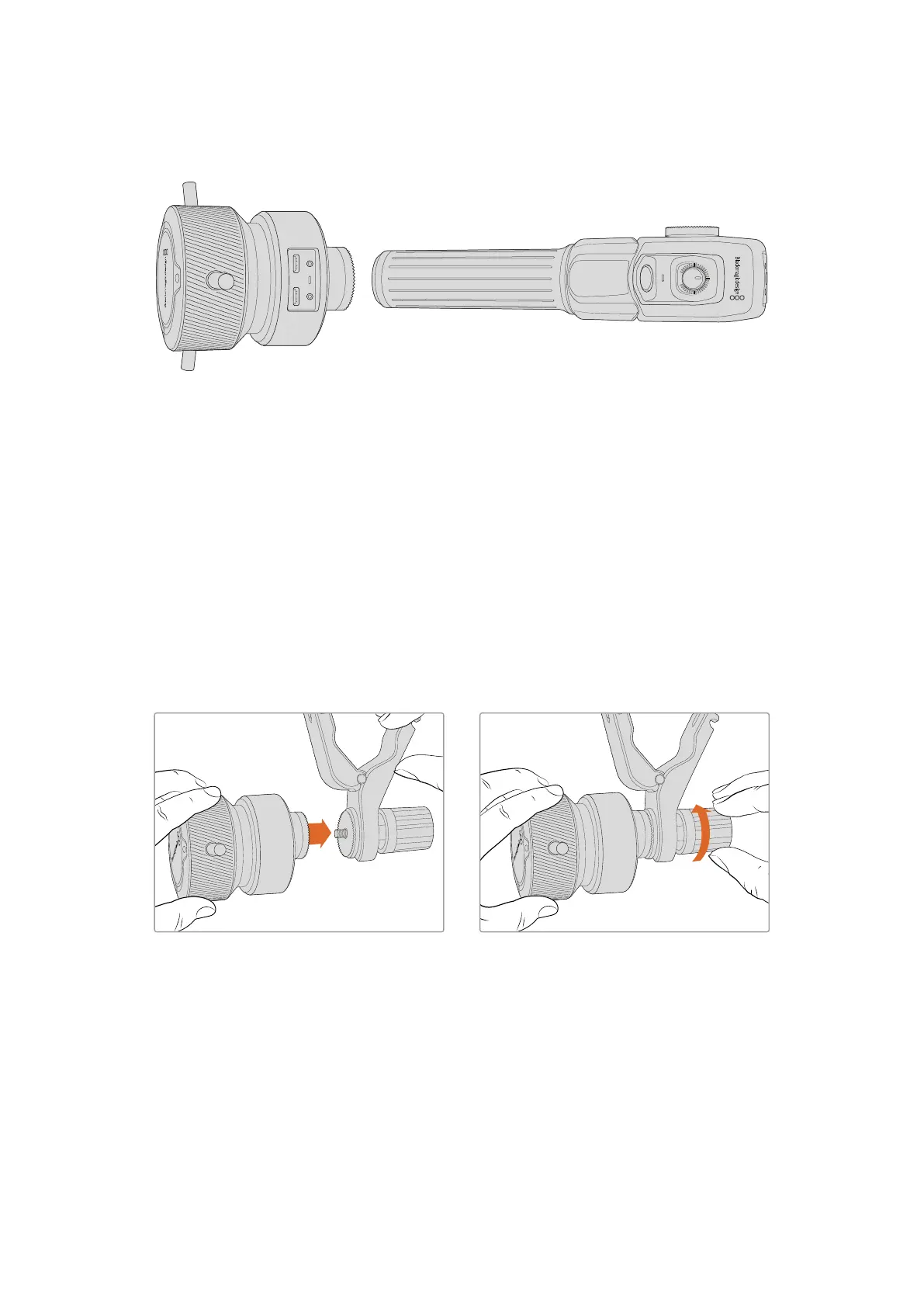
Each unit attaches to a tripod handle via their mounting brackets. Attach each unit to the
brackets via their rosette mounts.
To attach the demand units to their brackets, simply connect them together via their rosette
mounts and secure them by tightening the fastening knob.
1 Place the zoom demand or focus demand against their bracket’s rosette mount.
2 Tighten their fastening knob so the demand units are firmly attached to their brackets.
Now that the units are attached to the brackets, you can attach the brackets to the tripod arms.
One end of each bracket contains a ‘T’ shaped latch that hinges into a slot and is then tightened.
69Blackmagic Zoom and Focus Demands



 To Next Page
 Loading...