Testing Tally
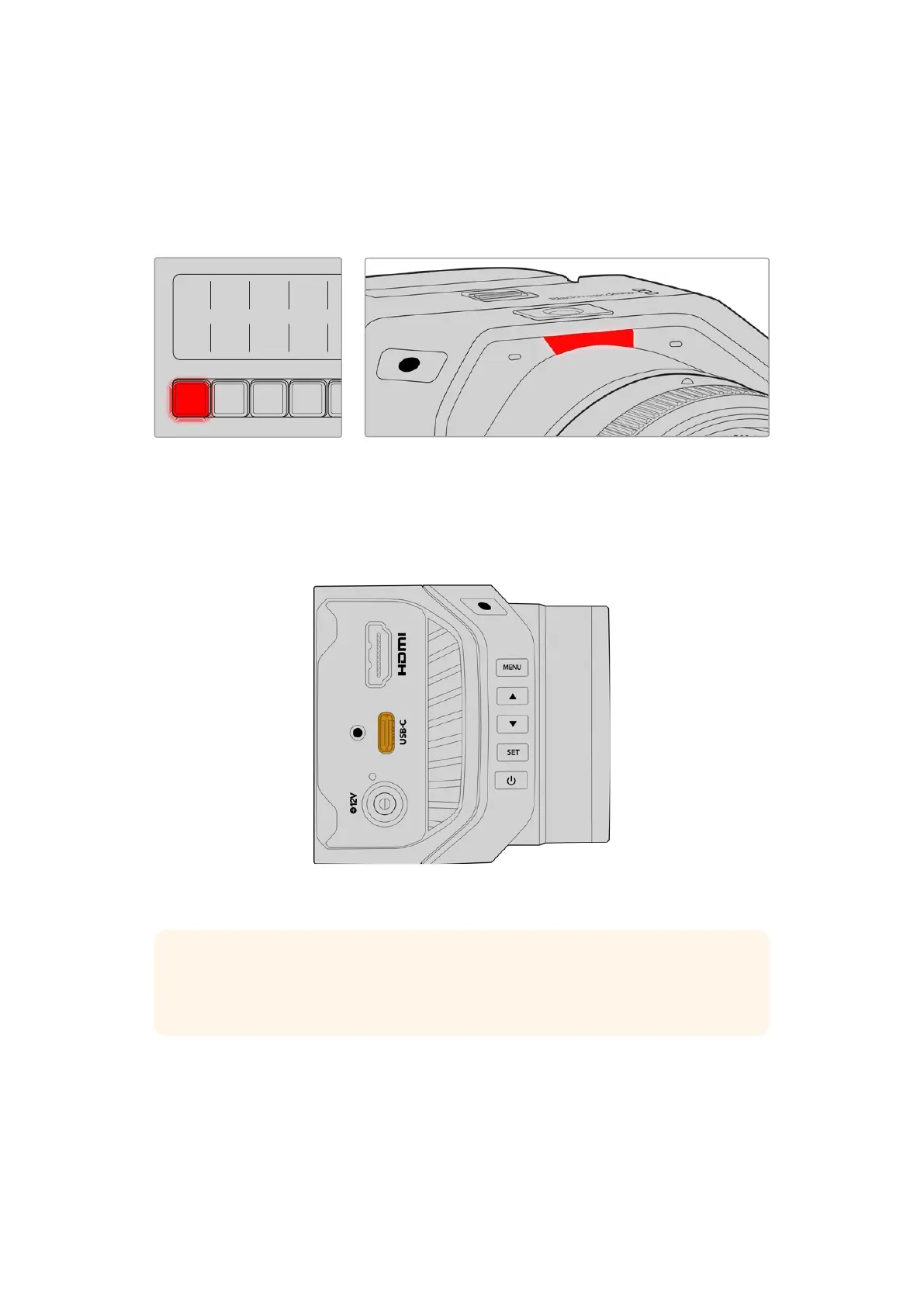
Your Micro Studio Camera 4K G2 has a built in tally light so you can check that tally is working.
To do this, switch camera 1 to the program output on your ATEM switcher. If not, double check
your ATEM camera ID is set to the corresponding input on the switcher. Your camera is now
successfully connected to the ATEM switcher.
MSTR ALT
<
BNK BNK
>
GATE CAM
COMP LIM
EQ EXP
LEVEL PAN
SOLO SOLO SOLO SOLO SOLO SOLO SOLO SOLO SOLO SOLO
SEL SEL SEL SEL SEL SEL SEL SEL SEL SEL
Camera
1
Camera
2
Camera
3
Camera
4
Camera
5
Camera
6
Camera
7
Camera
8
Media
Player
1
Media
Player
2
1 2 3
4 5 6
7 8 9
ENTER 0 RESET
HOME
SETTINGS
KEYERS
DVE STINGER DIP
COLOR
TALK
AUDIO AUX
BORDER
CAMERA
CONTROL
WIPE
MEDIA
PLAYERS
SUPER
SOURCE
MIX
FTB
MACRO
CALL
MUTE
SPKR
STUDIO
PGM
MIX
DIM
CANS
TALK
OFF
ON AIR
STOP
REC
SWITCH
GRAB
STILL
FTB
DSK 1
CUT
DSK 2
CUT
DSK 1
AUTO
DSK 2
AUTO
DSK 1
TIE
DSK 2
TIE
SHIFT
SHIFT
PREV
TRANS
MACRO ON ON ON ON
BKGD
DIP
CUT AUTO
DVE STING
MIX WIPE ARM
KEY 1 KEY 2 KEY 3 KEY 4
1 2 3 4
PGM
5 6 7 8
M/V
PVW
AUX 1
AUX 2
Recording Blackmagic RAW to USB
Finally, if you want to record to Blackmagic RAW on your camera, all you need to do is plug a
USB-C flash disk formatted to Mac OS Extended or exFAT into your camera’s USB connector
and press the record button! Press again to stop recording. For more information about
recording to a USB-C flash disk, refer to the ‘settings’ section later in this manual.
Connect a USB-C flash disk to your camera’s
USB-C port to record Blackmagic RAW
TIP When connected to ATEM Mini or ATEM SDI Extreme and Pro model switchers,
you can simultaneously trigger record in all cameras from ATEM Software Control. For
more information, refer to the ATEM Mini or ATEM SDI manual.
That’s all there is to getting started! Please keep reading this manual for more comprehensive
information about all the controls and settings on your Blackmagic Micro Studio Camera 4K G2.
10Getting Started



 To Next Page
 Loading...