Settings Menu Controls
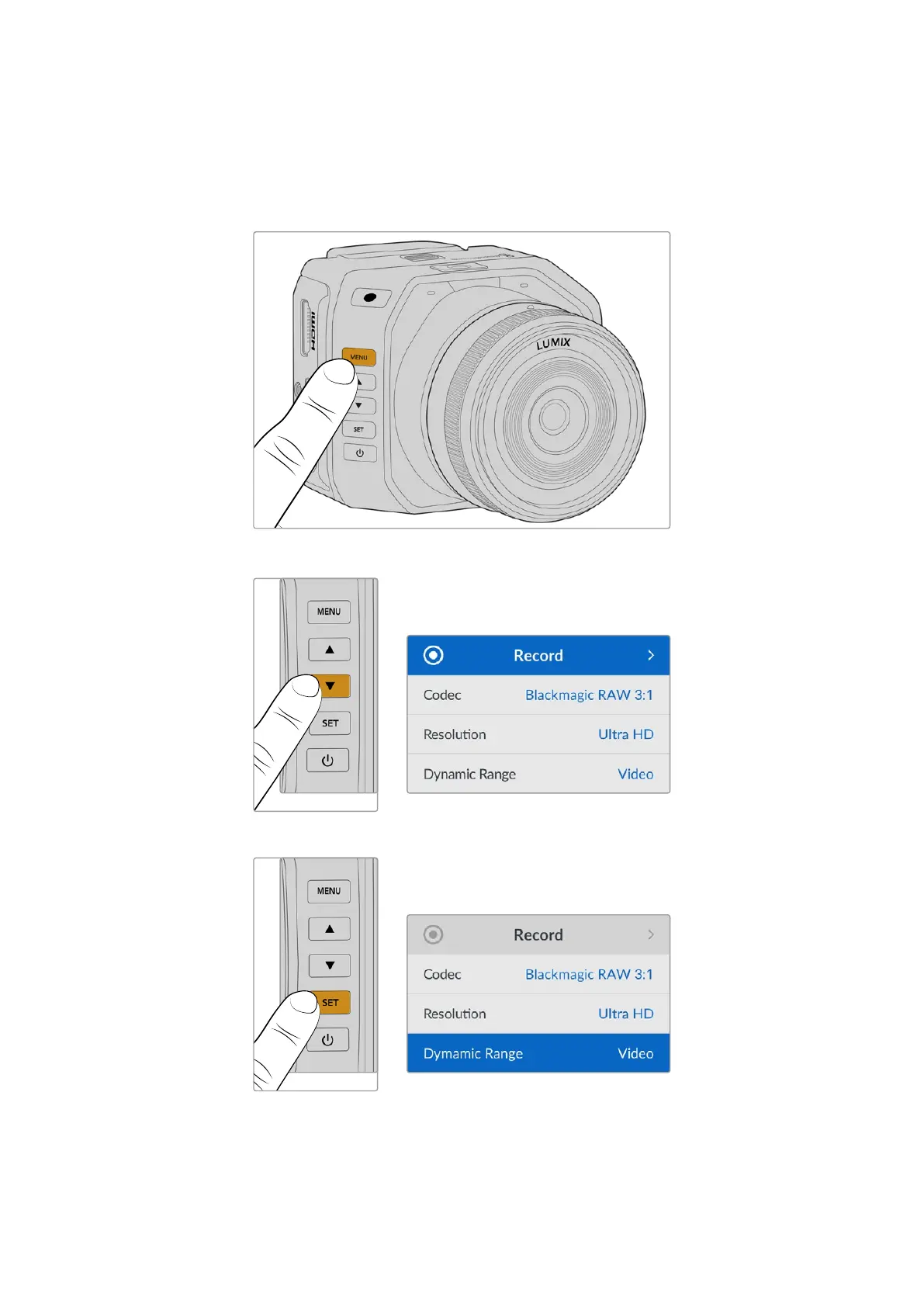
Pressing your camera’s ‘menu’ button will open the settings menu, which will appear as a video
overlay on the bottom left of your connected HDMI display.
Press the ‘menu’ button to open the settings menu
Use the arrow buttons to navigate to the submenu or setting
Press the ‘set’ button to select the submenu or setting
Adjust settings using the arrow buttons. Confirm the selection by pressing the ‘set’ button.
34Settings Menu Controls


 To Next Page
 Loading...
