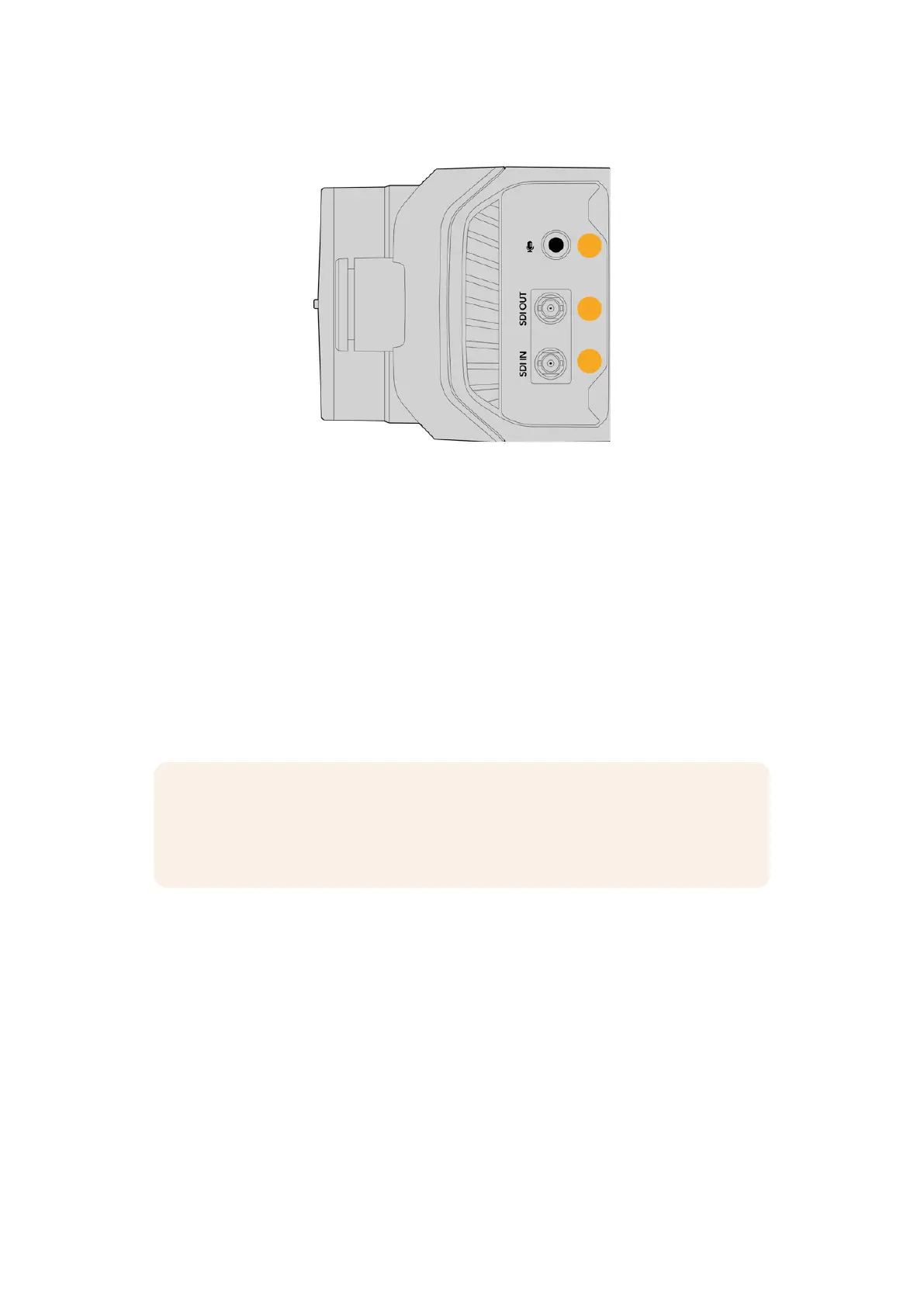
Right Panel
9
10
11
9 3.5mm Microphone Jack
Connect a microphone to your camera’s 3.5mm stereo connector. Mic and line level
audio are supported. The microphone level audio is lower than the line level, so if you
are connecting a microphone to the camera and have line level selected, you will find the
levels are too low. The microphone input also accepts SMPTE compliant LTC timecode from
an external source on the left channel. Valid timecode will be detected automatically and
embedded in your video file as timecode metadata. We recommend sending LTC timecode
via a line level output, especially if you are not recording timecode as an audio track.
10 SDI Out
Your camera’s 12G-SDI output is used to send HD and Ultra HD video up to 2160p60 to
SDI equipment such as routers, monitors, SDI capture devices and ATEM switchers. You
can also connect the 12G-SDI output to an external recorder such as the Blackmagic
Video Assist or HyperDeck disk recorder. The SDI output on your Blackmagic Micro Studio
Camera 4K G2 is always a clean feed.
NOTE The SDI connectors on your camera are small HD-BNC connectors with locking
pins. This means you need to terminate SDI cables with a bayonet lock small HD-BNC
connector, or you can use an HD-BNC to BNC adapter cable. Cables and adapters can
be purchased from your nearest professional video equipment stores.
11 SDI In
Use the SDI input connector to control your Micro Studio Camera 4K G2 via a program
return feed from an SDI ATEM switcher. For more information, refer to the ‘Connecting to an
ATEM Switcher’ section.
13Camera Features


 To Next Page
 Loading...
