1 Zoom F1
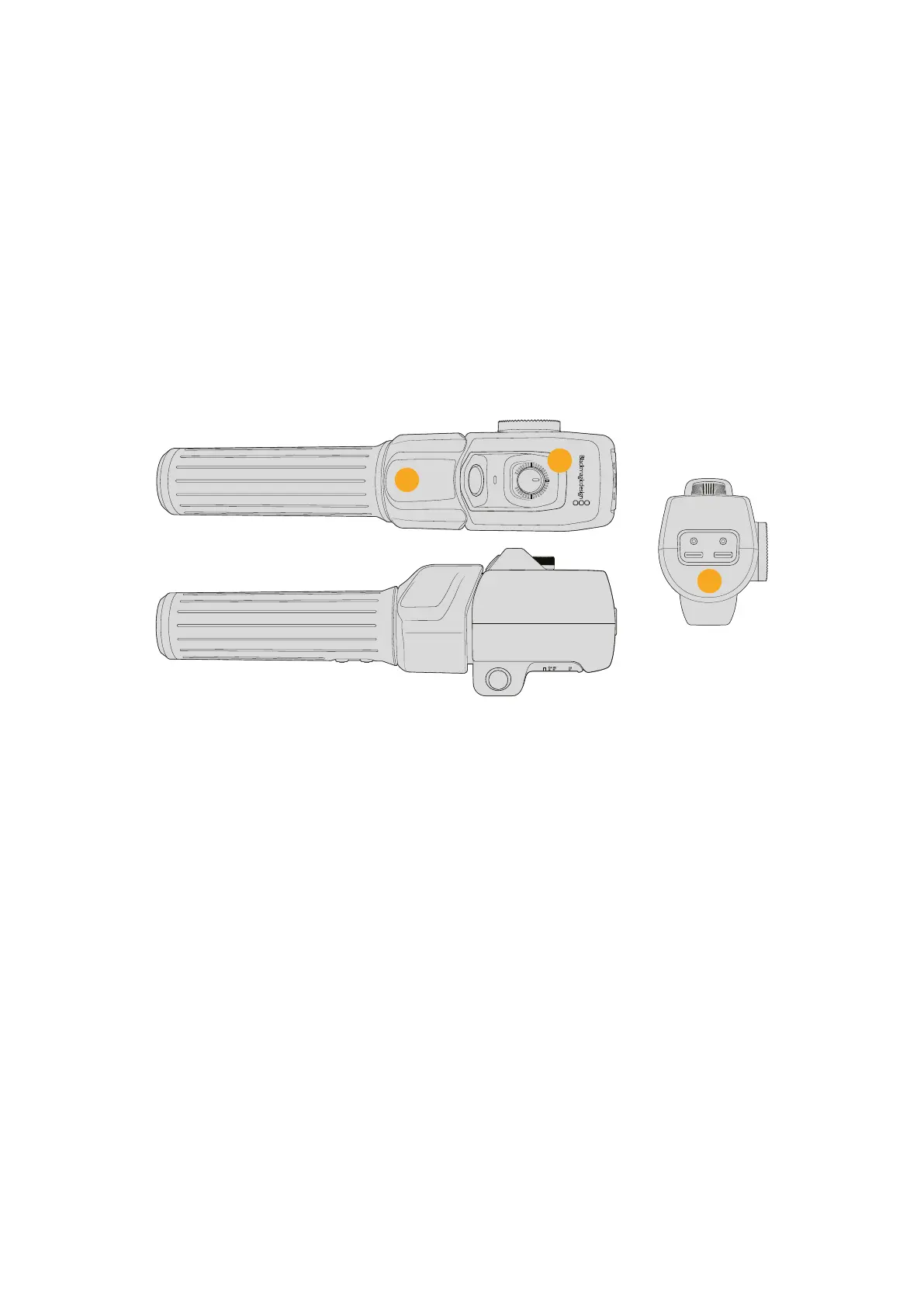
This is the zoom function button 1. By default, it is mapped as a ‘record’ button for recording
to an external drive connected to your Blackmagic Micro Studio Camera 4K G2.
2 Zoom F2
This is the zoom function button 2. On the other side of the controller is an identical button
that performs the same function, allowing for left and right handed control. By default, it is
set as a quick zoom function which instantaneously punches into the live image.
3 Zoom F3
This is the zoom function button 3. By default, this button is set to ‘auto white balance’.
4 Zoom F4
This is the zoom function button 4. By default, this button is set to ‘frame guides’ and can be
used to quickly toggle frame guides on or off.
7
5
6
5 Thumb Rocker
The zoom demand handle provides a thumb rocker control. Push the thumb rocker left
to zoom out, and right to zoom in. The direction of the zoom can be reversed using the
camera’s menu settings.
6 Speed Dial
Finely adjust the speed of the zoom by adjusting the speed dial at the top of the unit. You can
map this dial to also control the headphone level, iris adjustment and even focus adjustment!
7 USB-C Ports
Allows for connecting the zoom demand to the camera and daisy chaining to the focus
demand. The ‘cam’ port is also used for updating the internal software via the Blackmagic
Camera Setup utility.
72Blackmagic Zoom and Focus Demands


 To Next Page
 Loading...
