100
Section 5. Using MP3 player
You can erase an MP3/WAV file that was saved
in the MP3 folder.
1.
Press [MP3/TRAINER] to MP3 mode.
Switches to MP3 mode; the display will
indicate (the MP3 screen).
2.
Press [UTILITY].
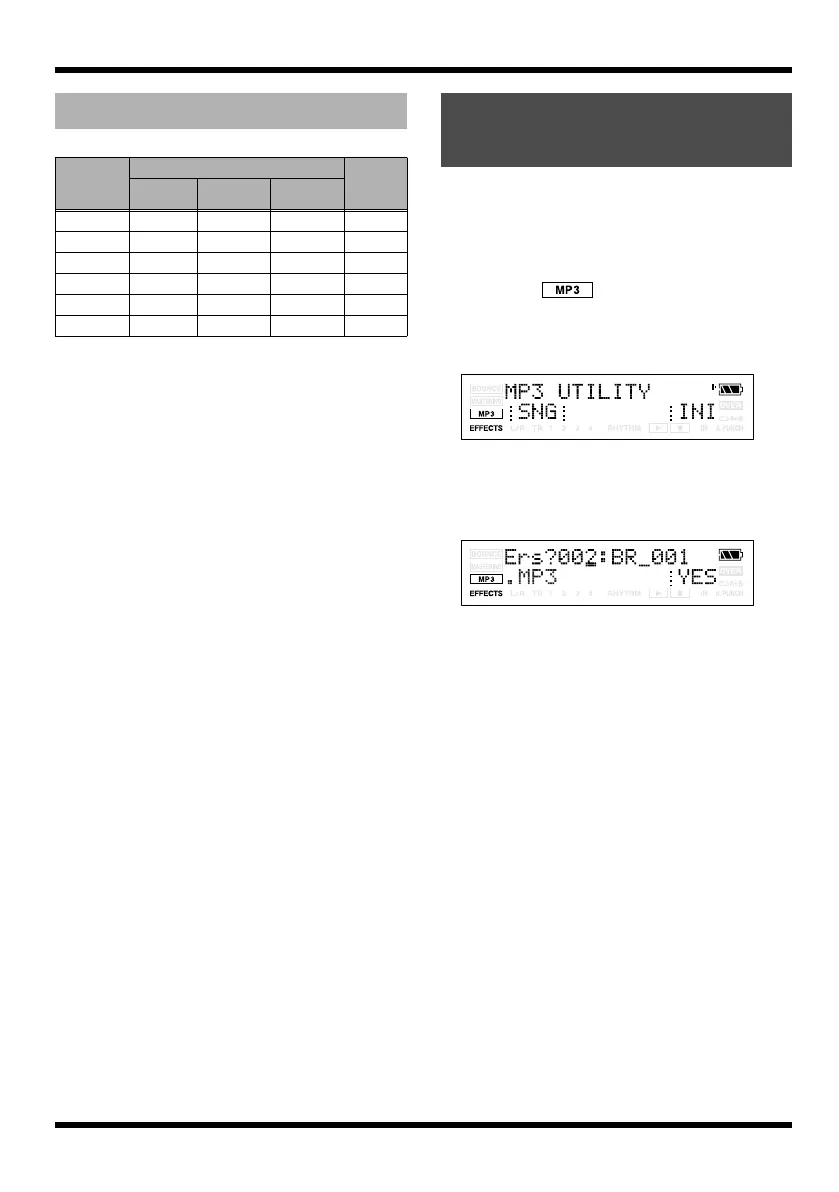
The MP3 UTILITY screen will appear.
fig.Disp-util-song2.eps
3.
Press [TR1] (SNG), and then press [TR3]
(ERS).
The display will ask “Ers?”
fig.Disp-util-song2.eps
4.
Use VALUE [-][+] to select the MP3/WAV
file you want to erase.
5.
Press [TR4] (YES).
The display will ask “Are you sure?”
6.
If you are sure you want to erase the MP3/
WAV file, press [TR4] (EXE). If you decide
not to erase the MP3/WAV file, press
[EXIT] (or [UTILITY]).
7.
Press [UTILITY] or [EXIT] several times to
return to the Play screen.
Recording time
Memory
Card
Capacity
MP3 WAV
64 kbps 128 kbps 192 kbps
32 MB
65 min 32 min 21 min 2 min
64 MB 131 min 65 min 43 min 5 min
128 MB 265 min 132 min 88 min 12 min
256 MB 531 min 265 min 177 min 24 min
512 MB 1065 min 532 min 355 min 48 min
1 GB 2081 min 1040 min 693 min 94 min
Erasing an MP3/WAV
file
MICRO-BR_e.book 100 ページ 2009年5月28日 木曜日 午後2時26分



 To Next Page