17
Panel Descriptions
14.
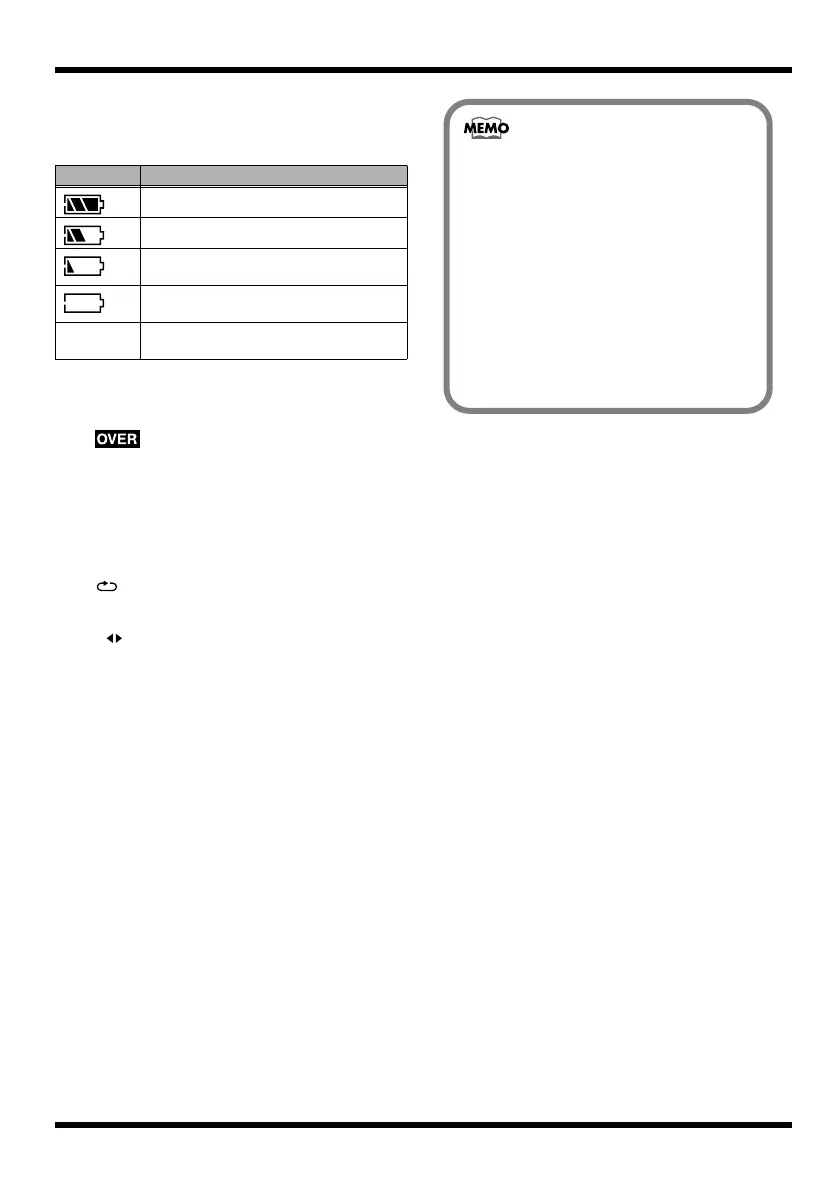
Battery Indication
Indicates the amount remaining in the
batteries when running on battery power.
* Please be aware that the battery status indication is only
a standard.
15.
Lights if the audio input device is too loud.
If this lights, press the INPUT button and
adjust the Sns (input sensitivity).
For details, refer to “Selecting an instrument
to record” (p. 41)
16.
(Repeat)
Lights if the Repeat function is enabled.
17.
A B (AB)
Lights if you’ve specified a region for repeat
or auto punch-in/out. This will blink when
you specify the starting location (A), and
will light when you specify the ending
location (B).
18.
A.PUNCH
Lights if auto punch-in is enabled.
Indication Remaining battery capacity
The batteries are in good condition.
The batteries are approximately half full.
The batteries are low. Replace the
batteries early.
The batteries are empty. Please install new
batteries.
(unlit) Power is being supplied by the AC
adaptor.
401a
• In this manual, we use display
screens to explain various functions,
but please be aware that these
screens are for illustrative purposes,
and the settings shown may not
match the factory settings (e.g., patch
names).
• The display will indicate “Keep
power on!” while the data is being
updated. Don’t turn off the power
while this message is shown.
MICRO-BR_e.book 17 ページ 2009年5月28日 木曜日 午後2時26分



 To Next Page