89
Section 4. Using rhythm
Section 4
If you want to specify a different pattern that will
play from Step number 2 or later, continue with the
following steps after you’ve performed “Specifying
the pattern for the first measure” (p. 88).
1.
Use CURSOR [ ] [ ] to move the
cursor to the step number.
2.
Use VALUE [-] [+] to increment the step.
3.
Use CURSOR [ ] [ ] to move the
cursor to the pattern number.
4.
Use VALUE [-] [+] to select the pattern
number that you want to use in the Step
number 2.
5.
Use CURSOR [ ] [ ] to move the
cursor to the starting measure.
6.
Use VALUE [-] [+] to specify the measure
at which you want the selected pattern to
begin playing.
Placing patterns in the
desired order
You can also use [REW]/[FF] to move the current
step forward or backward in steps of one.
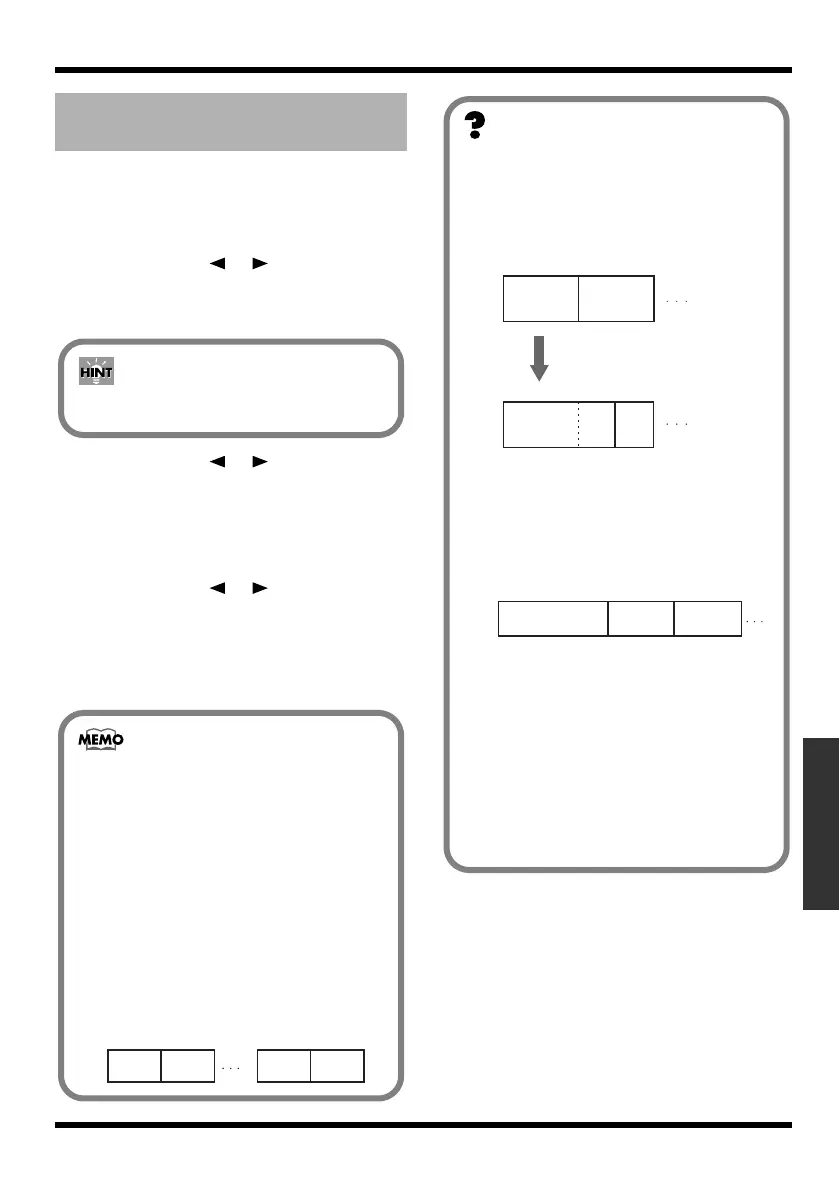
• The starting measure for step 1 is always set
to “001.” This cannot be changed.
• You cannot set a measure in one step that is
also set in the previous step or earlier.
• You cannot set any measures beyond the
starting measure of the subsequent step.
• When an arrangement is played from within
the Play screen, the arrangement plays all
the way to the end, and then the
performance of the pattern set in the last
step is repeated.
• Thus, by setting the preset pattern “P327:
BREAK” for the last step, you can have a rest
be played repeatedly, which makes it seem
as if the performance of the arrangement has
stopped.
fig.04-540
Intro Verse
Step 1 Step 2
Ending
P327
BREAK
Step ** Step **
Starting measure
This specifies the measure at which the
pattern selected for the current step is to
begin playing.
fig.04-520
Pattern number
This specifies the pattern. As shown in the
following illustration, specify a pattern for
each step.
fig.04-530
Beat
This indicates the beat for the pattern
selected in the current step.
Tempo
This sets the tempo at which the pattern
selected for the current step is to be
performed.
Range: 25.0–250.0
Intro
(4 measures)
Verse
(4 measures)
Step 1 Step 2
Starting
Measure
001 005
005
009
009
Intro
(6 measures)
Verse
Step 1 Step 2
Starting
Measure
001 007
Set the starting measure
to "007" in step 2
(2 measures)
Intro (2 measures)
Tempo: 120.0
Verse
(1 measure)
Tempo: 110.0
Fill (1 measure)
Tempo: 110.0
Step 1 Step 2 Step 3
Starting
Measure
001 003 004
MICRO-BR_e.book 89 ページ 2009年5月28日 木曜日 午後2時26分



 To Next Page