18
Panel Descriptions
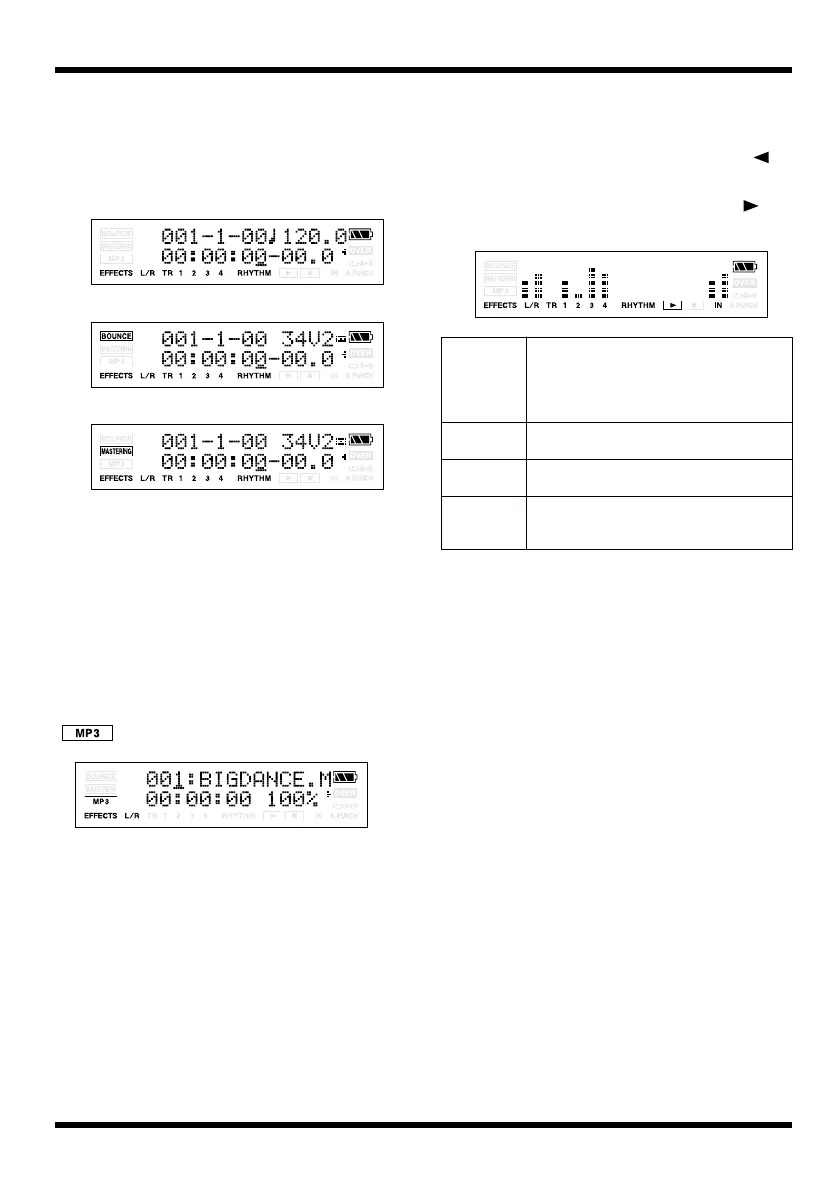
About the Play screen
The basic screen that appears immediately after
you switch on the MICRO BR’s power (see
below) is called the “Play screen.”
fig.Disp-3mode.eps
Unless we specify otherwise, the instructions in
this owner’s manual assume you are looking at
the Play screen.
About the MP3 screen
If you power-off the MICRO BR in MP3 mode (p.
94), it will start up in MP3 mode the next time
you power-on.
The screen in MP3 mode (see illustration below)
is called the MP3 screen. The screen will show the
icon.
When you finished MP3 mode, press [MP3/
TRAINER] again.
Viewing the level meter
Here’s how to view the volume of each track.
1.
In the Play screen, press CURSOR [ ]
several times.
* To return to the Play screen, press CURSOR [ ] or
[EXIT].
fig.Disp-LevelMeter.eps
Normal Mode
Bounce Mode
Mastering Mode
L/R
The level meter indicates the output after
passing through VOLUME.
However during bouncing or mastering,
this will show the respective recording lev-
el (mastering level or bounce level).
TR1–4 The level meters indicate the output from
each track.
RHYTHM The level meter indicates the output from
Rhythm.
IN The level meter indicates the sound from
GUITAR IN, LINE IN/MIC or onboard
mic.
MICRO-BR_e.book 18 ページ 2009年5月28日 木曜日 午後2時26分



 To Next Page