107
Section 6. Using USB
Section 6
Backing up
MICRO BR song data can be saved on your
computer.
1.
Drag the “ROLAND” folder to the
computer’s folder and drop it in the
folder.
It’s a good idea to create a new folder as
your backup folder.
2.
When you’ve finished backing up the data
and the MICRO BR will display a message
of “USB idling...,” quit the connection to
the computer (p. 110).
Recovering
Song data saved on your computer can be sent
back to the MICRO BR.
1.
Erase the MICRO BR’s “ROLAND” folder.
2.
Drag the computer’s “ROLAND” folder to
the “MICRO_BR” icon (or the “Removable
disk (?:)” icon) and drop it there.
3.
When you’ve finished restoring the data
and the MICRO BR will display a message
of “USB idling...,” quit the connection to
the computer (p. 110).
With Windows XP/Vista
1.
In My Computer, right-click on the
“MICRO_BR” icon (or “Removable disk
(?:)” icon) to “Eject” the disk.
2.
When the MICRO BR will display a
message of “OK to disconnect,”
disconnect the USB cable from the
MICRO BR and your computer.
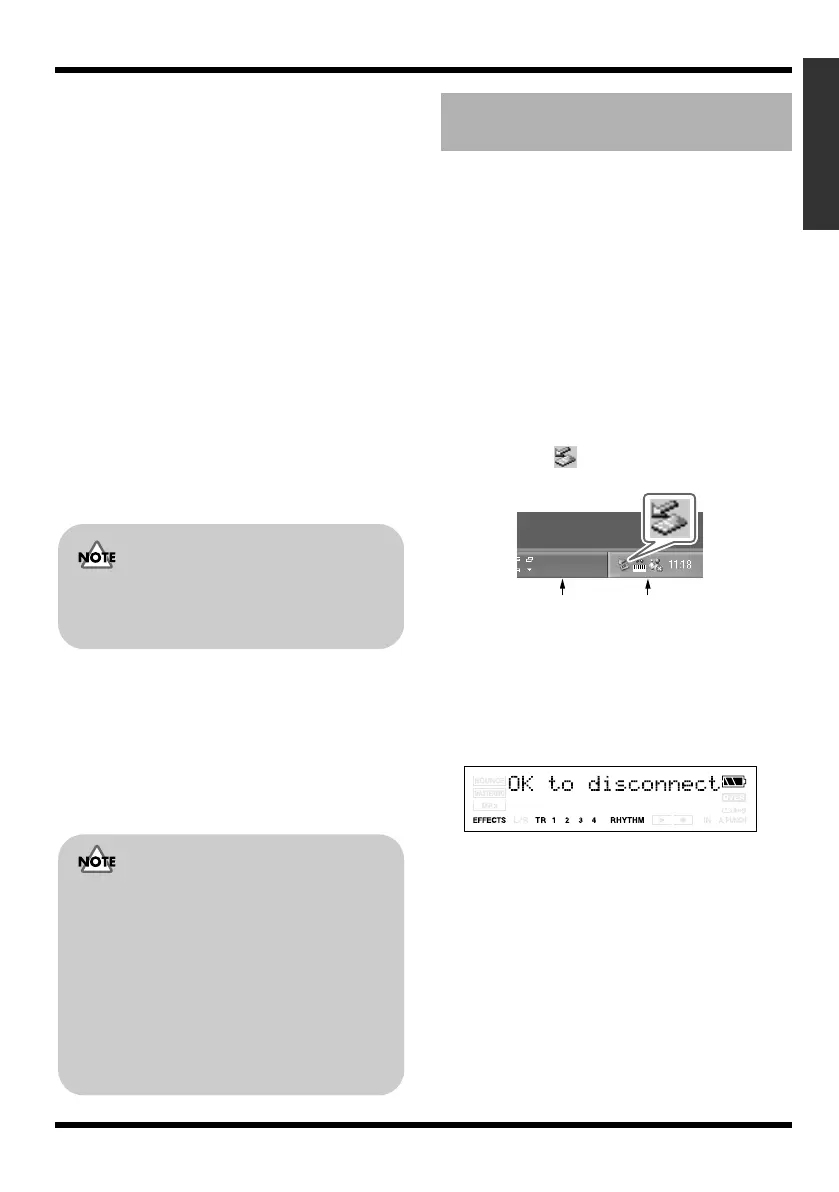
If you were unable to "Eject" in Windows XP
1.
Close the all windows in your computer.
2.
Click the icon in the task tray.
fig.05-080
3.
Click the “Stop USB Disk–drive (?:)”
message displayed there.
4.
Click [OK] in the “Safe To Remove
Hardware” dialog box that appears.
When you have finished USB connecting,
the message “OK to disconnect” will appear.
In this state you may safely disconnect the
USB cable from the MICRO BR and from
your computer.
5.
Disconnect the USB cable from the
MICRO BR and your computer.
After a time, the Play screen will reappear.
If you delete the MICRO BR’s ROLAND
folder, all song data saved on the MICRO
BR will be deleted.
Files and folders inside the
ROLAND folder
The files and folders inside the ROLAND
folder contain important data regarding
song playback and the MICRO BR’s system.
If you delete or modify the files inside the
ROLAND folder, the system may stop
working correctly.
If you wish to backup or recover your
songs, you must copy the entire ROLAND
folder.
Breaking the connection with
your computer
Task Tray
Task Bar
MICRO-BR_e.book 107 ページ 2009年5月28日 木曜日 午後2時26分



 To Next Page