56
Section 2. Editing
1.
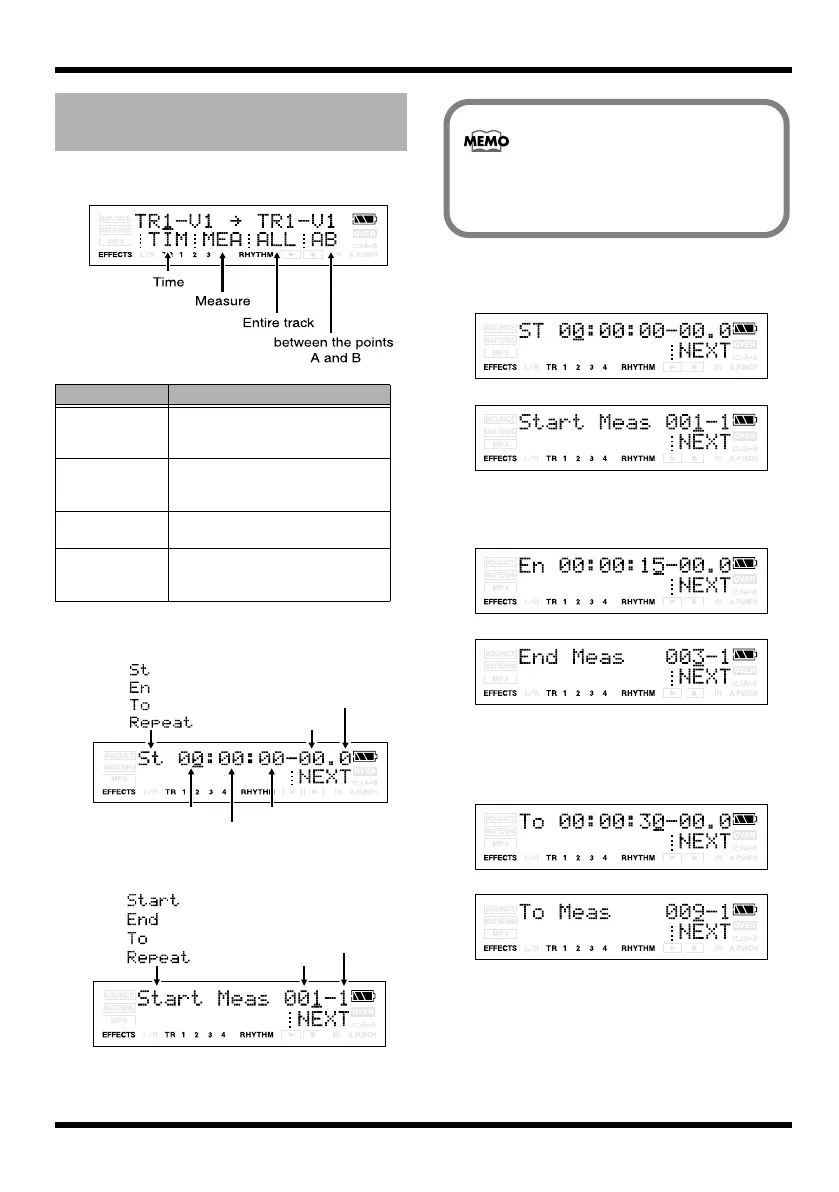
Specify the units for the edit region.
fig.Disp-TrEdit-function.eps
fig.Disp-TrEdit-time.eps
fig.Disp-TrEdit-meas.eps
2.
Specify the starting time/measure of the
edit region, and press [TR4] (NEXT).
fig.Disp-TrEdit-timeST.eps
fig.Disp-TrEdit-measST.eps
3.
Specify the ending time/measure of the
edit region, and press [TR4] (NEXT).
fig.Disp-TrEdit-timeEn.eps
fig.Disp-TrEdit-measEn.eps
4.
If you’re copying or moving data, specify
the time/measure of the copy/move
destination, and press [TR4] (NEXT).
fig.Disp-TrEdit-timeTo.eps
fig.Disp-TrEdit-measTo.eps
5.
Use the Repeat parameter to specify the
number of times that the specified region
will be copied.
The edit region and the
number of copies
Button
Edit region
[TR1] (TIM)
The edit region will be specified in
terms of time. The time setting
screen appears.
[TR2] (MEA) The edit region will be specified in
terms of measures. The measure
setting screen appears.
[TR3] (ALL) The edit region will be the entire
track you specified.
[TR4] (AB) The edit region will be the region
between the points A and B you
specified.
(Start)
(End)
(To)
(Repeat)
hour
minute
second
Sub-frame
Frame
If you press [TR1] (TIM)
If you press [TR2] (MEA)
(Start)
(End)
(To)
(Repeat)
Measure
Beat
If you pressed [TR3] (ALL) or [TR4] (AB)
during the copy or move procedure,
proceed to step 4 of the explanation.
MICRO-BR_e.book 56 ページ 2009年5月28日 木曜日 午後2時26分



 To Next Page