33
Creating a new song
Quick Start
The MICRO BR provides a dedicated rhythm
track in addition to its audio tracks 1–4.
For details, refer to “Section 4. Using rhythm” (p. 84).
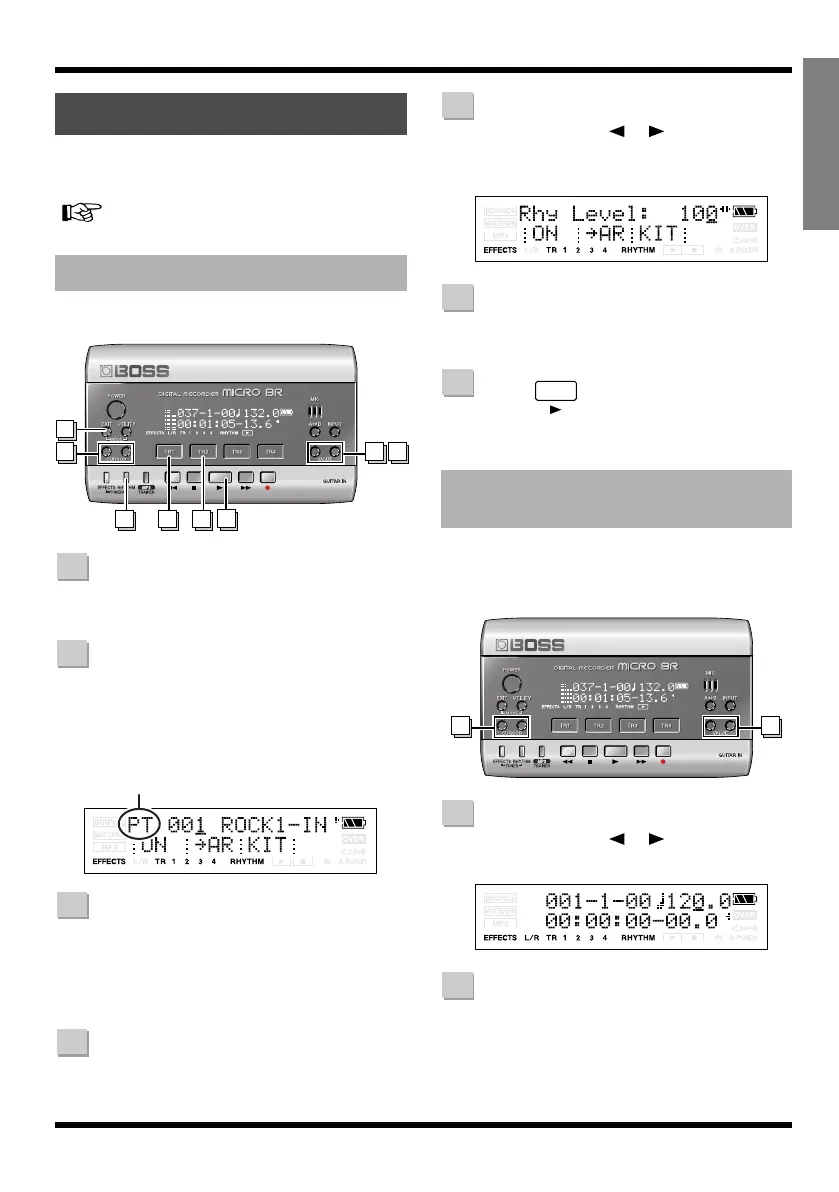
Here’s how to select a pattern and play repeatedly.
Press [RHYTHM].
The rhythm screen will appear.
Press [TR2] several times to make
“PT:” indication appear.
Each time you press [TR2], the “PT:” and
“AR:” indications will alternate. For this
example we’ll select the “PT:” indication.
fig.Disp-pt-001.eps
Press [TR1].
Each time you press [TR1], the “RHYTHM”
indication will alternate between lit and
dark. Press [TR1] to make the “RHYTHM”
indication appear.
Use VALUE [-][+] to select the pattern
that you want to play.
Use CURSOR [ ][ ] to make the
Rhy Level indication appear, and use
VALUE [-][+] to set the level to “100”.
fig.Disp-RHY-LEVEL100.eps
Press [EXIT] to return to the Play
screen.
Press
The recorder will begin playing, and the
pattern will also play.
When the Play screen is displayed, you can
perform the following steps to temporarily
change the playback tempo of the pattern.
Use CURSOR [ ][ ] to move the
cursor to the tempo indication.
fig.Disp-tempo.eps
Use VALUE [-][+] to adjust the tempo.
The playback tempo of the pattern will
change.
Using rhythm
Playing patterns
312
6
7
5 54
1
2
Pattern Mode
3
4
Changing the tempo of the
pattern
5
6
7
1 2
1
2
MICRO-BR_e.book 33 ページ 2009年5月28日 木曜日 午後2時26分



 To Next Page