42
Section 1. Recording and playing back
Although the MICRO BR is a four-track multi-
track recorder, each track actually consists of
eight V-tracks; you can select and use one of
these tracks for recording and playback.
This means that by switching V-tracks, you can
handle 32 tracks of audio.
For example you can keep an existing take of a
guitar solo or vocal, and record other takes on
different V-tracks. You can also piece together the
best portions of different takes recorded on
different V-tracks, and combine them into a
single track.
“Editing performances on a tracks (Track Edit) (p.
55)”
1.
Press one of [TR1]–[TR4].
2.
Use CURSOR [ ][ ] to access the V-
track select screen.
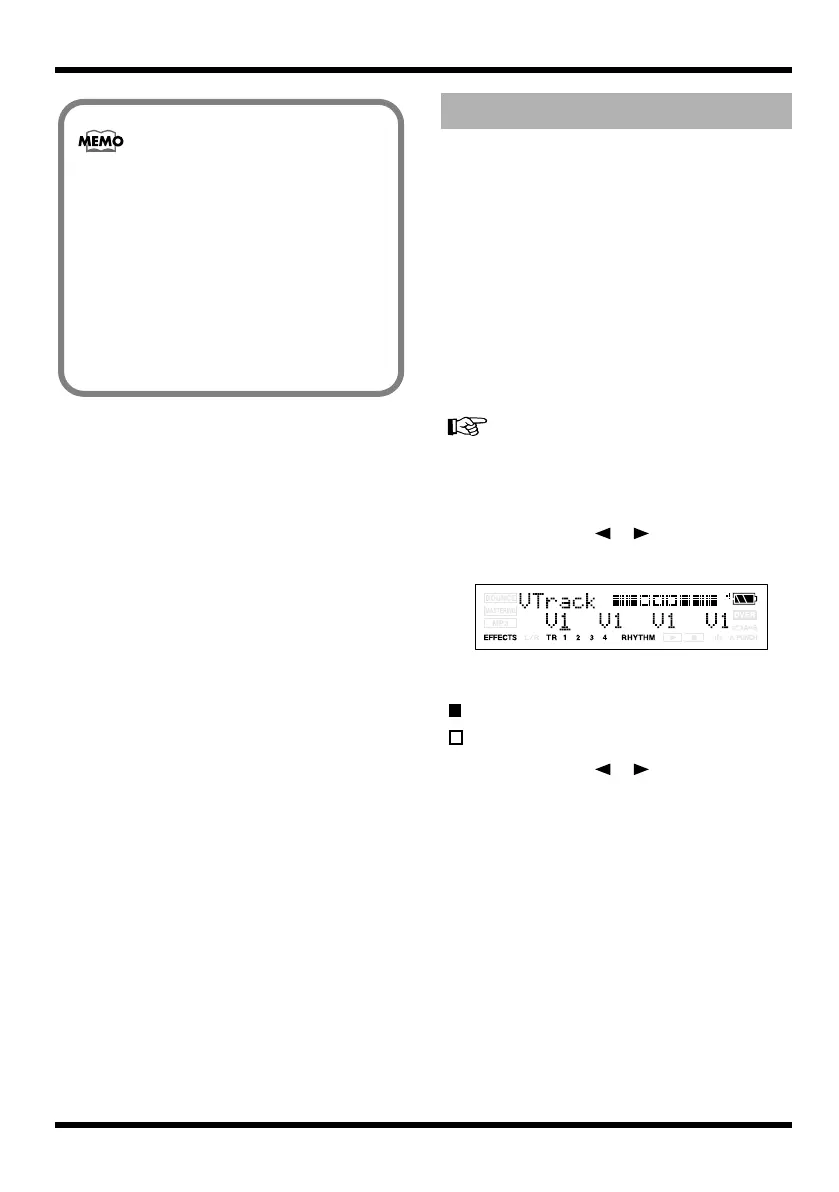
fig.Disp-TR1-V1.eps
The screen shows the number of the V-track
that is selected for each track.
: V-tracks containing data
: V-tracks that don’t contain data
3.
Use CURSOR [ ][ ] or press one of
the [TR1]–[TR4] button to select the track
whose V-track you want to switch.
4.
Use VALUE [-][+] to switch the V-track.
5.
Press [EXIT].
You will return to the Play screen.
• If you lower the INPUT LEVEL, the sound
will be recorded at a lower volume, causing
the audio quality to decrease. For best
results, you should record at as high a level
as possible without allowing the sound to
distort. If you want to lower the listening
volume while recording, turn down the
VOLUME dial.
• If you’re mixing GTR and MIC for input
(recording), adjust the input sensitivity of
each source beforehand.
Switching V-tracks
MICRO-BR_e.book 42 ページ 2009年5月28日 木曜日 午後2時26分



 To Next Page