99
Section 5. Using MP3 player
Section 5
Here’s how you can record the sound from the
inputs directly as MP3 or WAV format data.
1.
Press [MP3/TRAINER] to MP3 mode.
Switches to MP3 mode; the display will
indicate (the MP3 screen).
2.
Select the input source as described in
“Selecting an instrument to record” (p. 41).
3.
Press .
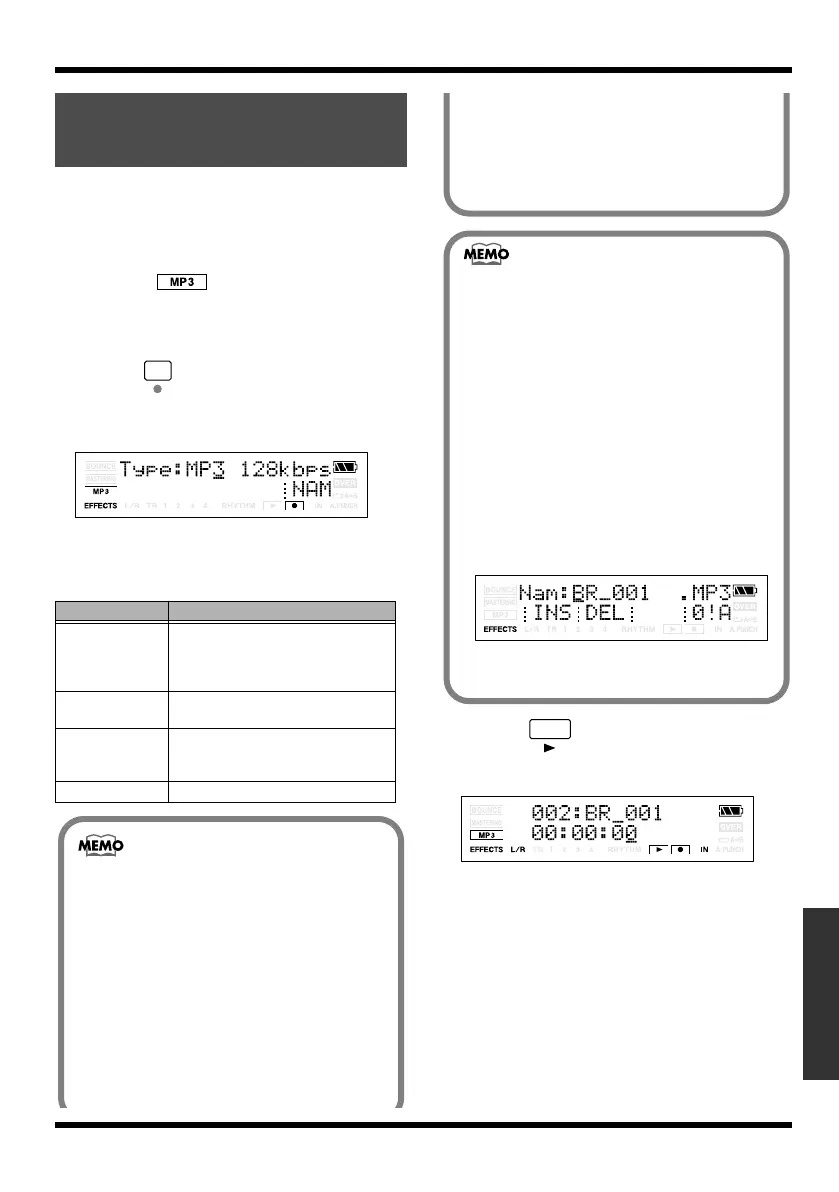
The Type parameter will appear. You are
now in recording-standby mode.
fig.Disp-CENTER-ADJ.eps
4.
Use VALUE [-] [+] to select the Type
parameter (recording format) you want to
use.
5.
Press .
Recording will begin.
fig.Disp-CENTER-ADJ.eps
6.
Press [STOP].
Recording stops. The recorded data is saved
in the MP3 folder.
Recording MP3 or
WAV data
Type
Explanation
MP3 64 kbps
The audio quality will be lower, but
you can record in MP3 format for an
extended length of time with a
smaller amount of data.
MP3 128 kbps This is the normal audio quality in
MP3 format.
MP3 192 kbps The amount of data will be larger,
but there will be minimal loss of au-
dio quality in MP3 format.
WAV Record in WAV format.
• When recording in the WAVE format, 44.1
kHz, 16-bit recordings are produced. This
setting cannot be changed.
• As for both MP3 and WAV format, the
sound is recorded with the stereo.
• Rhythm and reverb are not available in MP3
mode.
• If you press the MICRO BR’s buttons while
recording via the internal mic, clicking
sounds resulting from the operation of the
buttons may also be recorded along with the
rest of the sound. This is not a malfunction.
• The playback volume is set lower than the
monitoring volume of recording,
beforehand, the purpose is to prevent the
entire sound being distorted when the input
sound and the playback sound are mixed.
About the file name
The file name will be assigned as follows
when the MP3/WAV file is saved.
(Ex.)
BR_001.MP3
:
BR_999.MP3
The file name will be the input source name
plus a sequential number and the extension
.MP3 (or .WAV).
If you want to specify a file name press
[TR4] (NAM) in step 3.
The file name setting screen appears.
fig.Disp-CENTER-ADJ.eps
If an identically named file already exists,
the display will ask “Overwrite?”
MICRO-BR_e.book 99 ページ 2009年5月28日 木曜日 午後2時26分



 To Next Page