95
Section 5. Using MP3 player
Section 5
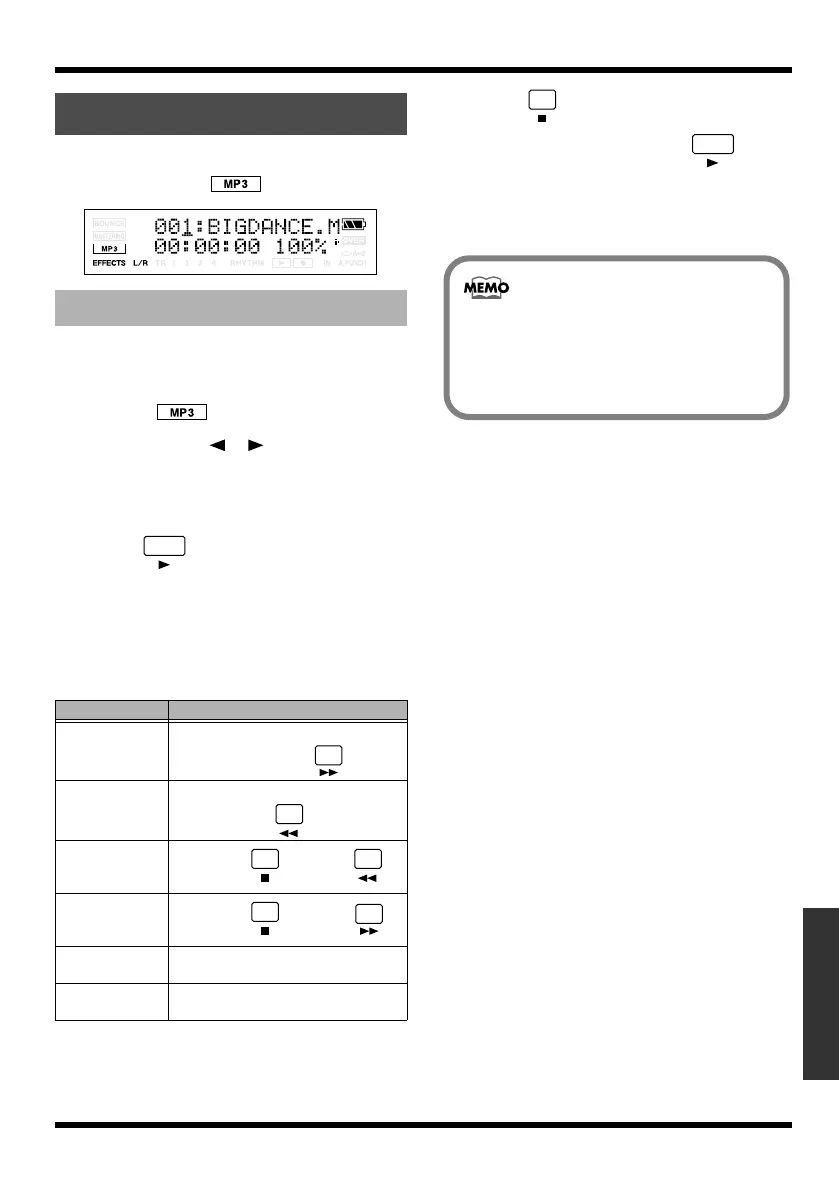
Press [MP3/TRAINER] to enter MP3 mode; the
display will indicate (the MP3 screen).
fig.Disp-mp3-mode.eps
1.
Press [MP3/TRAINER].
Switches to MP3 mode; the display will
indicate (the MP3 screen).
2.
Use CURSOR [ ][ ] to move the
cursor to the file number, and use VALUE
[-][+] to select the number of the MP3/
WAV file you want to play.
3.
Press .
The file begins playing.
When the current audio file finishes playing,
the next file will start playing.
You can use the following operations when
during playback.
4.
Press .
Playing back will stop. When is
pressed after the playback is stopped, the
playback is restarted from the current time
location.
Switching to MP3 Mode
Playing the MP3/WAV file
Action
Operation
Fast-forward
The MP3/WAV file will fast-forward
while you hold down .
Rewind The MP3/WAV file will rewind while
you hold down .
Move to the
beginning of the
current file
Hold down and press .
Move to the
ending of the cur-
rent file
Hold down and press .
Move to the
preceding file
Press [+] when the cursor on the file
number.
Move to the next
file
Press [-] when the cursor on the file
number.
• The file numbers are displayed in order of
the file name (alphabetical).
• In order to send an MP3/WAV file created
on your computer to the MICRO BR, you’ll
need to establish a USB connection (p. 103).
MICRO-BR_e.book 95 ページ 2009年5月28日 木曜日 午後2時26分



 To Next Page