30
Creating a new song
If the memory card contains more than one song,
the most recently used song will be selected
automatically. If you want to record a new song,
proceed as follows.
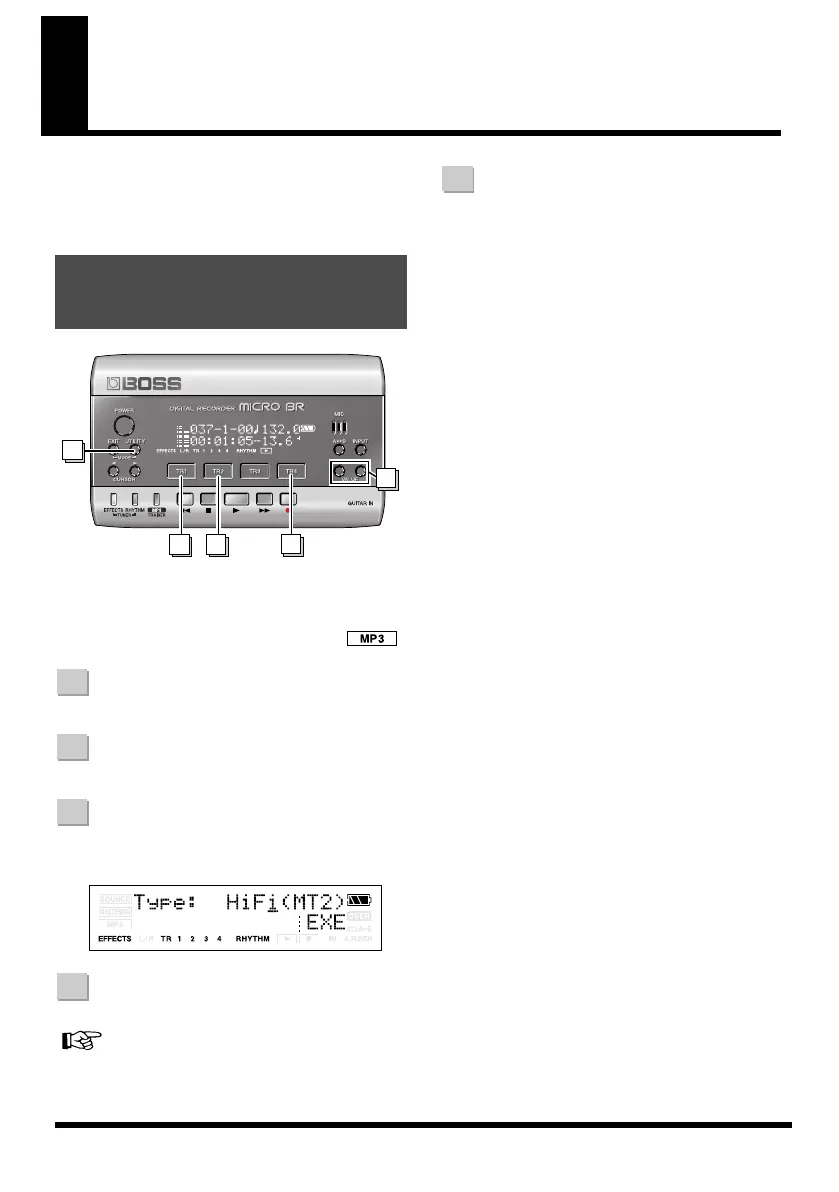
fig.QS-SONG-NEW.eps
* Before you create a new song, read “Connecting other
equipment” (p. 23) and connect your equipment before
you continue.
* Make sure that the display does not indicate .
Press [UTILITY].
Press [TR1] (SNG).
Press [TR2] (NEW).
The display will indicate “Type.”
fig.Disp-.eps
Use VALUE [-][+] to select “HiFi”.
For more about the data type, refer to “Recording”
(p. 40).
Press [TR4] (EXE).
The new song will be created, and you will
return to the Play screen.
Creating a new song
(Song New)
23
5
1
4
1
2
3
4
5
MICRO-BR_e.book 30 ページ 2009年5月28日 木曜日 午後2時26分



 To Next Page