29
Listening to the demo song
Quick Start
You can use any of the following methods to
change the current position within the song.
Changing the current position
Operation
Explanation
Fast-forward
The song will fast-forward while you hold down .
Rewind
The song will rewind while you hold down .
Move to the beginning of the song
(00:00:00-00.0)
Hold down and press .
Move to the end of the song
Hold down and press .
Move in steps of hours/minutes/seconds/
frames/sub-frames
Use CURSOR [ ][ ] to move the cursor to the “hours/minutes/
seconds/frames/sub-frames” indication, and use VALUE [-][+] to
change the time.
Move in steps of measures/beats
Use CURSOR [ ][ ] to move the cursor to the measure/beat indi-
cation, and use VALUE [-][+] to change the measure/beat.
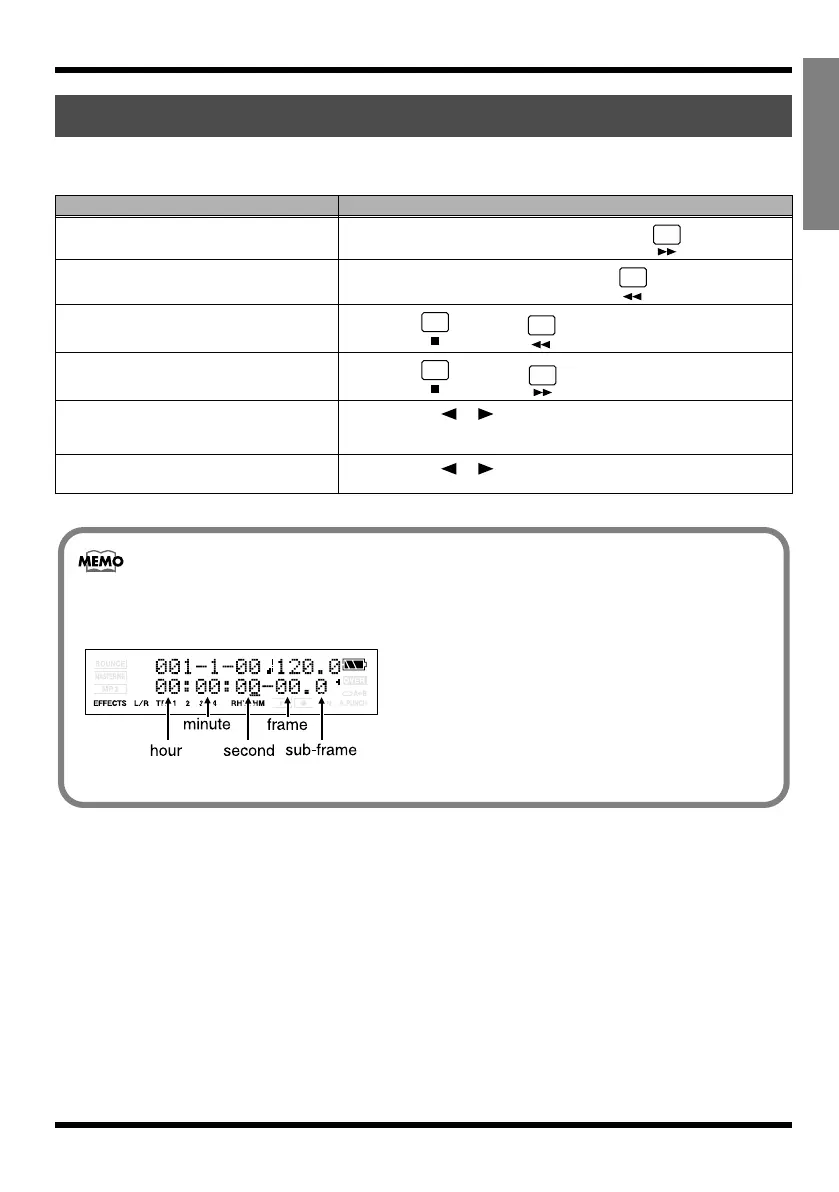
About the display indicates the time location
The time (see below) shown in the lower line of the display indicates the location as “00 hours 00
minutes 00 seconds 00 frames 0 sub-frames.”
fig.Disp-MTC
• One frame is 1/30th of a second.
• A sub-frame is 1/10th of a frame.
MICRO-BR_e.book 29 ページ 2009年5月28日 木曜日 午後2時26分



 To Next Page