101
Section 5. Using MP3 player
Section 5
1.
Press [MP3/TRAINER].
Switches to MP3 mode; the display will
indicate (the MP3 screen).
2.
Use VALUE [-] [+] to select an MP3/WAV
file you want to change.
3.
Press [UTILITY].
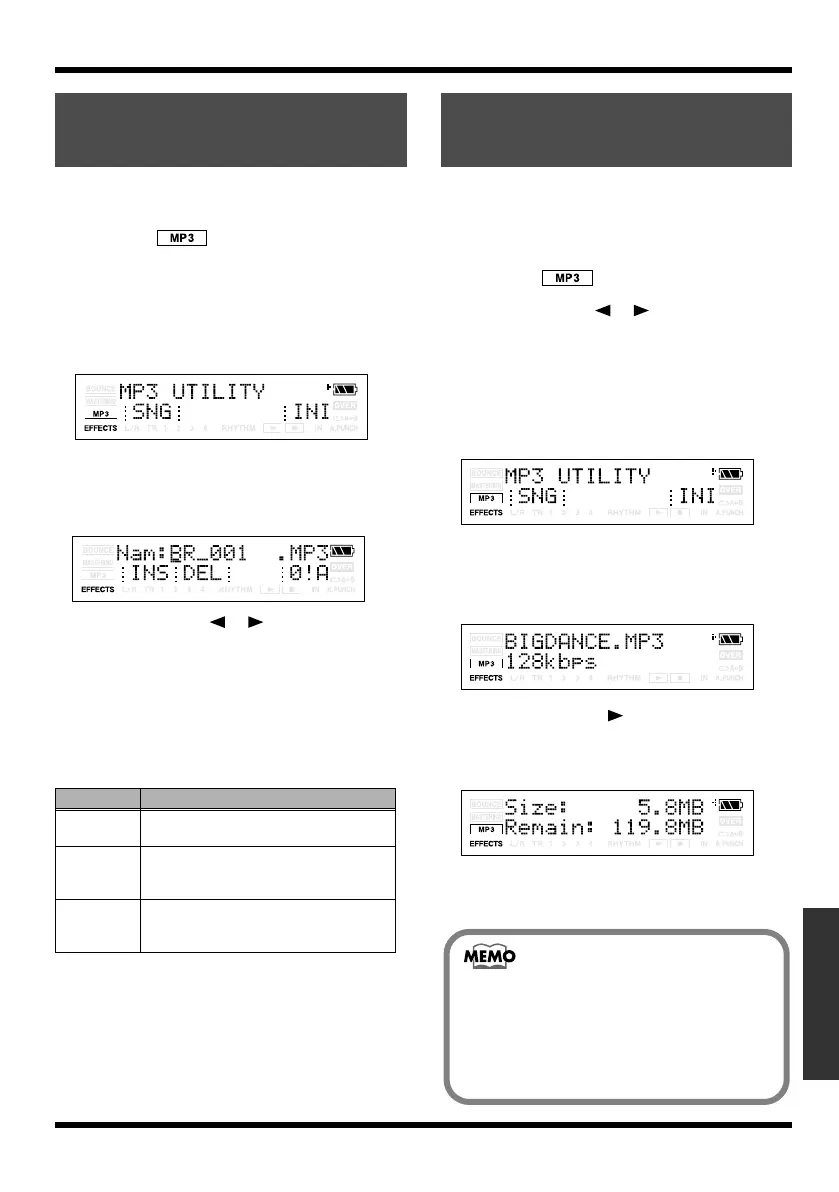
The MP3 UTILITY screen will appear.
fig.Disp-util-song2.eps
4.
Press [TR1] (SNG) and then press [TR2]
(NAM).
The file name is displayed.
fig.Disp-CENTER-ADJ.eps
5.
Use CURSOR [ ][ ] to move the
cursor to the character you want to
change.
6.
Use VALUE [-] [+] to select the desired
character.
You can use the following functions when
editing text.
7.
Press [EXIT] to return to the Play screen.
You can view information about the currently selected
MP3 (or WAV) file.
1.
Press [MP3/TRAINER] to MP3 mode.
Switches to MP3 mode; the display will
indicate (the MP3 screen).
2.
Use CURSOR [ ][ ] to move the
cursor to the file number, and use VALUE
[-][+] to select the file whose information
you want to view.
3.
Press [UTILITY].
The MP3 UTILITY screen will appear.
fig.Disp-util-song2.eps
4.
Press [TR1] (SNG), and then press
[TR3] (INF).
The MP3/WAV INFO screen will appear.
fig.Disp-ERS.eps
5.
Press CURSOR [ ].
Information about the MP3/WAV file will
be displayed.
fig.Disp-ERS.eps
6.
Press [UTILITY] or [EXIT] several times to
return to the Play screen.
Naming an MP3/WAV
file
Button
Function
[TR1] (INS)
Inserts an underscore (_) at the cursor lo-
cation.
[TR2] (DEL) Deletes the character at the cursor loca-
tion, and moves the subsequent charac-
ters toward the left.
[TR4] (0!A) Switches the type of character (numeral/
symbol/alphabetical) at the cursor loca-
tion.
Viewing MP3/WAV
file information
If the display indicates <<Unsupported>>,
the MP3/WAV file is in a format that is not
supported by the MICRO BR.
Read “Audio formats supported by the
MICRO BR” (p. 93), and check the format of
the MP3/WAV file.
MICRO-BR_e.book 101 ページ 2009年5月28日 木曜日 午後2時26分



 To Next Page