97
Section 5. Using MP3 player
Section 5
MP3 mode includes a “Phrase Trainer” function
that provides an effective way for you to practice
a song. You can also change (Time Stretch) the
playback to aid in practicing difficult phrases or
remove the guitar solo sound (Center Cancel) to
play along with only the backing instruments as a
practice aid.
The Time Stretch function allows you to change
the speed of playback without changing the pitch.
1.
Press [MP3/TRAINER] to MP3 mode.
Switches to MP3 mode; the display will
indicate (the MP3 screen).
2.
Use CURSOR [ ][ ] to move the
cursor to the file number, and use VALUE
[-][+] to select the file number that you
want to play.
3.
Press .
The file begins playing.
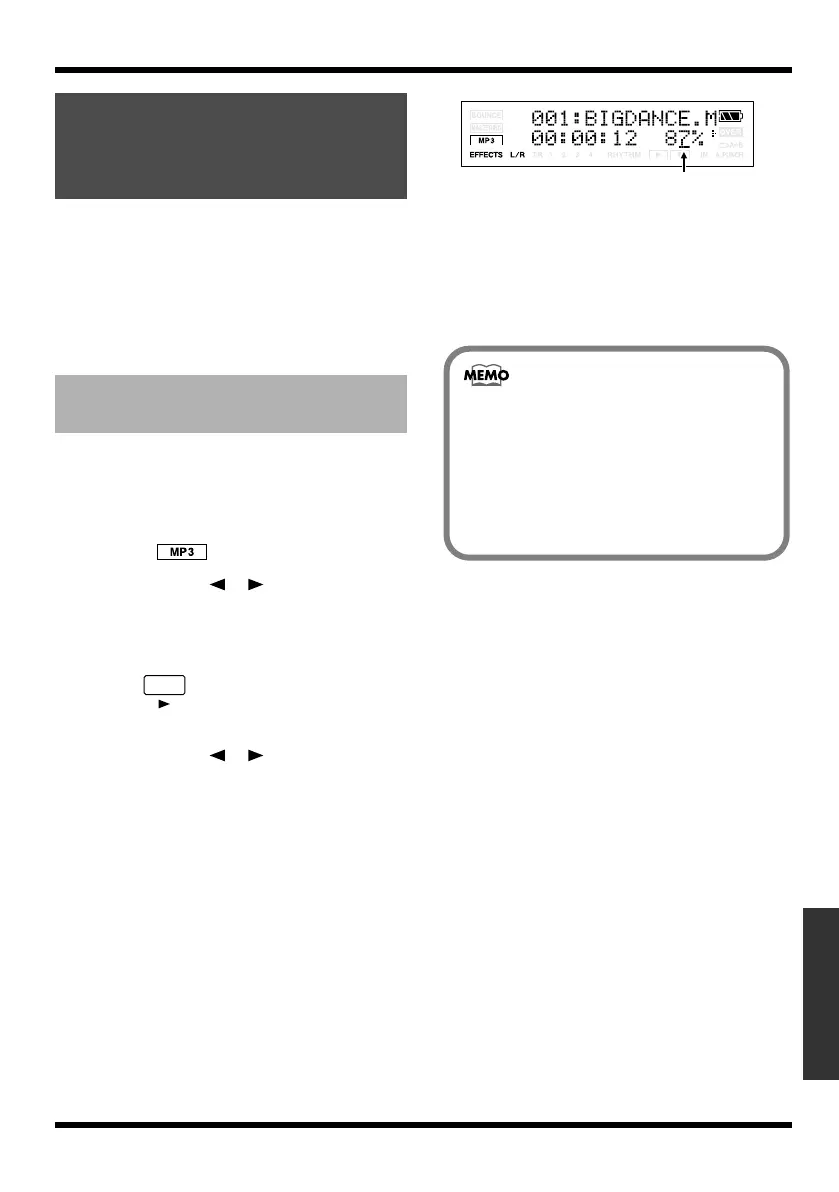
4.
Use CURSOR [ ][ ] to move the
cursor to the playback speed indication,
and use VALUE [-][+] to specify the
playback speed.
The guitar etc. are connected, and it is
possible to play while listening the MP3/
WAV file.
fig.Disp-mp3-mode2.eps
Range: 25–200%
A setting of 100% (initial value) will play the
song at its original speed, a setting of 50% at
half-speed, and a setting of 25% at quarter-
speed. The play speed doubles if the
parameter is set to 200%.
Practicing along with
an MP3/WAV file
(Phrase Trainer)
Changing the playback
speed (Time Stretch)
Playback speed
• If Time Stretch parameter is set excluding
100%, the audio quality of the playback will
be less. This is not a malfunction. Please set
the parameter to 100% when listening to the
MP3/WAV file at a usual speed.
• Use the INPUT LEVEL dial to adjust the
volume balance relative to the instrument
connected to the input jack
MICRO-BR_e.book 97 ページ 2009年5月28日 木曜日 午後2時26分



 To Next Page