34
Creating a new song
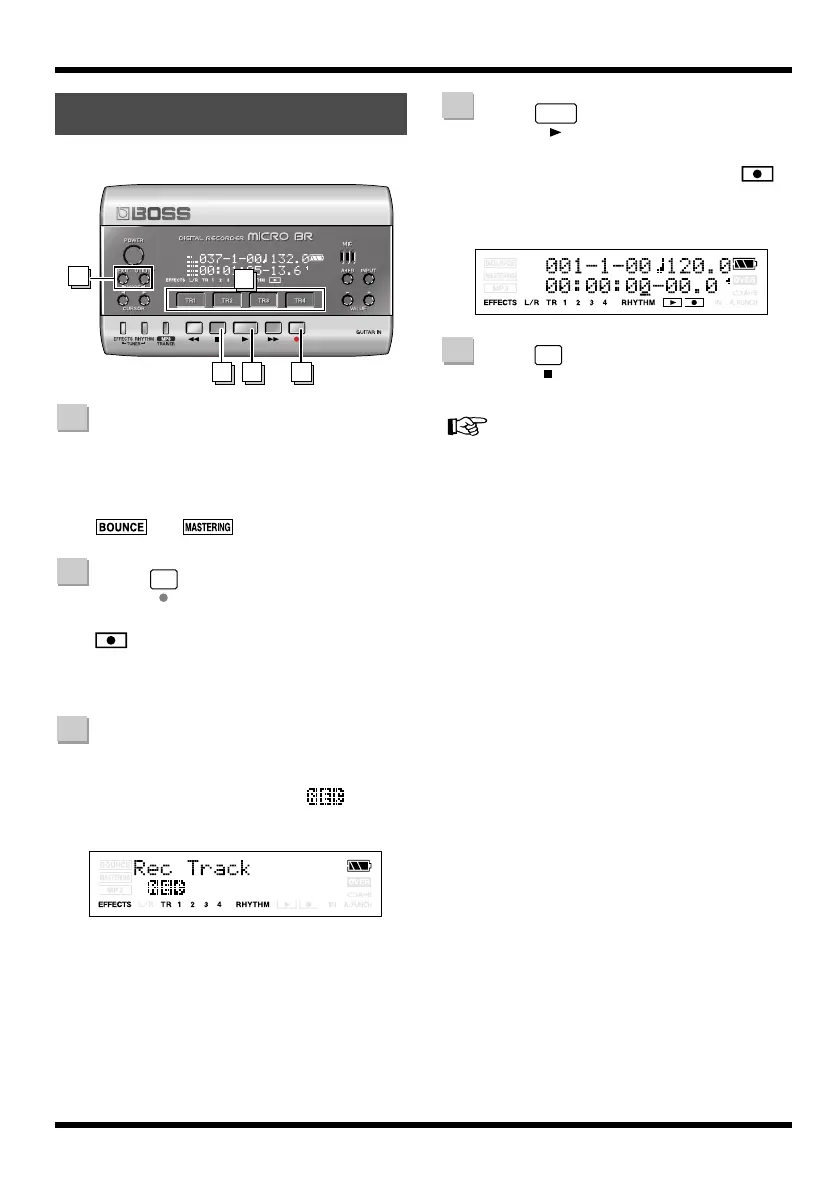
Let’s try recording a performance.
Hold down [EXIT] and press
[UTILITY] several times to select
normal recording mode.
Make sure that the display does not indicate
or .
Press
The track select screen will appear. The
indication will blink in the screen, and
the MICRO BR will be in recording standby
condition.
Press the [TR1]–[TR4] button of the
track that you want to record.
The indication will change to for the
track you’re recording.
fig.Disp-RecTrack-1.eps
Press .
Recording will begin.
The Play screen will appear, and the
indication in the screen will change from
blinking to lit.
fig.Disp-Recording.eps
Press .
Recording will stop.
For details on stereo recording, refer to “Selecting
the track to record” (p. 43).
Recording
1
45 2
3
1
2
3
4
5
MICRO-BR_e.book 34 ページ 2009年5月28日 木曜日 午後2時26分



 To Next Page