113
Section 7. Other Convenient Functions
Section 7
1.
Hold down [EFFECTS] and press
[RHYTHM].
fig.06-020
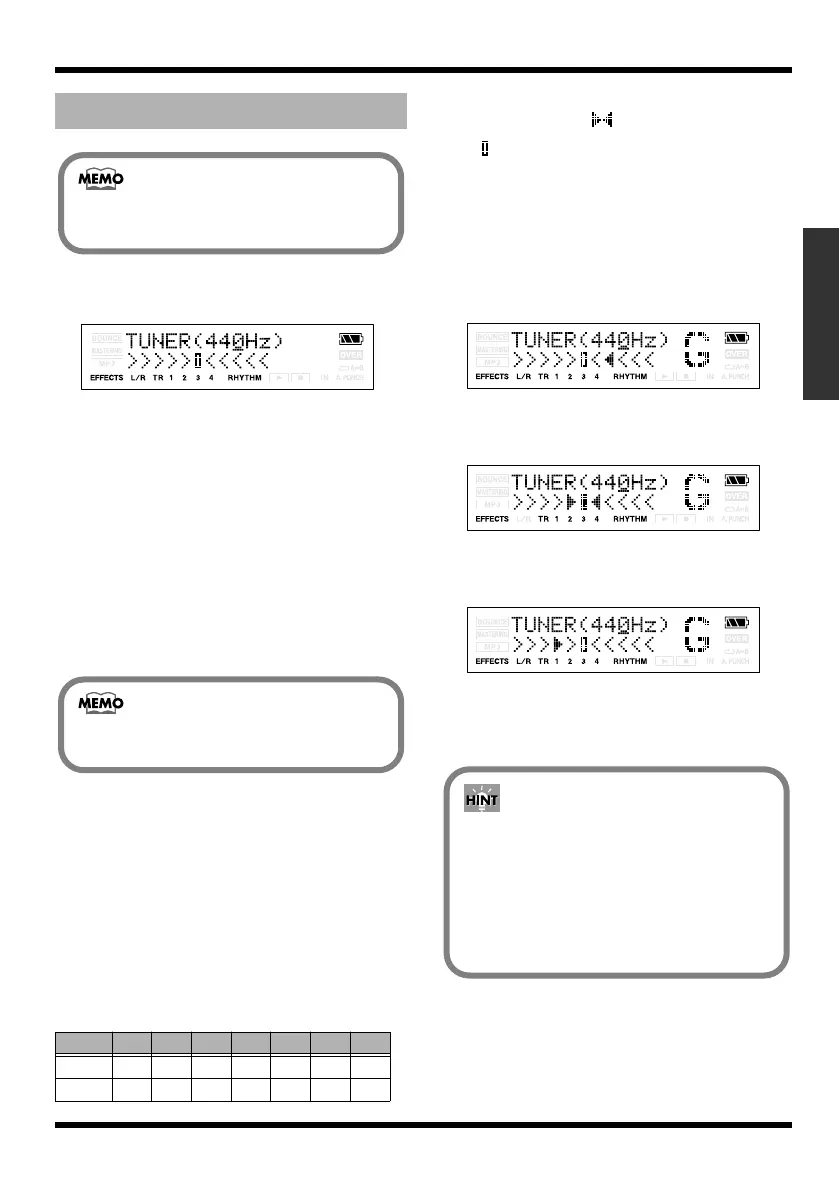
When the built-in tuner of the MICRO BR is
used, the reference pitch is shown in the
upper of the display, and the note name in
the right. The lower part will display a tuning
guide to indicate the difference between the
input sound and the displayed note.
* You cannot switch from the Tuner screen to other
screens (except the Play screen).
2.
Use VALUE [-][+] to setting the reference
pitch.
You can set the reference pitch of the tuner
to any value between 435 and 445 Hz.
3.
Play a note using the string you are
tuning.
The screen will indicate the note name that is
closest to the pitch of the string you played.
* Cleanly play a single note only on the string you wish to
tune.
4.
Continue tuning until the pitch name of
the string you are tuning appears in the
display.
Normal tuning
5.
While viewing the tuning guide, adjust the
tuning so that is positioned midway
between the two sides.
If the pitch of the string is within +/-50 cents
of the correct pitch, the tuning guide will
indicate the discrepancy between the actual
and the correct pitches.
Your instrument is tuned above the
displayed note
fig.06-020
Your instrument is tuned the displayed
note
fig.06-020
Your instrument is tuned below the
displayed note
fig.06-020
6.
Repeat steps 3–5 to tune each of the
strings.
7.
When you finished tuning, press [EXIT].
Tuning
String
7th 6th 5th 4th 3rd 2nd 1st
Guitar
B E A D G B E
Bass B E A D G
If you do not want to output the tuning
sounds, either turn down the VOLUME dial.
This was set to 440 Hz when the new song
was created.
If you are tuning a guitar that has a vibrato
arm, tuning one string may cause other
strings to drift. In this case, you should first
tune the strings approximately so that the
correct note name is displayed, and then re-
tune each string.
MICRO-BR_e.book 113 ページ 2009年5月28日 木曜日 午後2時26分



 To Next Page