32
Creating a new song
The MICRO BR contains three effect processors;
insert effects, reverb, and mastering tool kit. Here
we’re going to explain how to select GTR (guitar)
as the input source, and use the insert effects.
For more about insert effects, refer to “Section 3.
Using effects” (p. 63).
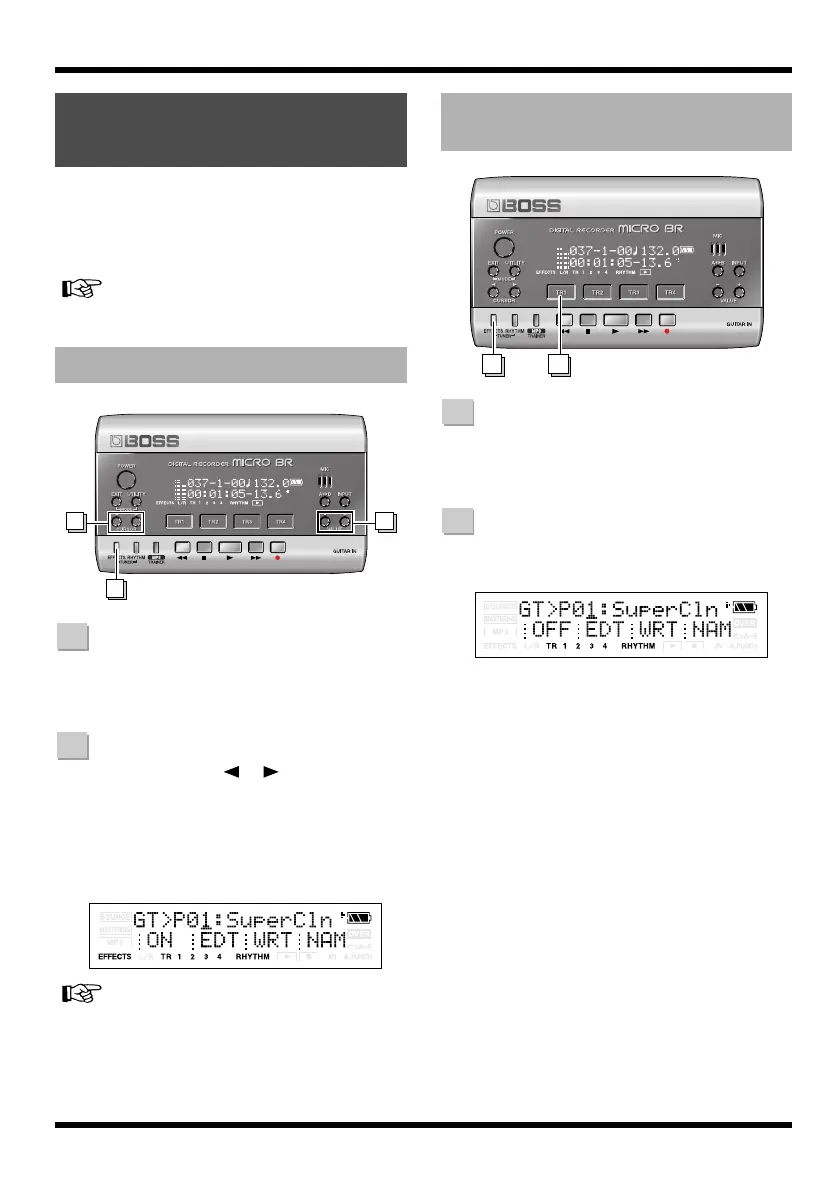
Press [EFFECTS].
The currently selected effect patch is
displayed.
Use CURSOR [ ][ ] to move the
cursor to the patch number, and use
VALUE [-][+] to select “01:SuperCln”.
The MICRO BR contains some insert effects,
but for this example we’ll select
“01:SuperCln”.
fig.Disp-FX-GT-P01.eps
For details, refer to “Section 3. Using effects” (p.
63).
Press [EFFECTS].
The currently selected effect patch is
displayed.
Press [TR1] several times to make
“OFF” indication appear.
fig.Disp-FX-GT-P01off.eps
Make sure that the TR1 indication has
changed from “ON” to “OFF.”
MICRO BR is set to output sound without
the insert effects applied, allowing you to
record sounds without the insert effects.
Using effects (Insert
Effects)
Selecting an effect patch
1
2 2
1
2
Recording without the insert
effects
1 2
1
2
MICRO-BR_e.book 32 ページ 2009年5月28日 木曜日 午後2時26分



 To Next Page