24
Getting ready to use the MICRO BR
fig.MEMO
923
• If there are batteries in the unit while an AC adaptor is being used, normal operation will continue should
the line voltage be interrupted (power blackout or power cord disconnection).
926a
• When connection cables with resistors are used, the volume level of equipment connected to the GUITAR
IN or LINE IN/MIC may be low. If this happens, use connection cables that do not contain resistors.
983
• Howling could be produced depending on the location of microphones relative to speakers. This can be
remedied by:
1. Changing the orientation of the microphone(s).
2. Relocating microphone(s) at a greater distance from speakers.
3. Lowering volume levels.
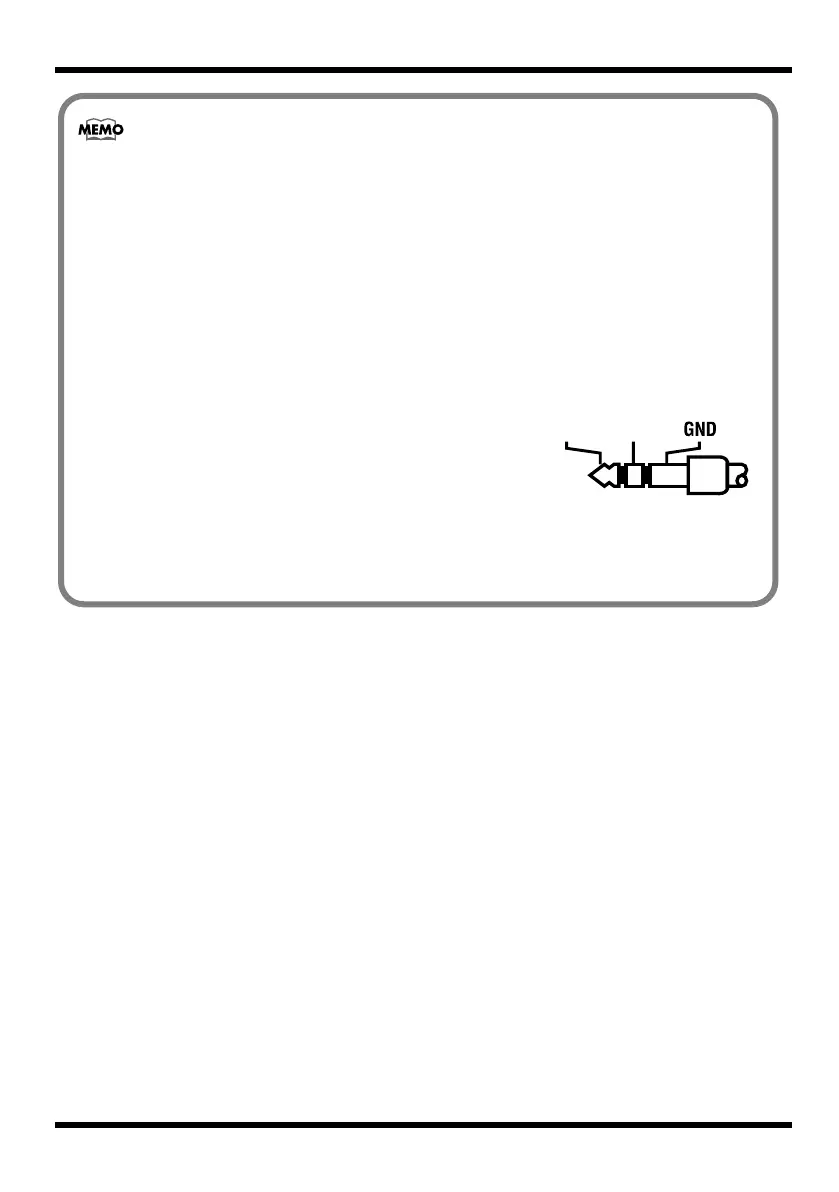
fig.stereo-plug-j.eps
• The LINE IN/MIC jack is a stereo-mini type (1/8”). The
illustration shows the wiring of the LINE IN/MIC jack. Before
making connections, check that the connector of your equipment is
wired in a compatible way.
• If you want to use a mic that has a 1/4” plug, you’ll need to obtain
a commercially available adaptor plug.
• The MICRO BR does not support balanced (XLR) mics.
• If you want to connect a plug-in powered microphone to the LINE IN/MIC jack, refer to “Using plug-in
powered microphone” (p. 116).
MICRO-BR_e.book 24 ページ 2009年5月28日 木曜日 午後2時26分



 To Next Page