67
Section 3. Using effects
Section 3
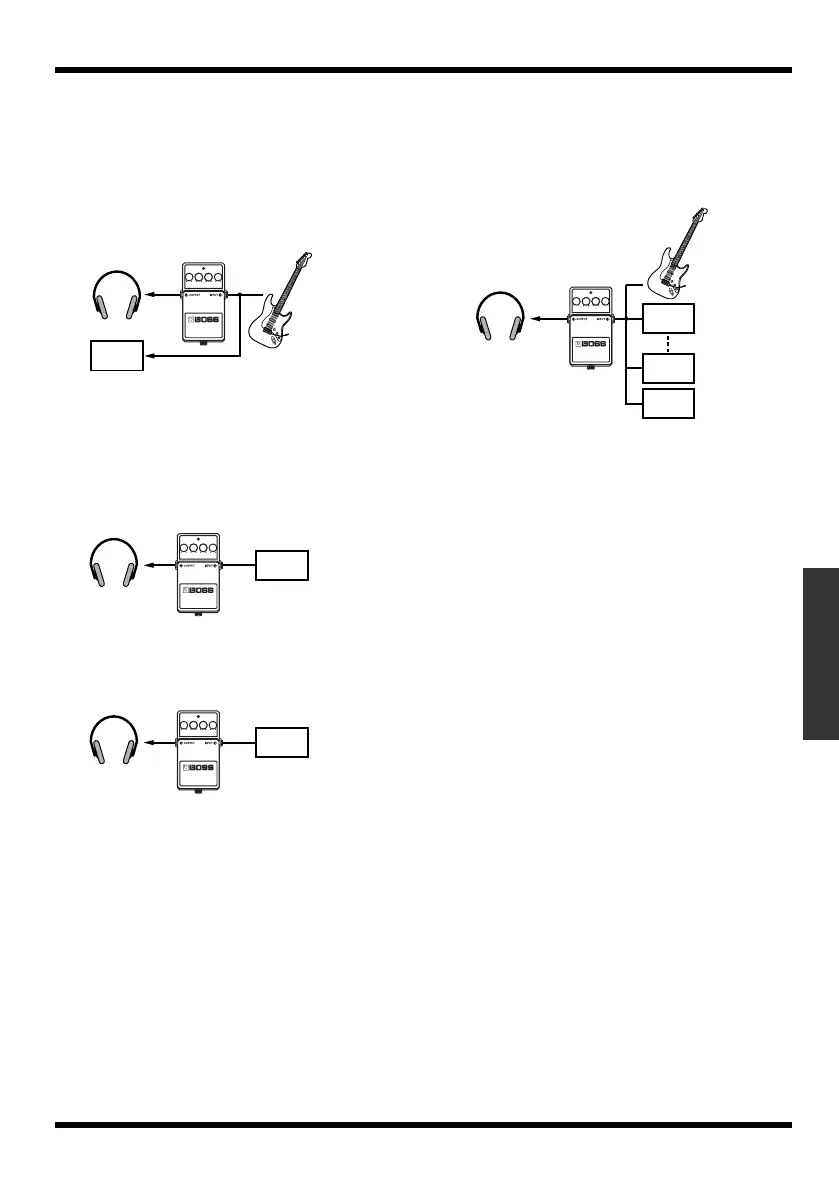
INPUT <REC DRY>
This lets you monitor the sound that is processed
through the insert effects, but record the sound
before it has passed through the insert effects
(i.e., record the “dry” sound). Use this setting if
you want to try out various effect settings after
recording.
fig.03-120
TRACK 1–4, 1/2, 3/4
This lets you apply the insert effects to the track
playback audio. Use this setting if you want to try
out effects after recording the dry sound, or if
you want to apply the effect only to a specific
track.
fig.03-130
RHYTHM
This lets you apply the insert effects to the
rhythm sound.
fig.03-140
MASTER
Use this setting if you want to apply the effect to
the overall sound, such as when using the effect
to modify the sound during bounce-recording, or
using the effect to achieve a special sound.
fig.03-150
4.
Press [EXIT] several times.
Return to the Play screen.
TRACK 1
(REC)
TRACK 1
(PLAY)
RHYTHM
TRACK 1
(PLAY)
TRACK 4
(PLAY)
RHYTHM
MICRO-BR_e.book 67 ページ 2009年5月28日 木曜日 午後2時26分



 To Next Page