71
Section 3. Using effects
Section 3
This creates a thicker sound by applying a
delayed sound to the direct sound.
On/Off OFF, ON
This parameter turns the delay effect on/off.
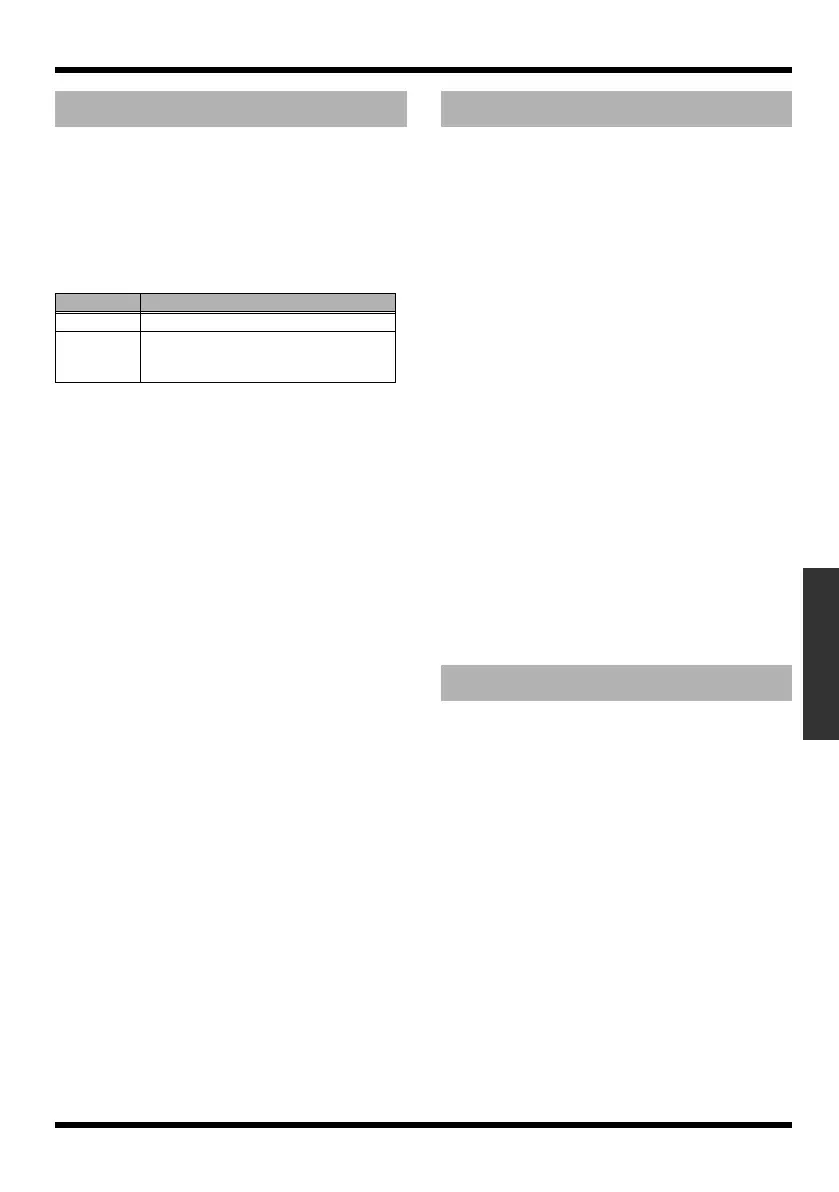
Type
This Parameter selects the type of delay.
Dly Time SINGLE: 1 – 1000 (ms)
TAP: 1 – 500 (ms)
This parameter adjusts the delay time (i.e., the
interval for which sound is delayed).
Feedback 0 – 100
This parameter adjusts the amount of feedback.
Changing the amount of feedback causes the
number of time the delayed sound is repeated to
change as well.
E.Level 0 – 120
Adjusts the volume of the delay sound.
By adding sounds which are out-of-phase with
the direct sound, this effect enhances the
definition of the sound, and pushes it to the
forefront.
On/Off OFF, ON
This parameter turns the enhancer effect on/off.
Sens 0 – 100
Adjusts the manner in which the enhancer will be
applied relative to the input signals.
Freq 1.0 – 10.0 (kHz)
Adjusts the frequency at which the enhancer
effect will begin to be applied. The effect will be
made apparent in the frequencies above the
frequency set here.
Mix Level 0 – 100
Adjusts the amount of phase-shifted sound of the
range set by “Frequency” that is to be mixed with
the input.
Lo Mix Lvl 0 – 100
Adjusts the amount of phase-shifted sound of the
lower range that is to be mixed with the input.
The frequency range in which the effect is
applied is fixed.
Level 0 – 100
Adjusts the volume of the enhanced sound.
This produces a flanging effect that gives a sort of
“twisting” character to the sound.
* This effect can be used when the FX “Type” parameter
is set to “FLANGER.”
On/Off OFF, ON
This parameter turns the flanger effect on/off.
Rate 0 – 100
Determines the rate of the flanging effect.
Depth 0 – 100
Determines the depth of the flanging effect.
Manual 0 – 100
Adjusts the center frequency at which to apply
the effect.
Resonance 0 – 100
Determines the amount of resonance (feedback).
Increasing the value will emphasize the effect,
creating a more unusual sound.
DELAY (DLY)
Parameter Explanation
SINGLE
This is a simple delay.
TAP The delayed sound is panned across the
left and right channels. This will be effec-
tive when stereo recording.
ENHANCER (ENH)
FLANGER (FX)
MICRO-BR_e.book 71 ページ 2009年5月28日 木曜日 午後2時26分



 To Next Page