Scan Using Your Computer
98
5
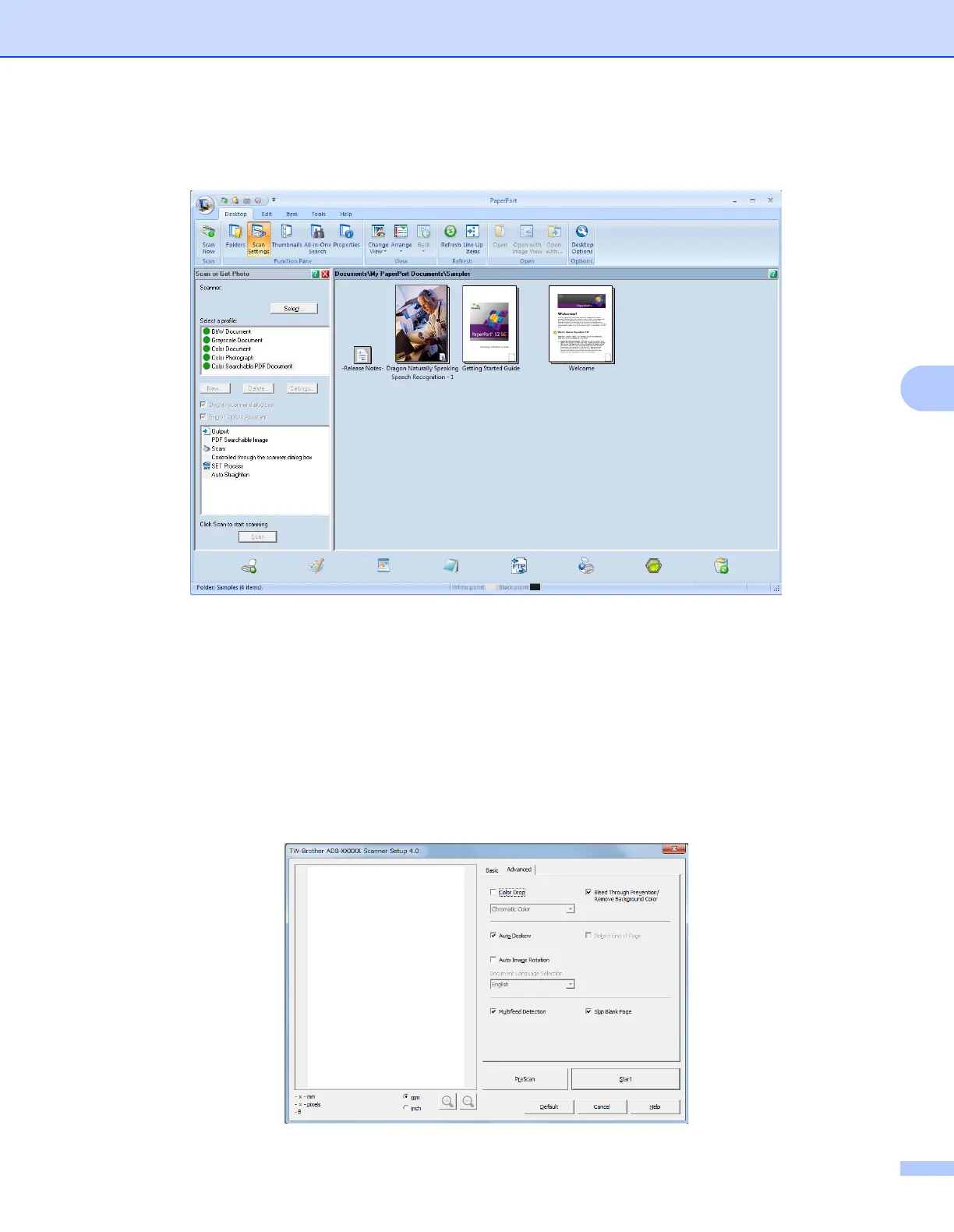
3 Click Scan Settings from the Desktop tab on the ribbon.
The Scan or Get Photo panel appears on the left side of the window.
4 Click the Select button.
5 From the Available Scanners list, select TWAIN: TW-Brother ADS-XXXXX or
TWAIN: TW-Brother ADS-XXXXX LAN (where ADS-XXXXX is the model name of your machine).
If you want to use the WIA driver, select the Brother driver that has “WIA” as the prefix.
Click OK.
6 Select the Display scanner dialog box check box in the Scan or Get Photo panel.
7 Click the Scan button.
The Scanner Setup dialog box appears.





 To Next Page