Scan Using Your Computer
53
5
Scan Plastic Cards 5
1 Load a plastic card (see Business Cards and Plastic Cards on page 32).
Load only one plastic card at a time.
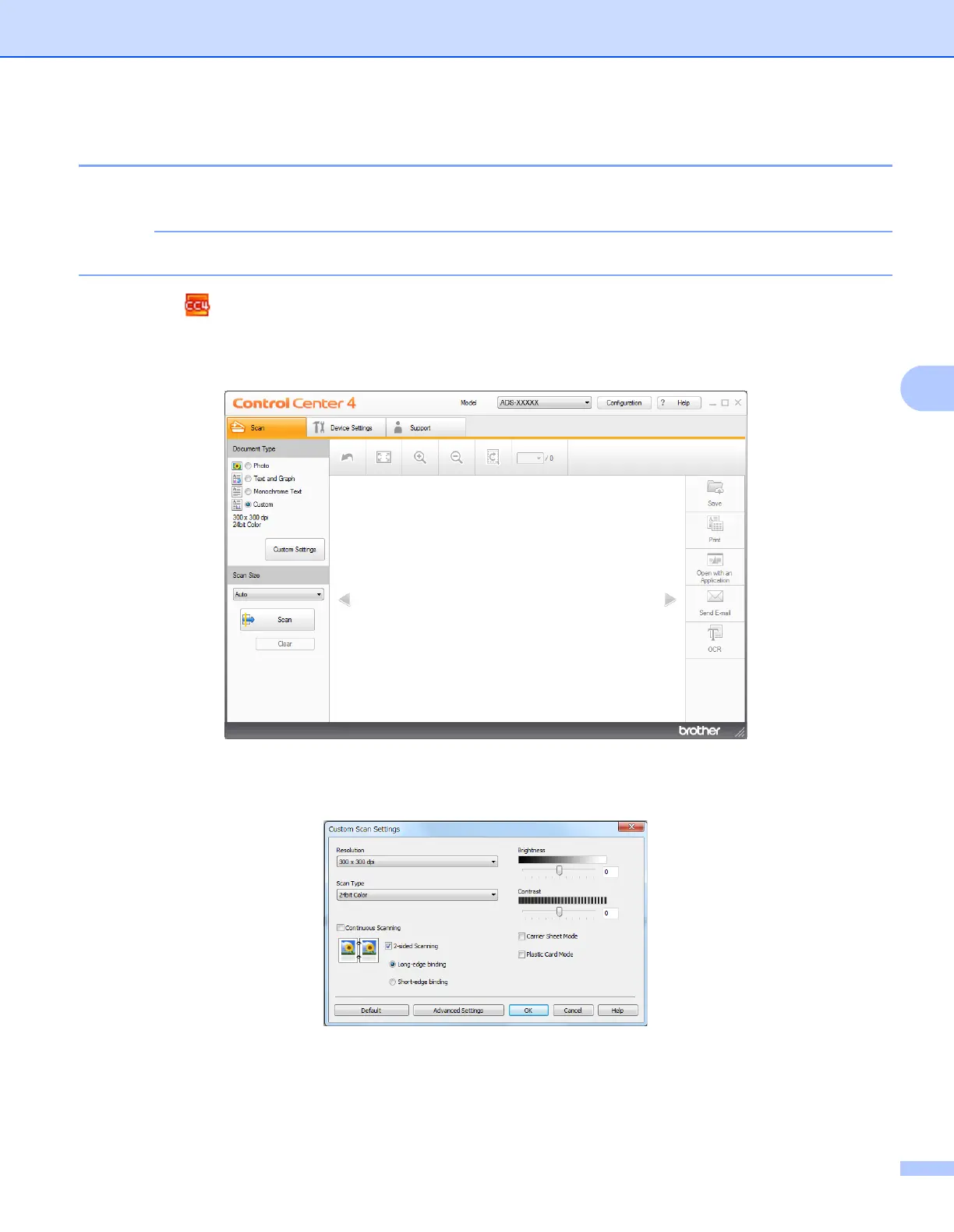
2 Click the (ControlCenter4) icon in the task tray and then select Open from the menu.
The ControlCenter4 window appears.
3 Click the Scan tab.
4 Select Custom in the Document Type drop-down list, and then click the Custom Settings button.
The Custom Scan Settings dialog box appears.
5 Select the Plastic Card Mode check box.
6 Configure other settings if needed (see Change Scan Settings (ControlCenter4) (Windows
®
)
on page 67).











 To Next Page