Routine Maintenance
189
8
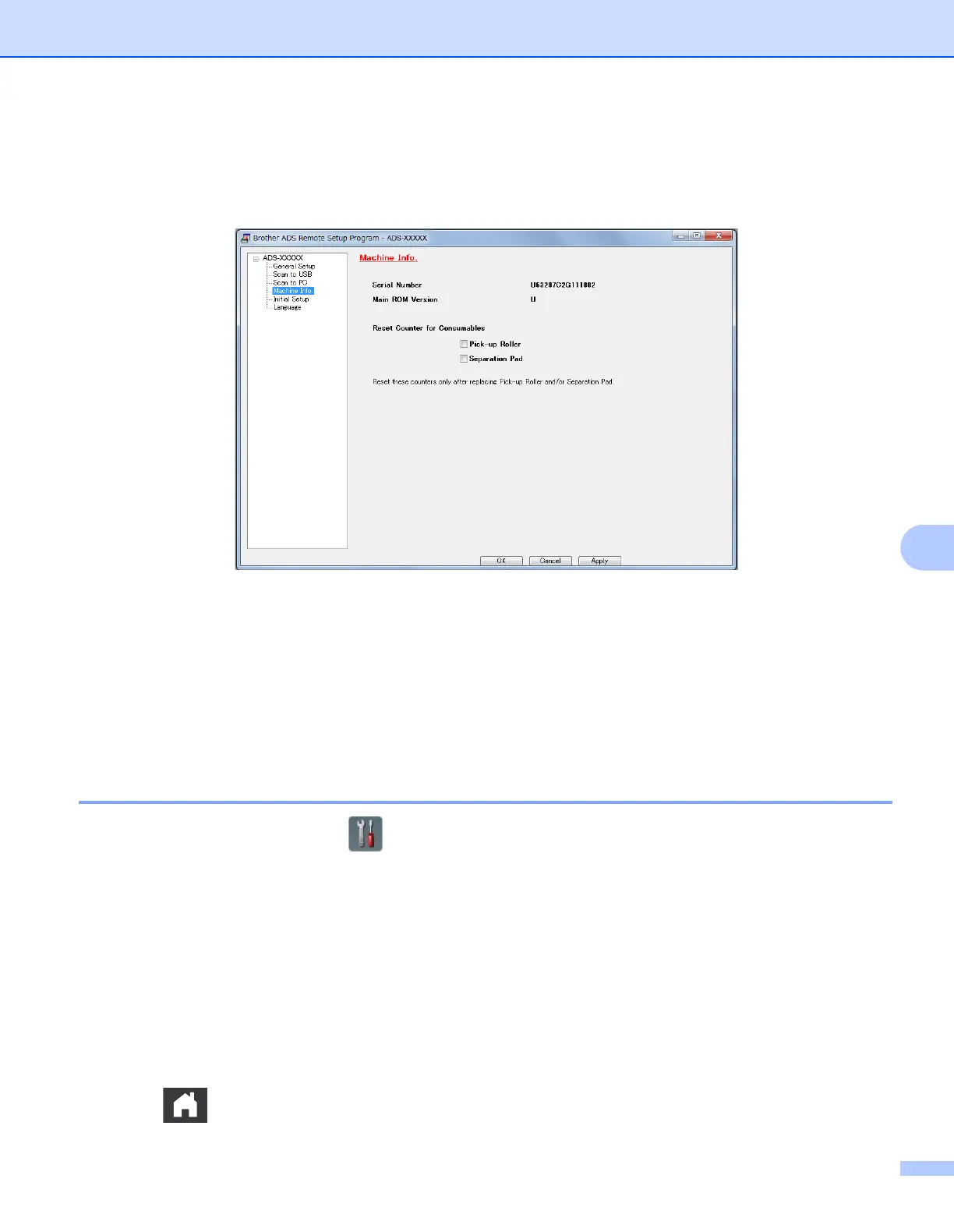
2 Click the Remote Setup button. The Remote Setup window appears.
3 Select Machine Info. in the folder tree and then configure scan settings as needed (the example below
uses Windows
®
).
4 Do one of the following:
To reset the Separation Pad counter, select the Separation Pad check box.
To reset the Pick-up Roller counter, select the Pick-up Roller check box.
5 Click Apply.
6 Click OK.
Reset the Usage Counters (ADS-2500We) 8
1 On your scanner’s LCD, press .
2 Press a or b to display Machine Info.
3 Press Machine Info.
4 Press Usage Counters.
5 Do one of the following:
To reset the Separation Pad counter, press Separation Pad Count.
To reset the Pick-up Roller counter, press Pick-up Roller Count.
6 When the LCD displays a confirmation message, press Yes.
7 Press .











 To Next Page