46
5
5
Change the ControlCenter4 User Interface (Windows
®
) 5
ControlCenter4 is a software utility that lets you quickly and easily access your frequently-used applications.
Using ControlCenter4 eliminates the need to manually launch specific applications.
ControlCenter4 also controls the settings for the to PC button on your Brother machine. For information
about how to configure the settings for the to PC button on the machine, see Change Scan to PC Settings
(Windows
®
) on page 147.
ControlCenter4 has two operation modes: Home Mode and Advanced Mode. You can change the mode at
any time.
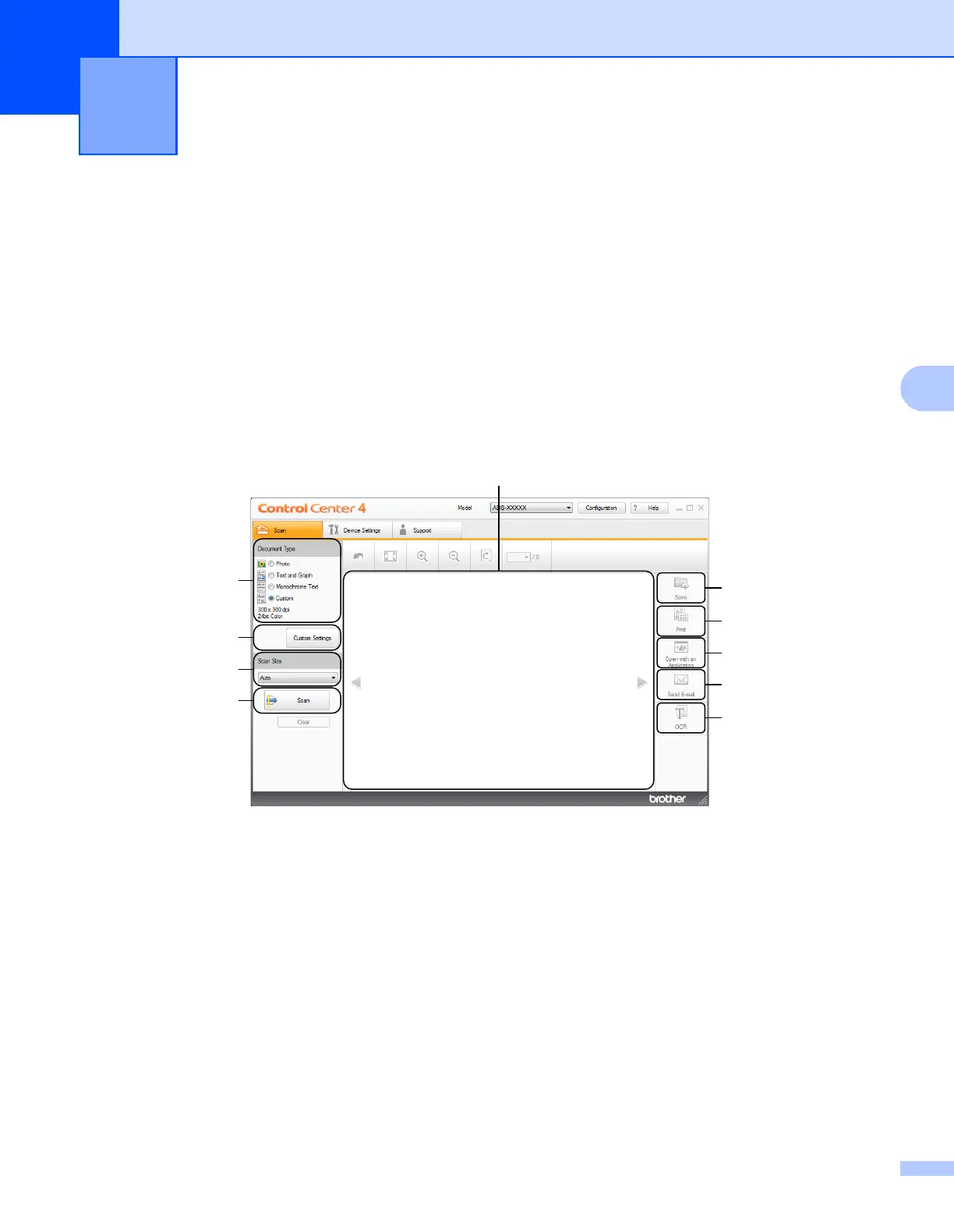
Home Mode
Lets you access your machine’s main functions.
1 Document Type option
Click to select a document type.
2 Custom Settings button
Click to configure scan settings.
3 Scan Size drop-down list
Click to select a scan size.
4 Scan button
Click to start scanning.
5 Image viewer
Click to display a scanned image.
Scan Using Your Computer 5
5
6
7
8
9
1
2
4
3
10











 To Next Page