Scan Preparation
33
3
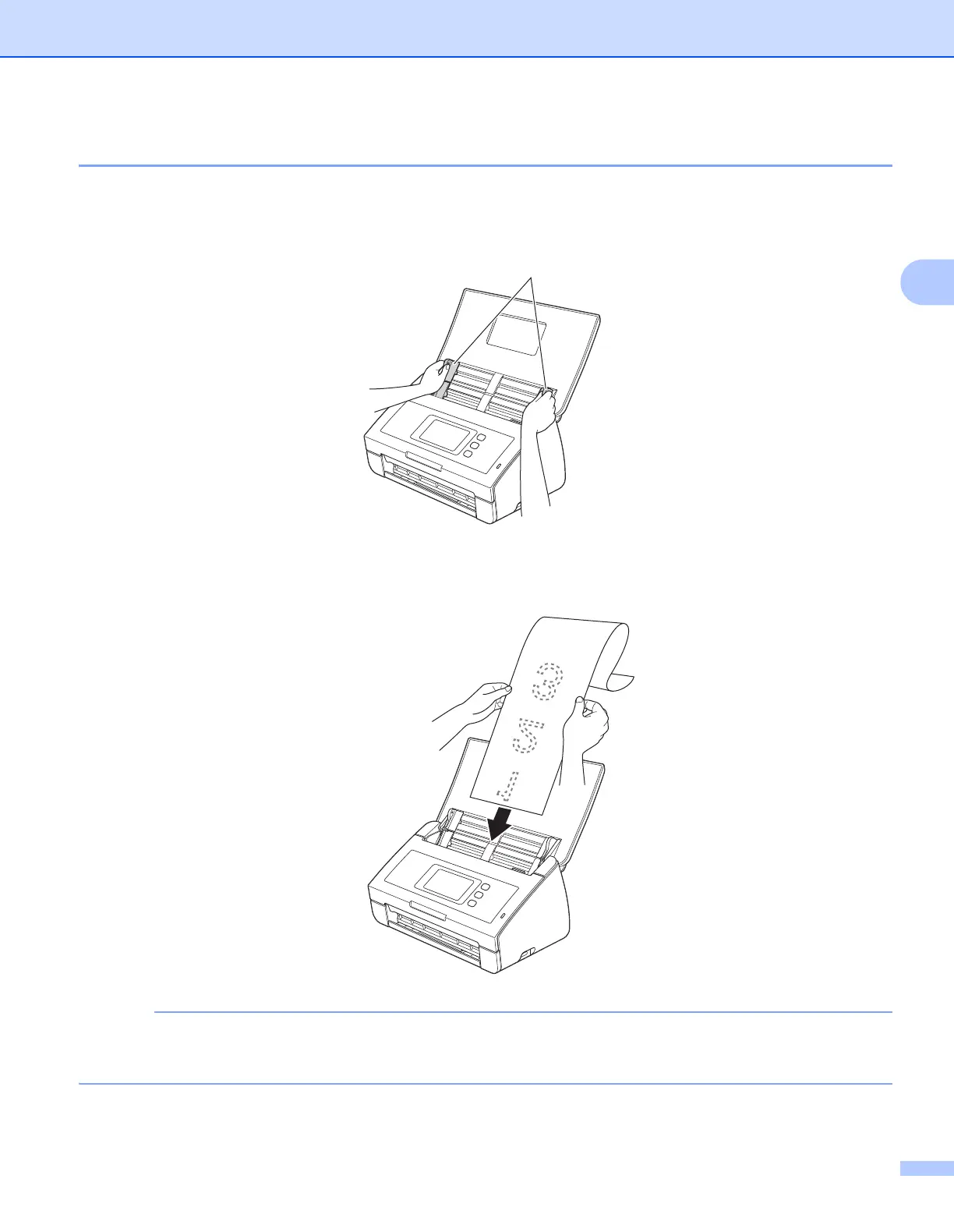
Documents Longer than Standard-size 3
Make sure documents with ink or correction fluid are completely dry.
1 Adjust the Document Guides a to fit the width of your document.
2 Place your document, face down, top edge first in the ADF between the Guides until you feel it touch
the inside of the machine.
• Load only one document at a time.
• Support the document with your hand if the document is longer than the Top Cover.
a











 To Next Page