General Information
3
1
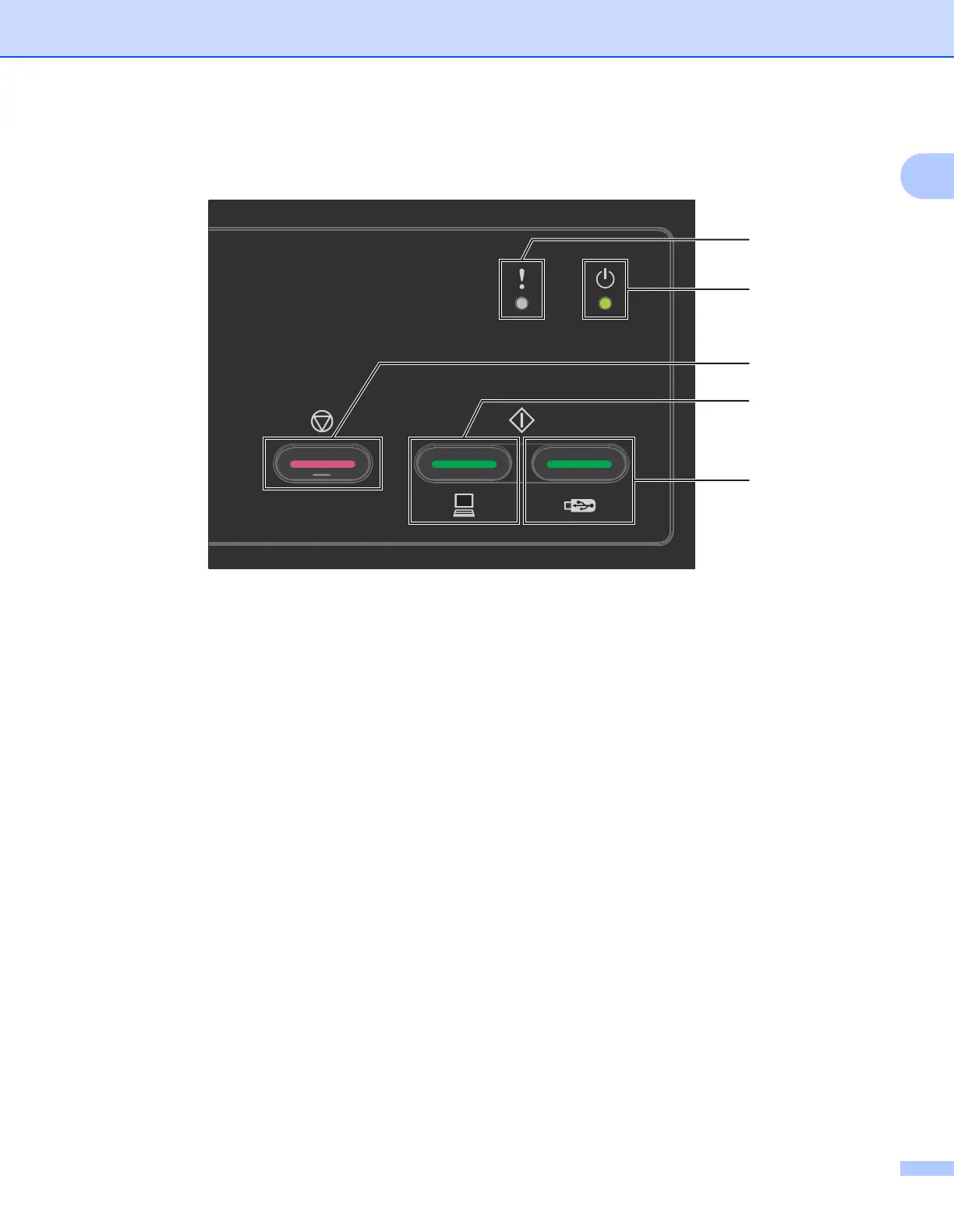
Control Panel Overview (ADS-2000e) 1
1 Error Indicator (with LED)
The Error Indicator indicates that the machine is in an error state, see LED Indications (ADS-2000e only)
on page 213.
2 Power Indicator (with LED)
The Power Indicator blinks depending on the status of the machine.
3 Stop button
Press the Stop button to:
- Job Cancel
- Wake-up
- Error Recovery
- Disconnect Remote Setup
4 Scan to PC button (with LED)
Press the Scan to PC button to:
- Scan to PC
- Wake-up
5 Scan to USB button (with LED)
Press the Scan USB button to:
- Scan to USB
- Wake-up
5
1
2
3
4











 To Next Page