162
7
7
Monitor the Machine’s Status from Your Computer
(Windows
®
) 7
The Status Monitor utility is a configurable software tool for monitoring the status of one or more devices,
allowing you to get immediate notification of error messages.
Do one of the following:
Double-click the (Status Monitor) icon in the task tray.
Click (Brother Utilities) on your desktop, and then click the drop-down list and select your model
name (if not already selected). Click Tools in the left navigation bar, and then click Status Monitor. The
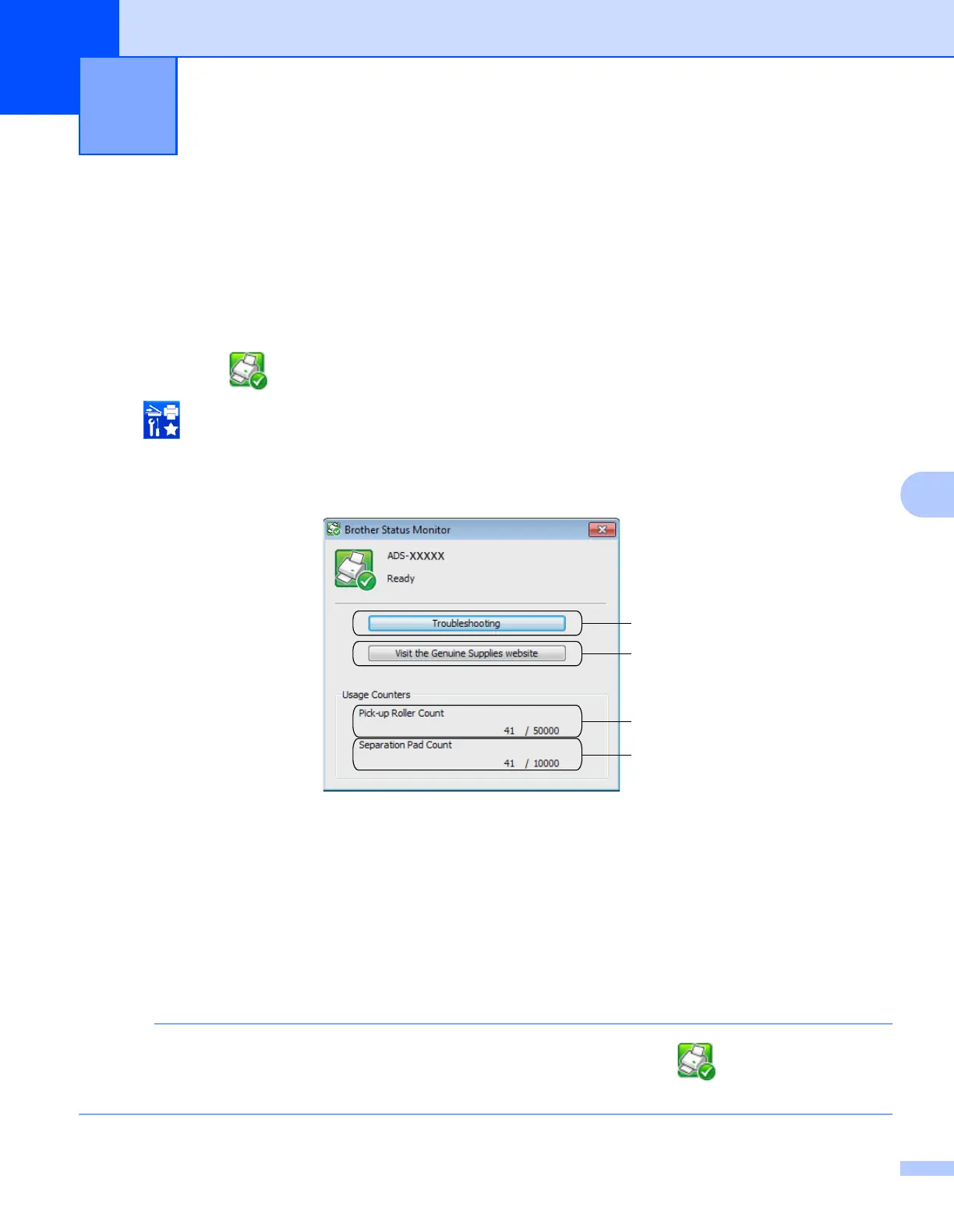
Brother Status Monitor screen appears
1 Troubleshooting
Click to access the Status Monitor troubleshooting web site.
2 Visit the Genuine Supplies website
Click to access the Brother genuine supplies web site.
3 Pick-up Roller Count
Displays Pick-up Roller use.
4 Separation Pad Count
Displays Separation Pad use.
For more information about using the Status Monitor software, right-click the (Status Monitor) icon
and select Help.
Managing the Machine from Your
Computer
7
1
2
3
4











 To Next Page