Scan Using Your Computer
82
5
Scan to an Office File 5
Your machine can convert scanned data to a Microsoft
®
Word file or a Microsoft
®
PowerPoint
®
file. In order
to use this feature, your Brother machine must be connected to a network that has access to the Internet
through a wireless or Ethernet connection.
1 Load your document (see Standard-size Documents on page 30).
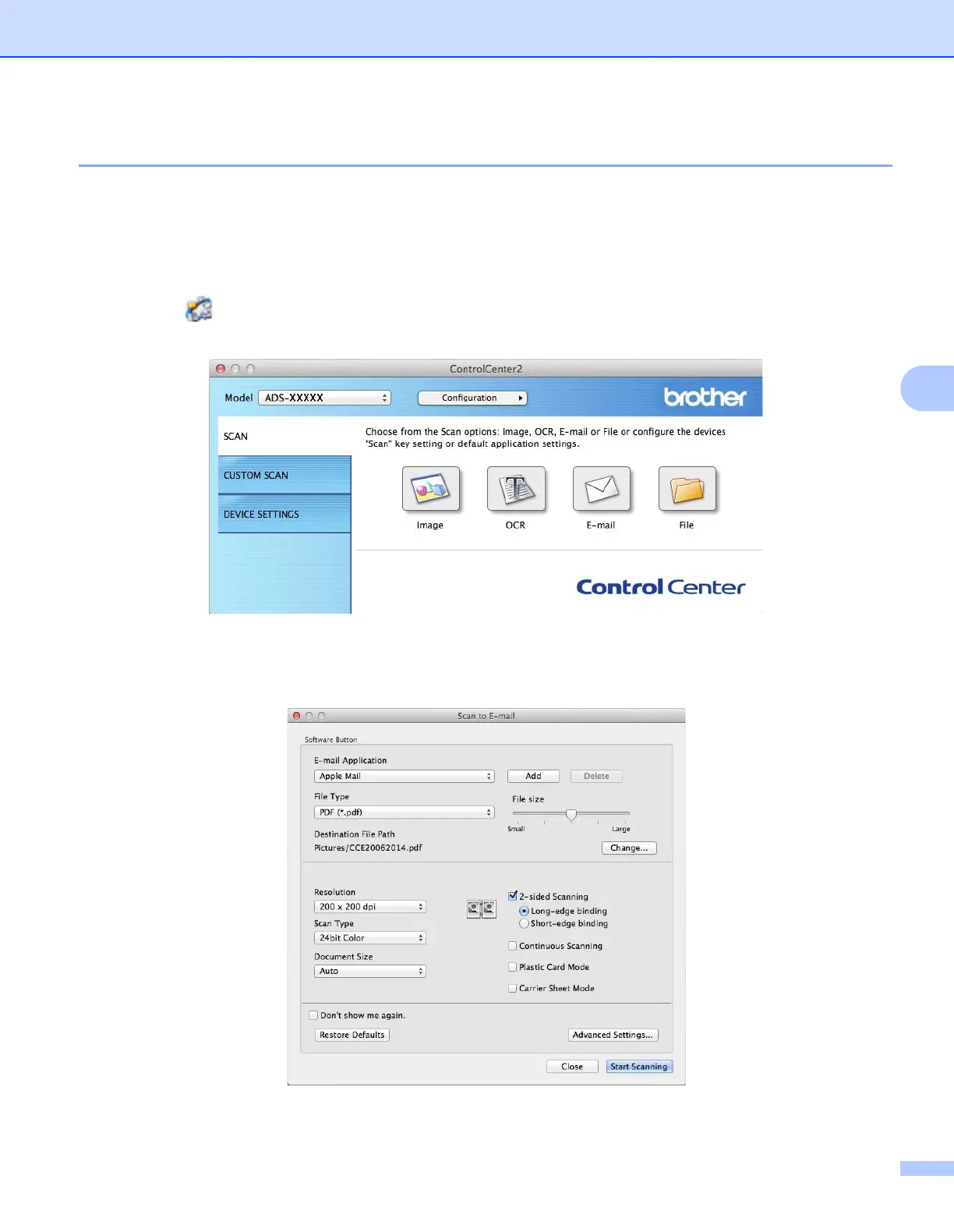
2 Click the (ControlCenter2) icon in the Dock.
The ControlCenter2 window appears.
3 Click the SCAN tab.
4 Click the E-mail or File button. The settings dialog box appears (the example below uses E-mail).











 To Next Page