Scan Using the Control Panel
124
6
Macintosh
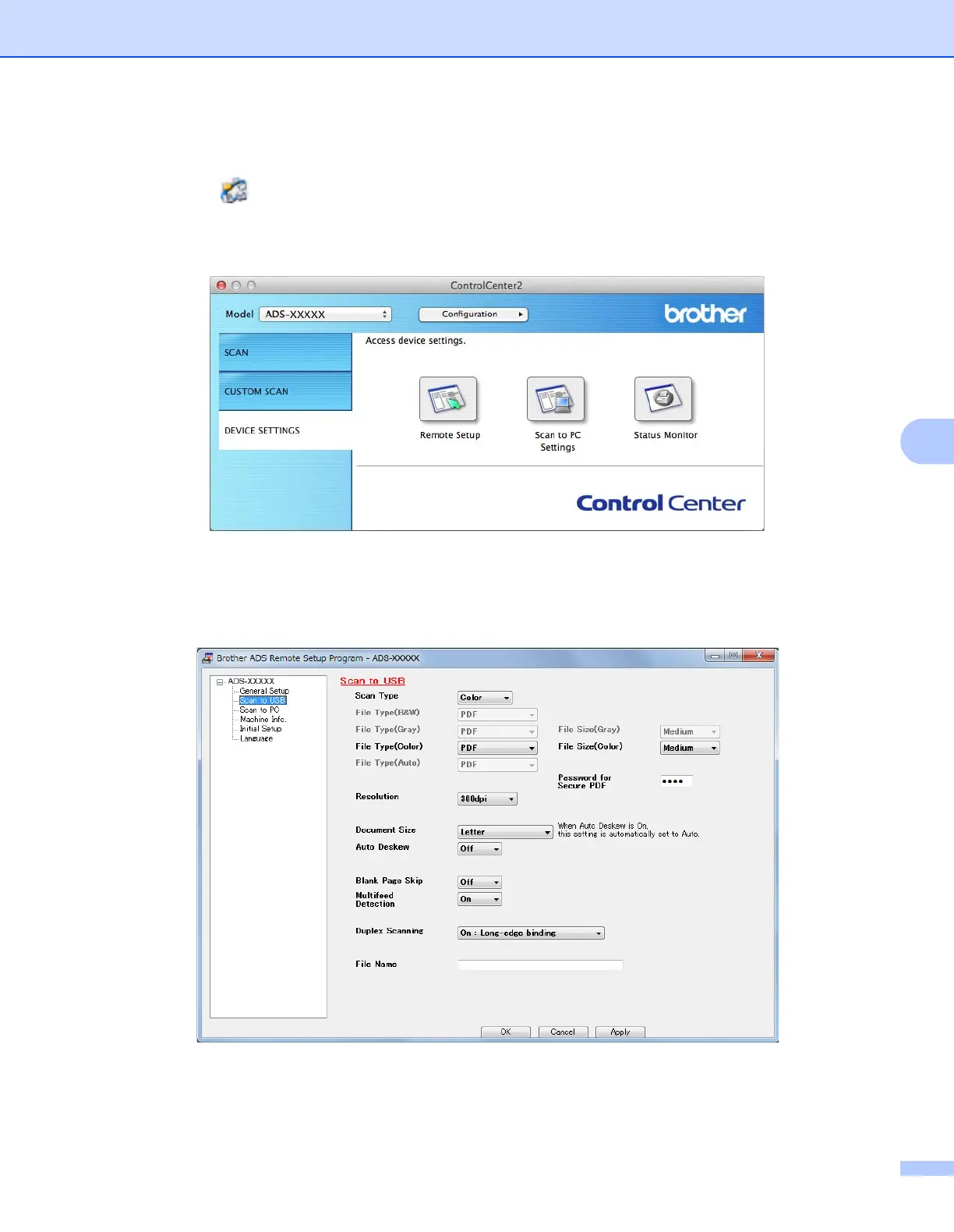
1 Click the (ControlCenter2) icon in the Dock.
The ControlCenter2 window appears.
2 Click the DEVICE SETTINGS tab.
2 Click the Remote Setup button. The Remote Setup window appears.
3 Select Scan to USB in the folder tree and then configure scan settings as needed (the example below
uses Windows
®
).
4 Click Apply and then OK.
5 Insert a USB flash drive into the machine.





 To Next Page