How to Use P-touch Transfer Manager
145
11
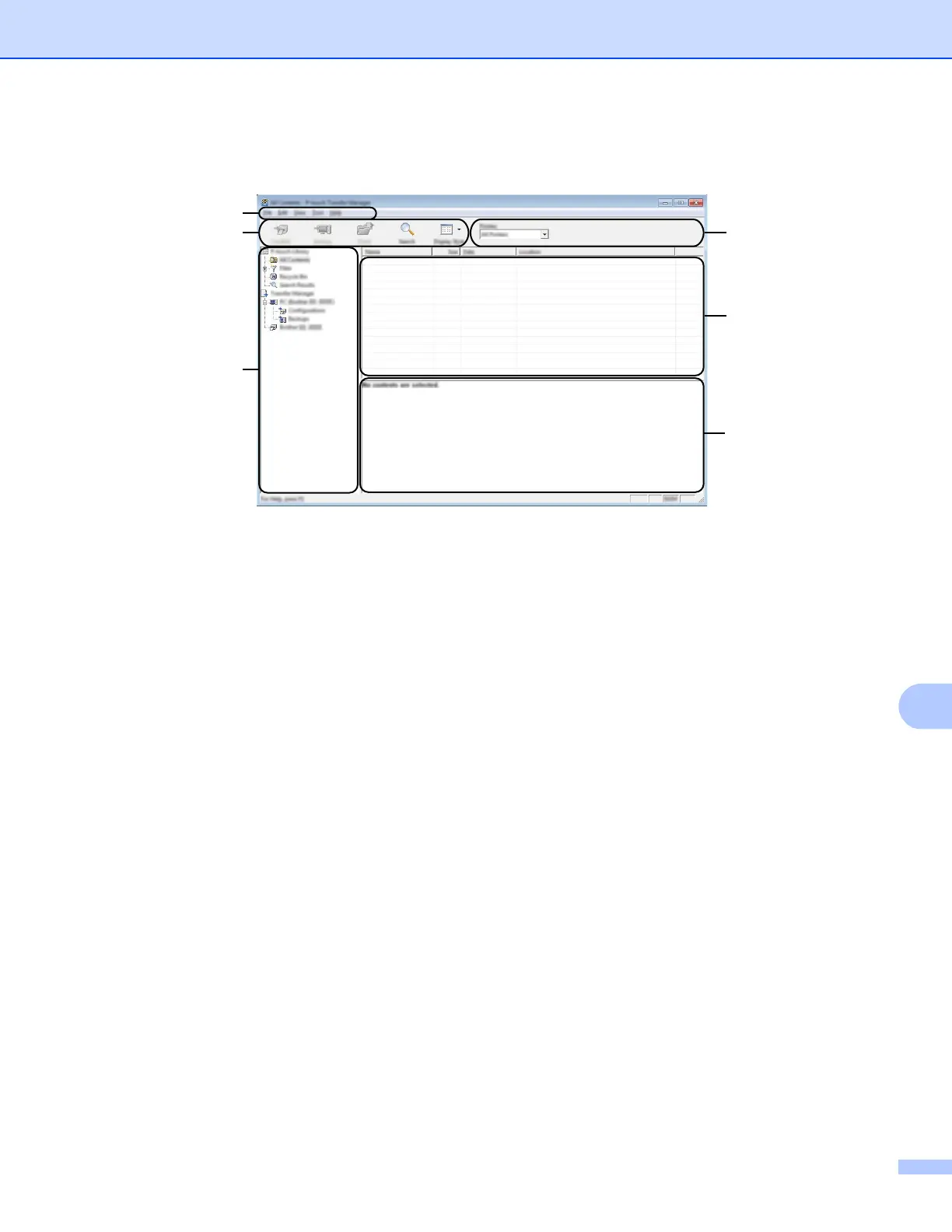
Main window 11
1 Menu bar
Provides access to various commands, which are grouped under each menu title ([File], [Edit], [View],
[Tool], and [Help]) according to their functions.
2 Toolbar
Provides access to frequently used commands.
3 Printer selector
Allows you to select which P-touch the data will be transferred to. When you select a P-touch, only the
data that can be sent to the selected P-touch appears in the data list.
4 Folder view
Displays a list of folders and printers. When you select a folder, the templates in the selected folder appear
in the template list.
If you select a P-touch, the current templates and other data stored in the P-touch appear.
5 Template list
Displays a list of templates in the selected folder.
6 Preview
Displays a preview of the templates in the templates list.





 To Next Page