Useful Settings
192
20
Adjusting the LCD Settings 20
LCD Contrast 20
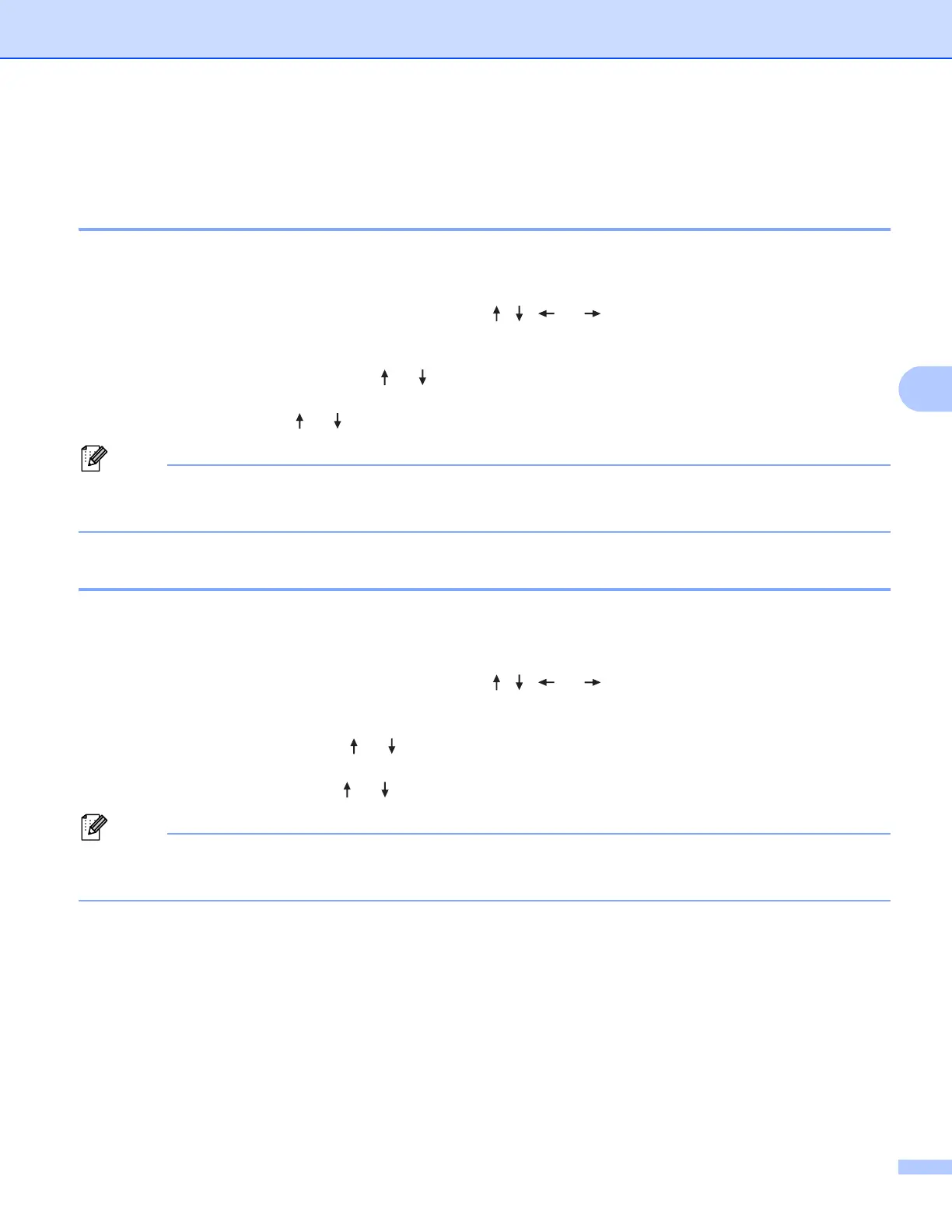
You can change the contrast setting of the LCD to one of five levels (+2, +1, 0, -1, or -2) to make the screen
easier to read. The factory setting is “0”.
a Select [Settings] in the Home screen using the , , or key, and then press the OK or Enter
key.
b Select [LCD Contrast] using the or key, and then press the OK or Enter key.
c Set the value using the or key, and then press the OK or Enter key.
• To return to the previous step, press the Esc key.
• Pressing the Space key on the contrast setting screen sets the contrast to the factory setting of “0”.
Backlight 20
You can change the backlight setting either to "On" or "Off".
The display is easier to see with the backlight on. The factory setting is "On".
a Select [Settings] in the Home screen using the , , or key, and then press the OK or Enter
key.
b Select [Backlight] using the or key, and then press the OK or Enter key.
c Select [On] or [Off] using the or key, and then press the OK or Enter key.
• Power can be saved when the backlight is turned off.
• The backlight automatically turns off. Press any key to turn the backlight on again.
During printing, the backlight is turned off. The backlight turns on during data transmissions.





 To Next Page