Maintenance
186
19
Cleaning the FLe Sensor 19
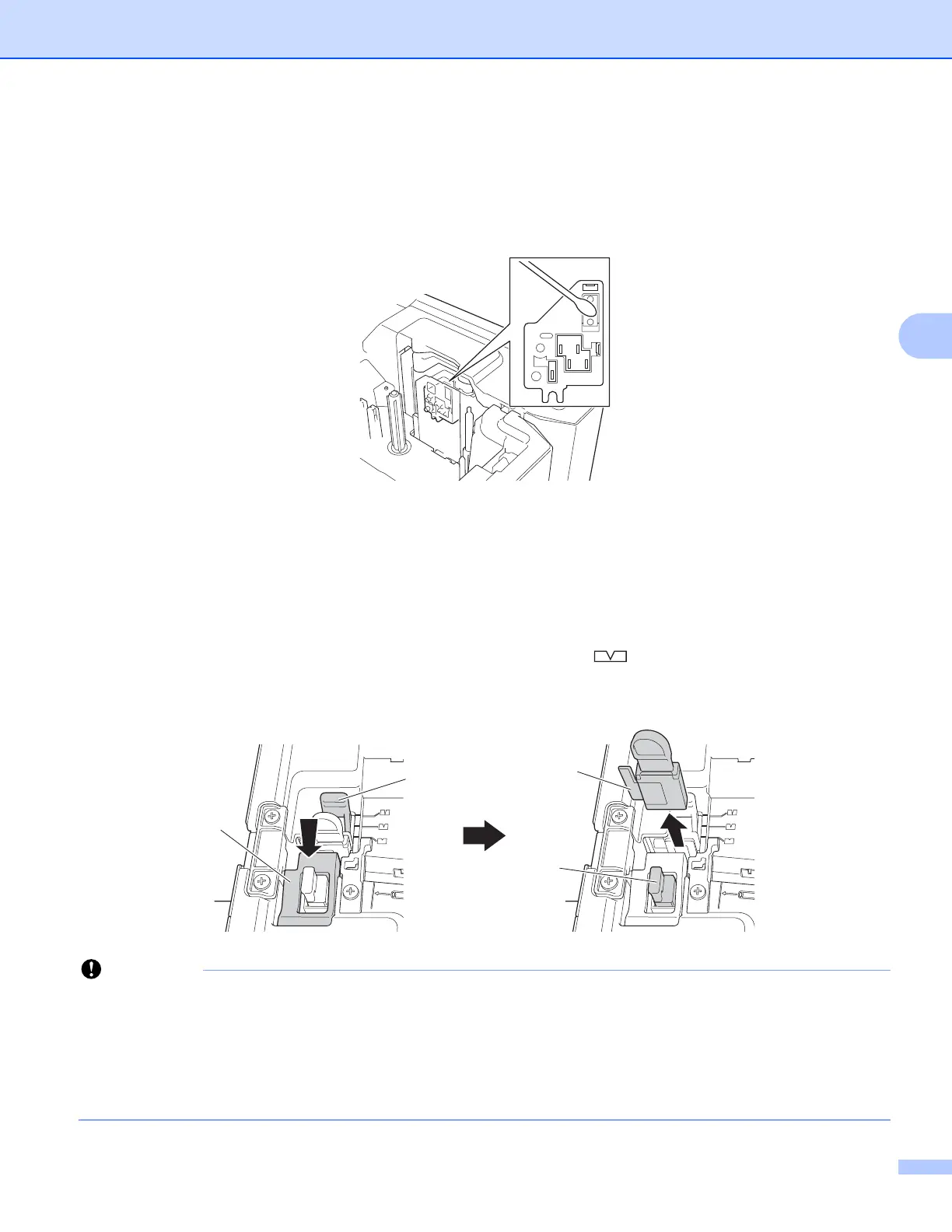
If the FLe sensor is dirty, FLe labels cannot be positioned correctly. Wipe the sensor using a cotton swab
moistened with alcohol.
Replacing or Cleaning the Tube Cutter and Tube Cutter Board19
After repeated use of the tube cutter, tubes may jam if materials attach to the cutter blade and take the edge
off the blade. Clean the blade using a cotton swab or similar item or replace the tube cutter. (PA-TC-001 for
the tube cutter and tube cutter board.)
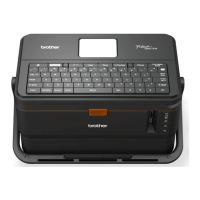
a Move the tube half-cut adjuster (1) rearward to align it with the " " mark as shown in the illustration.
While pushing down on the black part (2), grab the tube cutter board (3) and pull it upward to remove it.
Remove the tube cutter (4) using the same procedure.
• After replacing the tube cutter, reset the counter. You can reset the counter for the tube cutter by selecting
[Settings] - [Reset] - [Reset Tube Cutter Counter] in the Home screen, or selecting [Reset Tube
Cutter Counter] in the [Device Settings] menu bar in the "Printer Setting Tool". For more information,
see Menu Bar on page 112.
• Replace the tube cutter after approximately 50,000 cutting operations (this number may vary depending
on the operating conditions).
2
1
3
4





 To Next Page