Printing a Tube or Label Using the P-touch Keyboard
46
2
You can use the tube half-cut adjuster of the P-touch to adjust the depth of half cuts to one of three
settings.
Tube Adjustment 2
Setting Auto Fit Style 2
When [Size] of the character attributes is set to [Auto] and the tube length is set to a specific length, you
can select the way of reducing the text size to fit within the tube length.
a Select [Settings] in the Home screen using the , , or key, and then press the OK or Enter
key.
b Select [Tube Adjustment] using the or key, and then press the OK or Enter key.
c Select [Auto Fit Style] using the or key, and then press the OK or Enter key.
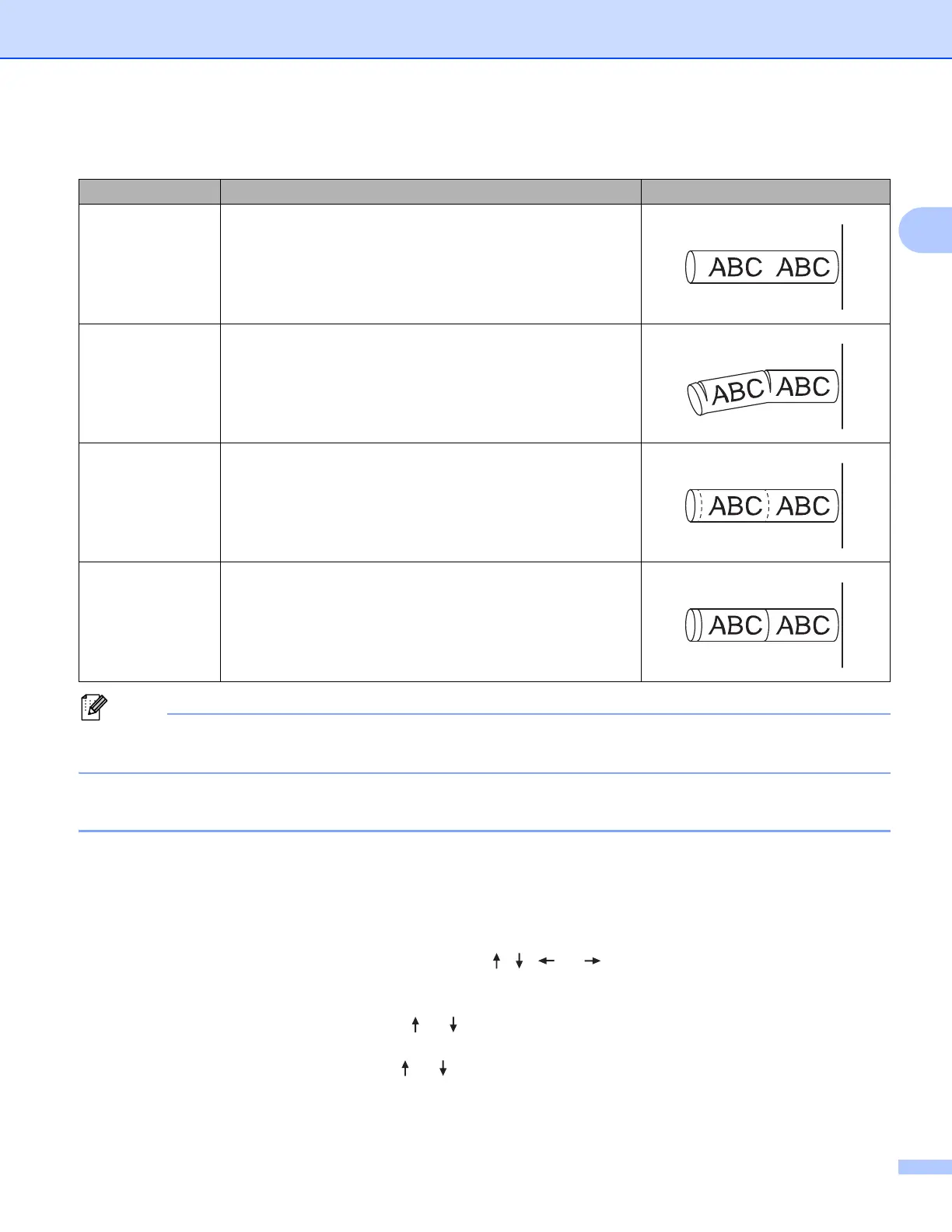
Cut Option Table
Cut Option Description Image
No Half Cut The tubes are fully cut only after the last tube is printed.
Half Cut
The tubes are half cut in the margin before the first tube is
printed and after each of the remaining tubes is printed. The
tubes are fully cut after the last tube is printed.
Dot
A dotted line is printed in the margin before the first tube is
printed and after each of the remaining tubes is printed. The
tubes are fully cut after the last tube is printed.
Line
A solid line is printed in the margin before the first tube is
printed and after each of the remaining tubes is printed. The
tubes are fully cut after the last tube is printed.












 To Next Page