Printing Using the Computer
77
4
• We recommend getting the SSID (network name) and password (network key) of the wireless network in
advance.
• To achieve the best results with everyday document printing, use the P-touch as close to the wireless
access point/router as possible with minimal obstructions. Large objects and walls between the two
devices and interference from other electronic devices can affect the data transfer speed of your
documents.
Configuring using the Setup Wizard
a Select [Settings] in the Home screen using the , , or key, and then press the OK or Enter
key.
b Select [WLAN] using the or key, and then press the OK or Enter key.
c Select [Infrastructure Mode] using the or key, and then press the OK or Enter key.
d Select [Network Setting] using the or key, and then press the OK or Enter key.
e Select [Setup Wizard] using the or key, and then press the OK or Enter key.
f If any messages appear, press the OK or Enter key for each message.
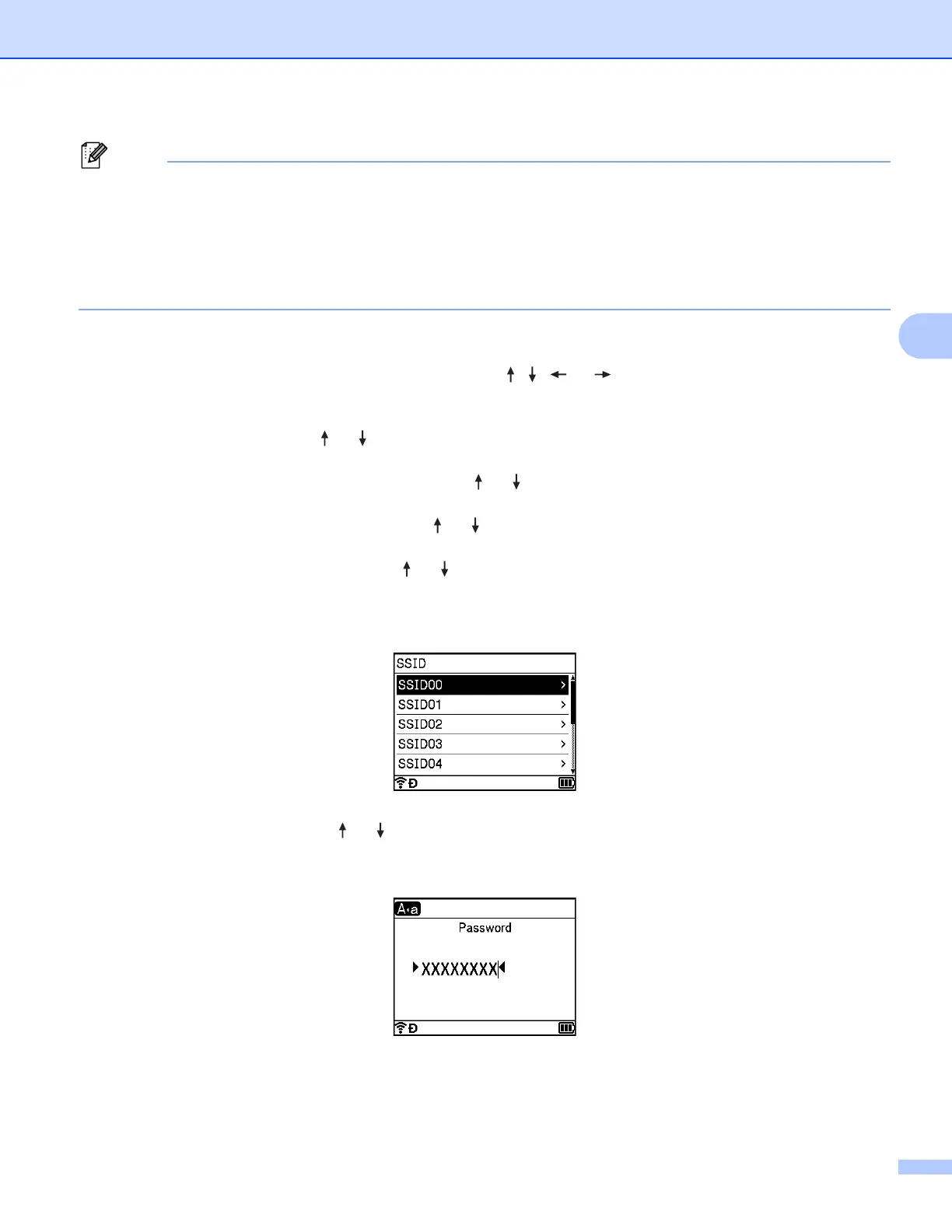
The SSIDs for the available networks appear.
g Select the SSID using the or key, or select [Other…] and enter the SSID (from 1 to 32
characters), and then press the OK or Enter key.
The [Password] screen appears.
h Enter the password (from 8 to 63 characters or, when using WEP, from 5 to 13 characters), and then
press the OK or Enter key.












 To Next Page