139
Bruker Optik GmbH HYPERION User Manual
Repair and Maintenance 6
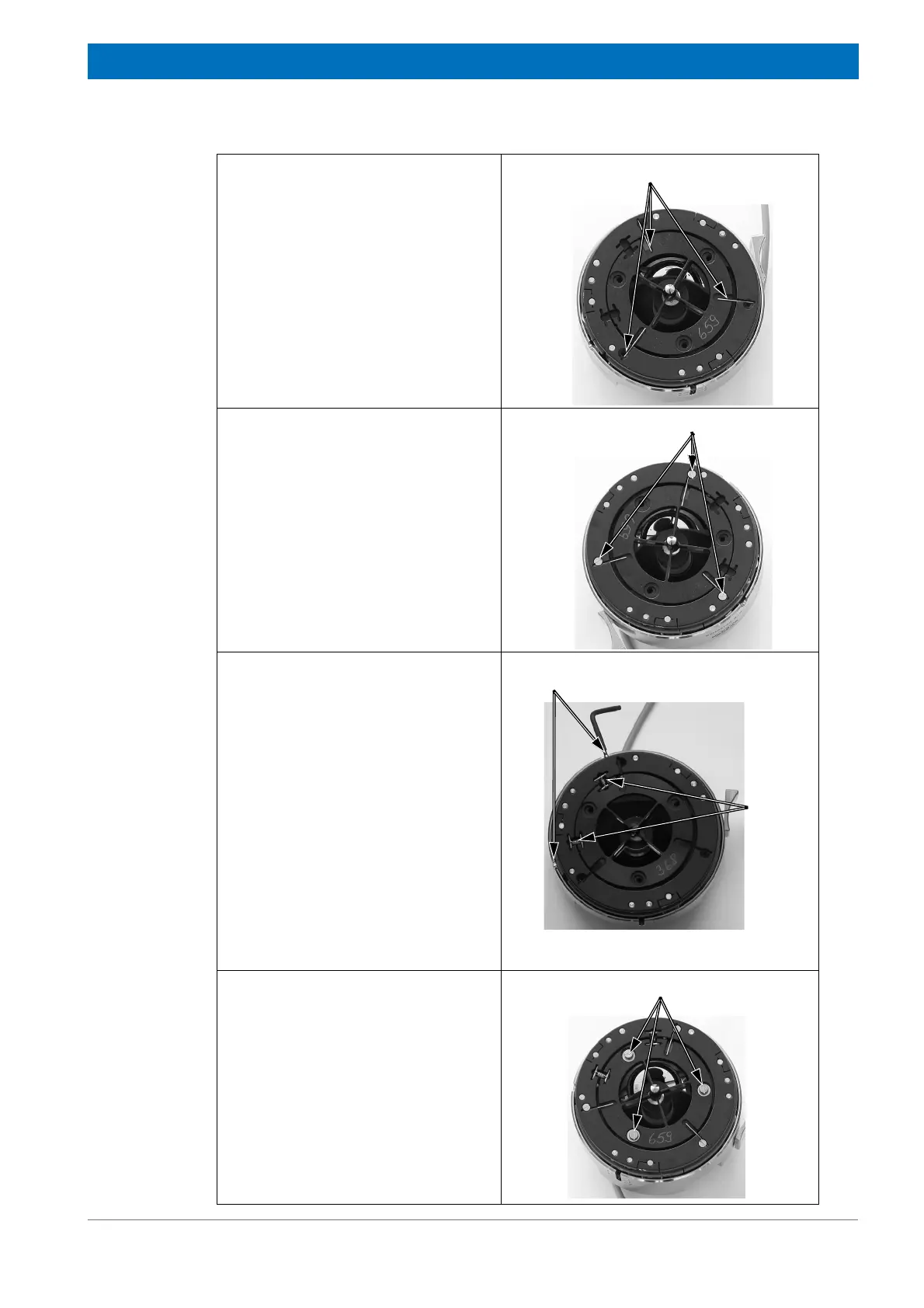
Step 6
Put the three long pins into the corre-
sponding recesses using the twee-
zers.
Step 7
Fasten the three slotted-head screws
at the outer ring using a small flat tip
screwdriver.
Step 8
Using the hex wrench, rotate the two
adjusting screws in such a way that
the inner ring is moved towards the
two springs. Rotate the two adjusting
screws until the distance between the
inner and the outer ring is as small as
possible at this place. This facilitates
inserting the springs.
Thread the two short pins to the eye-
lets of the spring. Insert the pins in the
corresponding recesses of the inner
and outer ring.
Repeat this procedure with the second
spring.
Step 9
Install the three washers and the three
slotted-head screws at the inner ring.
Tighten the screws only loosely. Do
not yet tighten them firmly!
Note: Do not tighten these screws
firmly before you have aligned the ATR
crystal centrically. For information
about how to align the ATR crystal
centrically, see section 6.4.5.
Slotted-head screws at the outer ring
Screws for adjusting the crystal
assembly in horizontal direction
Springs
Washers plus slotted-head screws



 To Next Page